

You can use FaceTime like a walkie-talkie for kids by relying on audio calls and the Apple Watch Walkie-Talkie app. While there is no dedicated facetime walkie-talkie mode for kids, you can recreate a push-to-talk style setup with Apple devices.
Table of Contents
Ways To Use FaceTime Like a Walkie-Talkie for Kids
Use the Apple Watch Walkie-Talkie App With FaceTime Audio
The Apple Watch includes a built-in Walkie-Talkie app that works through FaceTime audio. It offers a true push-to-talk experience designed for quick voice exchanges.
- On the iPhone, open Watch, then tap FaceTime and confirm it is enabled.
- On the Apple Watch, open Walkie-Talkie.
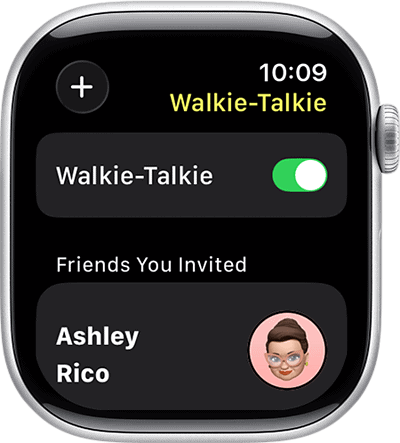
- Add your childs contact, then send an invitation.
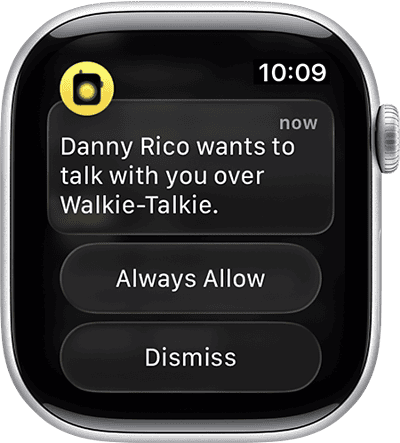
- Once accepted, press and hold Talk to speak.


This method uses the FaceTime feature of keeping audio calls in the background, which makes it a practical FaceTime walkie-talkie feature for kids wearing Apple Watches.
Keep a FaceTime Audio Call Open for Quick Back-and-Forth
If your child does not have an Apple Watch, you can use a continuous FaceTime audio call between two iPhones.
- Open FaceTime.
- Select the contact, then tap the Telephone icon to start an audio call.
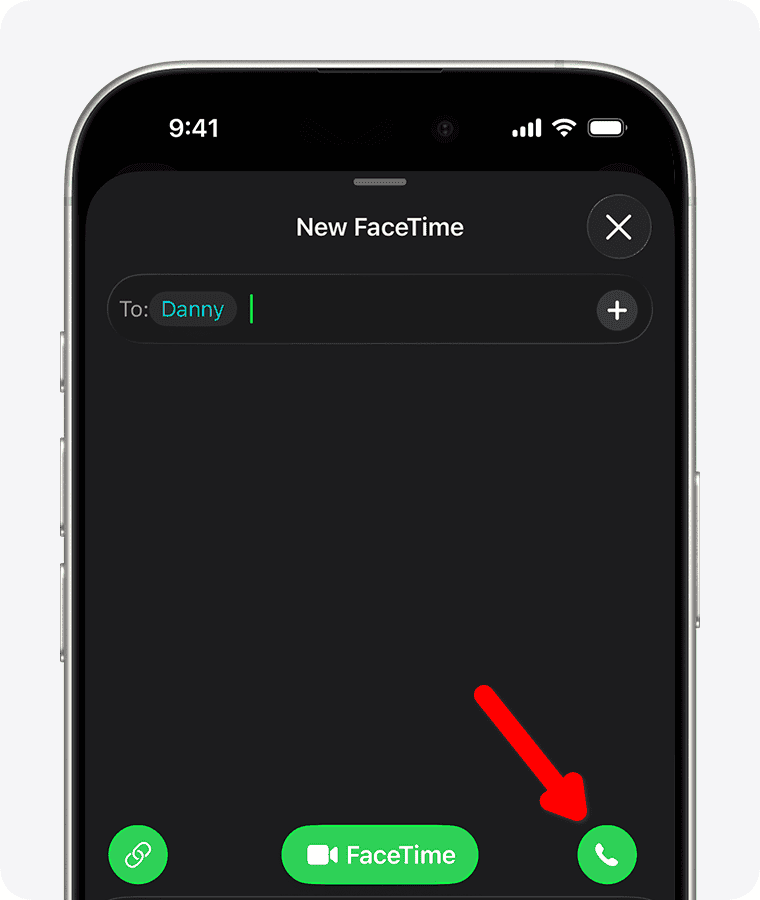
- Keep the call active while your child moves around the house.

Use a Dedicated Video Walkie-Talkie Device

If you prefer a screen-based walkie-talkie without smartphones, consider a paired video walkie-talkie set. These devices include built-in cameras and color screens, and only connect to each other.
There are many walkie-talkie models designed specifically for kids, but they do not rely on FaceTime calls, and they avoid internet setup. This can simplify communication for younger children.
Try Approved Third-Party Apps With Push-To-Talk
Apps like Marco Polo and Voxer provide voice messaging and push-to-talk communication. These apps support quick voice notes without maintaining a live call.
- Download the app from the App Store.
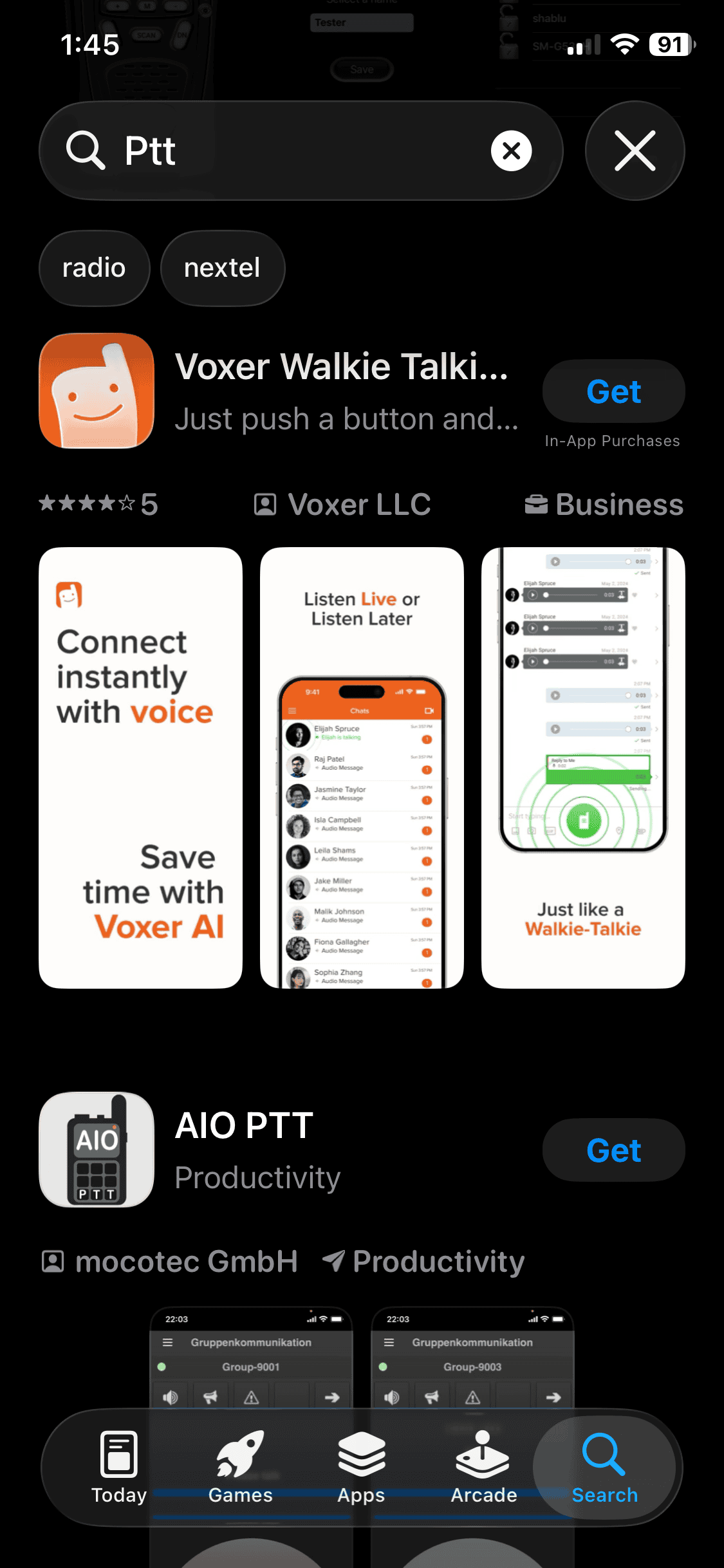
- Create accounts for parent and child.
- Use the push-to-talk or instant video messaging features.

These alternatives offer controlled communication and can serve as practical FaceTime features for kids who need quick contact.
FaceTime as Walkie-Talkie for Kids: Tips
- Enable Screen Time to control who your child can contact.
- Keep devices charged for uninterrupted communication.
- Test audio clarity before relying on FaceTime in larger spaces.
- Teach children to press and hold before speaking on Apple Watch.
FAQ
Can FaceTime work like a real walkie-talkie for kids?
Yes, especially with Apple Watch Walkie-Talkie, which uses FaceTime audio behind the scenes.
Does my child need an Apple Watch?
No, but the Walkie-Talkie app requires Apple Watch. Without it, you must use regular FaceTime audio.
Is there a built-in push-to-talk button inside FaceTime?
No, FaceTime itself does not include a dedicated push-to-talk interface on iPhone.
FaceTime as Walkie-Talkie for Kids: Summary
- Apple Watch Walkie-Talkie uses FaceTime audio for push-to-talk.
- FaceTime audio calls can stay open for quick replies.
- Dedicated video walkie-talkie sets avoid internet dependency.
- Apps like Marco Polo and Voxer provide voice messaging alternatives.
Using Apple Watch Walkie-Talkie is the closest way to create a facetime walkie talkie kids setup, while other apps and devices offer practical alternatives.


