

Losing important conversations on your iPhone or iPad causes stress. This happens due to accidental deletion or a failed iOS update. When iCloud or iTunes fail, specialized software is essential. These tools offer deep scanning. They retrieve chat data still on your device storage.
Table of contents
Leading Software for Retrieving Lost iOS Messages
1. Stellar Data Recovery

This tool performs notably well for chat apps. Stellar is a leader for iMessage and WhatsApp recovery. It successfully restored all tested messages and notes. This positions it as a powerhouse for detailed conversation retrieval. Stellar offers a professional design and flexible approach. You can recover from the device, iTunes, or iCloud backups. All this comes under a single, one-time license model.
2. Disk Drill

Disk Drill consistently ranks as a top performer overall. It excels at recovering standard data types. These include photos, contacts, and notes. Although message recovery was partial, its speed is fast. Furthermore, its modern interface is highly user-friendly. Another benefit is its single, one-time license. This makes it cost-effective compared to other leading data recovery solutions.
3. EaseUS MobiSaver

EaseUS MobiSaver is a very popular utility. It offers a simple three-step process. First, connect your device. Second, scan the data. Third, recover what you need. It achieved high success rates for most file types. However, it only provided partial iMessage recovery. The program is known for being highly accessible. Consequently, it is a professional-grade choice for budget-conscious consumers.
4. iMobie PhoneRescue

PhoneRescue offers an intuitive interface. It was designed specifically for beginners. This software is especially useful. It allows you to restore recovered data directly onto the iPhone. This saves users an extra transfer step. Conversely, its message recovery results were partial. Yet, its strong performance with photos and contacts makes it a well-rounded tool.
5. Dr.Fone
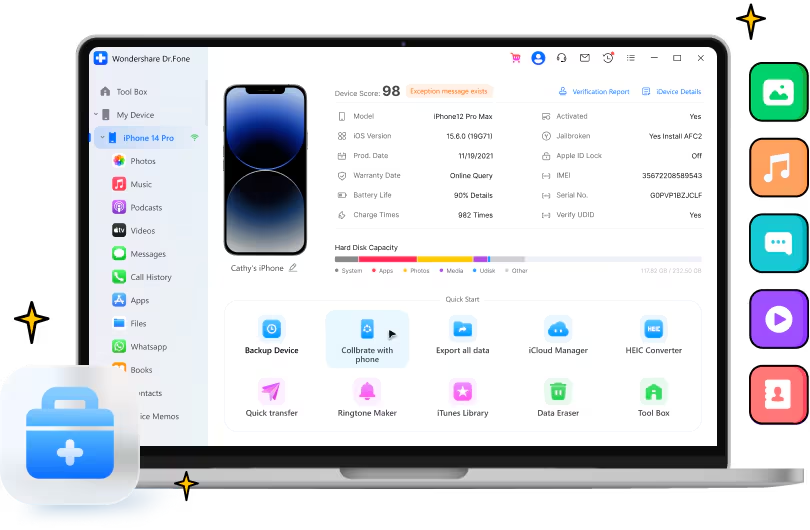
Dr.Fone is a recognized name in mobile utility. It is part of a larger, all-in-one toolkit. This kit extends beyond recovery. It includes data transfer and system repair functions. It performed strongly with photos and contacts. Nevertheless, it often delivered only partial results for messages. Users like the breadth of features. Therefore, it is a comprehensive solution before you need to learn how to restore your iPhone.
6. AnyRecover

AnyRecover boasts one of the most sleek and modern interfaces. It guides users with step-by-step prompts. Furthermore, it performs well when recovering media files and messages. Conversely, tests showed weaker results for contacts and notes. If your primary goal is restoring recent chats, AnyRecover is a strong contender. It can help you recover your message archives when necessary.
FAQ
Yes, but only if new information has not overwritten the data.
If you have a recent, reliable backup, use Apple’s native method. It is the simplest and free option. However, recovery software is necessary when no backup exists.
Ensuring Your Important Conversations are Retrieved
Choosing the right iMessage recovery tool depends on your needs. Consider if you require full chat restoration, where Stellar shines. Alternatively, you might prefer an all-in-one suite like Dr.Fone. Always stop using your device immediately. Then, enable Airplane Mode. This prevents data overwriting before scanning. By following these steps, you increase your recovery chances. This advice also applies to similar best tools for iPad data recovery.


