
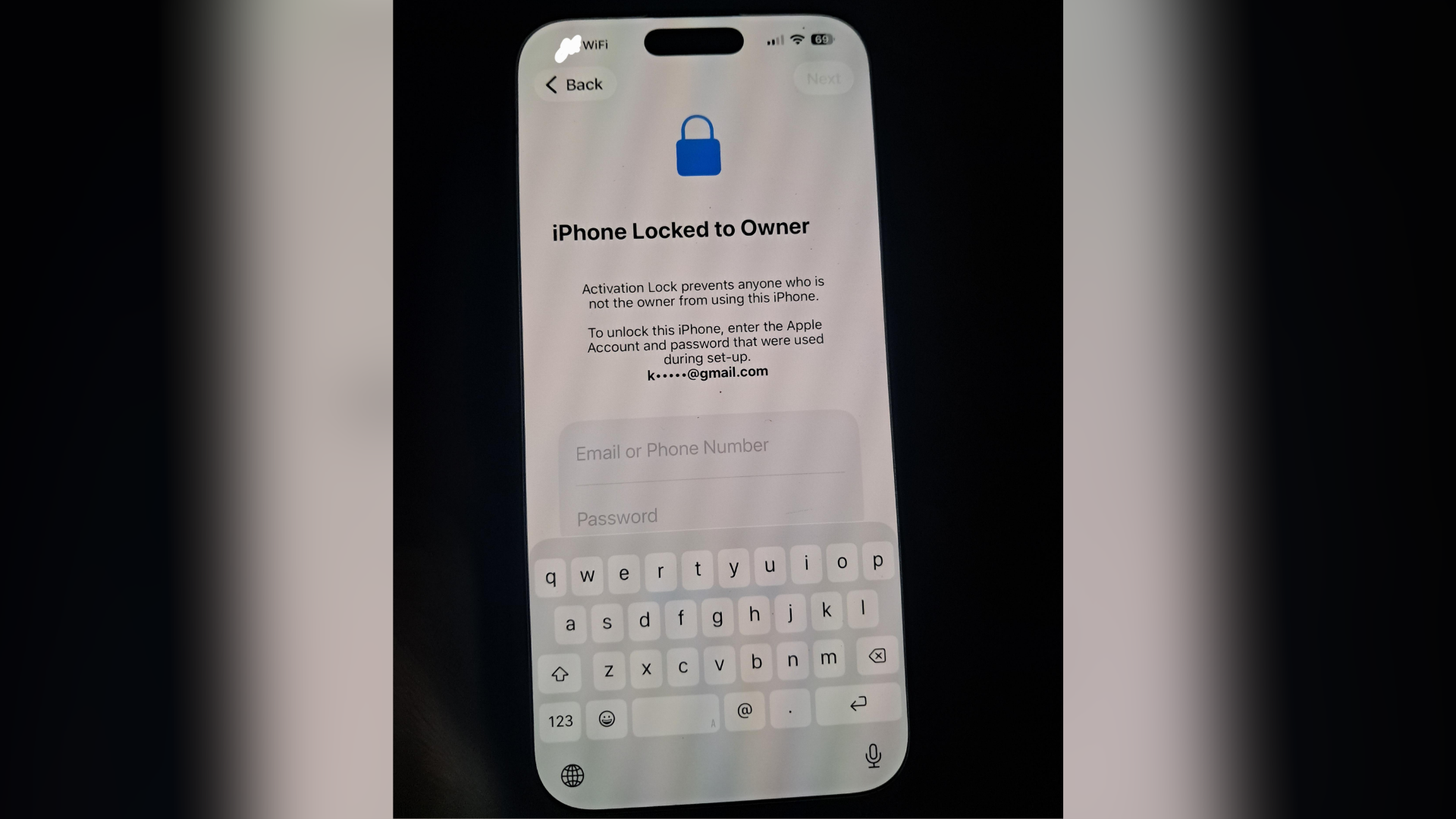
A growing number of iPhone users are reporting a strange issue where their devices suddenly ask for Activation Lock credentials after a restart, even though the phones were never erased, lost, or remotely locked.
The reports started appearing on Reddit over the past few days, with users saying the issue showed up on devices running iOS 26.4.2. Several people said their iPhone restarted normally, only to display the Activation Lock screen moments later.
One Reddit user with an iPhone 16 Pro Max said the phone “randomly decided to deactivate” after a reboot. Thankfully, their Apple ID password still worked, and all data remained intact after signing back in.
What makes this notable is how many similar replies followed.
Users with iPhone 15 Pro, iPhone 17, and other recent models described nearly identical behavior. Some said it happened after a battery drain. Others noticed it immediately after an iOS update or restart.
One user explained that their iPhone showed a message claiming the device had “completed update,” followed by Wi-Fi setup and Activation Lock verification. Another said Face ID failures briefly triggered a warning that the iPhone had been reported stolen before the message disappeared on the next unlock attempt.
At the moment, there is no evidence suggesting these accounts were compromised.
Many affected users checked their Apple Account device lists and found no unknown logins or suspicious activity. In nearly every case, signing back into the original Apple Account restored access normally without data loss.
That detail is important because Activation Lock is normally tied to Find My and anti-theft protection. It usually appears after:
- A device erase through Find My
- A DFU restore
- A major activation reset
- A device marked lost or stolen
Several longtime iPhone users said they had never seen this behavior before.
One commenter suggested the issue may be linked to recent iOS updates. Another noted that reports appear to be increasing rapidly over the last two weeks, which points more toward a software bug than isolated account problems.
Apple has not publicly acknowledged the issue yet.
Still, the timing has caught attention because iOS 26.4.2 already shipped with important security fixes related to notification handling and deleted data retention. While those fixes appear unrelated to Activation Lock, some users believe recent system-level changes may have introduced unexpected activation behavior after reboots or update verification.
This would not be the first time iOS updates caused activation-related bugs. Earlier iOS versions have experienced activation failures and unexpected lock issues on certain iPhone models.
For now, users should avoid panicking if the screen appears unexpectedly.
If your iPhone suddenly asks for Activation Lock credentials:
- Sign in using your existing Apple Account
- Check the devices section in your Apple Account settings
- Change your password if anything looks suspicious
- Make sure two-factor authentication is enabled
- Keep a recent iCloud or Mac backup available
So far, most reports indicate the phones return to normal immediately after verification. Still, the experience can be alarming, especially while traveling or when access to account credentials is limited.
Until Apple comments publicly, this increasingly looks like another odd iOS 26.4.2 bug that slipped through unnoticed.


Every update brings problems my doesn’t recognise contacts and rings on WhatsApp messages sick of it