
We have a deal on the 2020 Social Media Marketing Bootcamp Certification Bundle, a 7-course training program covering social media in general, as well as FaceBook, Instagram, Twitter, and LinkedIn. It includes 34 hours of content and hundreds of lessons, and it’s $29.99 through our deal.
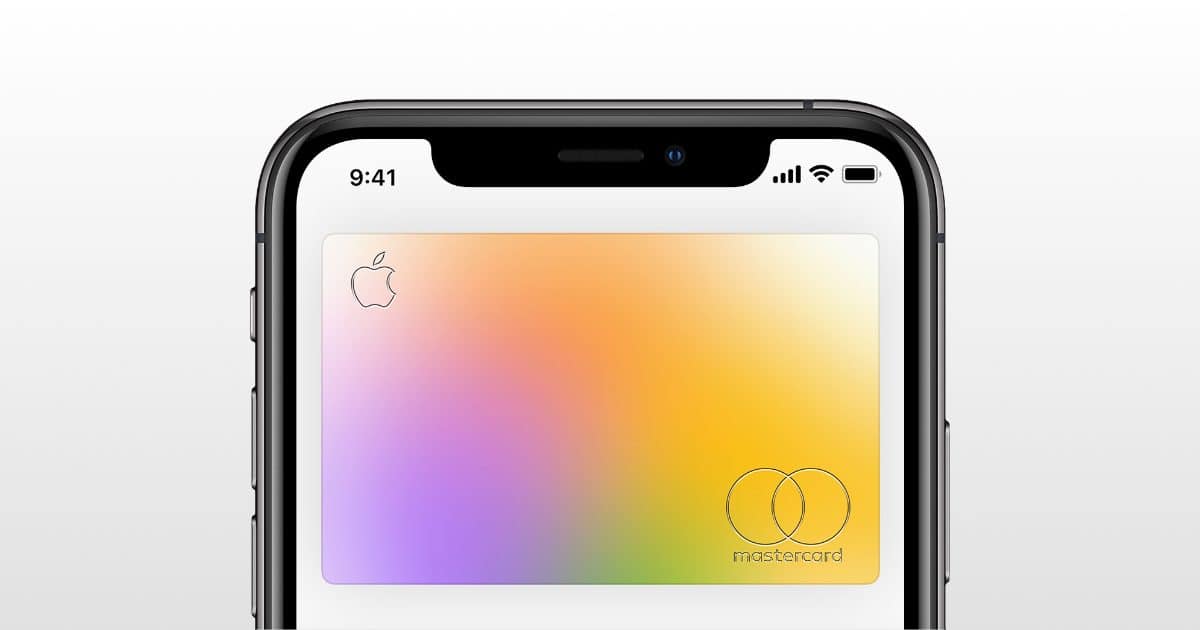
Apple Card Customers Allowed to Defer June Payment Due to COVID-19 Outbreak
Apple Card customers can defer payments set for June, 9to5Mac reported. That will be the third month in which Apple and Goldman Sachs have allowed such a deferral, due to the COVID-19 outbreak.
In response to the continued coronavirus outbreak, Apple and Goldman Sachs are allowing customers to skip their Apple Card payments without incurring interest charges. Apple Card holders should receive an email announcing this “Customer Assistance Program»… Apple and Goldman Sachs have once again announced an extension of the Apple Card Customer Assistance Program, allowing users to skip their June payments without penalty. Learn how to join the Customer Assistance Program here. |We understand that the COVID-19 situation poses unique challenges for everyone and some customers may have difficulty making their monthly payments. Should you need assistance, please click here to be connected to Apple Card Support via Messages and enroll in our Customer Assistance Program, which will allow you to skip your June payment without incurring interest charges. If you previously enrolled in the Customer Assistance Program, you will need to enroll again.
Backtick is Zoomalicious (in Preview) – Mac Geek Gab 817
Who knew one key could do THAT? Plus, you can take iPhone pics right from your Mac desktop. Lots of quick tips.
And then a quick discussion about tech support in the time of social distancing. We’ve heard from a few consultants who help John and Dave suss that out.
Wi-Fi is always popular, and this week marks a return to some in-depth discussions about various configurations, including expanding your Wi-Fi… and that of your friends and family members. Plus we’ve got Cool Stuff Found and more. Press play and enjoy learning at least five new things with your two favorite geeks!

Security Friday, Apple Card Updates – TMO Daily Observations 2020-05-29
Andrew Orr joins host Kelly Guimont to discuss Security Friday news and some updates to Apple Card data in the Wallet app.

Smartphone App Lets Fans Cheer, or Jeer, Their Team as Soccer Returns
Soccer leagues around the world are starting to return, with games being played in empty stadiums. When players in Japan next take to the pitch they could be cheered, or jeered, by fans using a smartphone app, the Guardian reported.
The Remote Cheerer system developed by the Japanese firm Yamaha allows fans following the match on TV, the radio or online to encourage – or berate – players via their smartphones, their voices reverberating around the stadium in realtime via loudspeakers. In a recent field test, users in multiple remote locations chose from a range of on-screen options that sent their cheers, applause, chants and boos into the 50,000-seat Shizuoka Stadium Ecopa via 58 speakers set up among the empty seats.

ChronoWatch Multi-Function Smart Watch: $36.99
We have a deal on ChronoWatch, an inexpensive, multi-function smartwatch. It has 16 main functions including activity tracking, sleep monitor, blood pressure monitor, message and call notification, alarm, and more. It’s also waterproof, and it’s $36.99 through our deal.

How to Safeguard Your Privacy at a Protest
Motherboard has a short guide to protecting your privacy in case you join a protest. Rule number one: Get a burner phone, don’t use your personal phone.
Naturally, law enforcement will likely be heavily surveilling these protests and others with all sorts of tech and spying gear. And it’s not just the cops: when much of a protest is broadcast via tweets or live-steaming, those watching may also want to digitally target protesters, perhaps by identifying them publicly.

New Series 'Central Park' Arrives on Apple TV+
The first two episodes of the new series Central Park are now available on Apple TV+. The animated, musical, show was created by Loren Bouchard, the man behind Bob’s Burgers. It tells the story of Owen Tillerman and his family, who live in New York’s Central Park.

YouTube Introduces Chapters For Longer Videos
YouTube has introduced Video Chapters for longer clips, Techcrunch reported. The markers are available across iOS, the web, and Android. There is haptic feedback when scrolling through on mobile versions too.
Video Chapters will be automatically enabled as a line of timestamps and titles when creators add chapter information to their video’s description. The first timestamp has to be marked 0:00, followed by a space, then the chapter’s title. On the next line, you’ll type the timestamp where the next chapter starts (e.g. “2:31”), then a space and that chapter’s title. When you’re finished adding in the chapters, you save the changes and the Video Chapters will be listed as you scrub through the video. Videos will need to have at least three timestamps that are 10 seconds or more in length in order to use the feature.
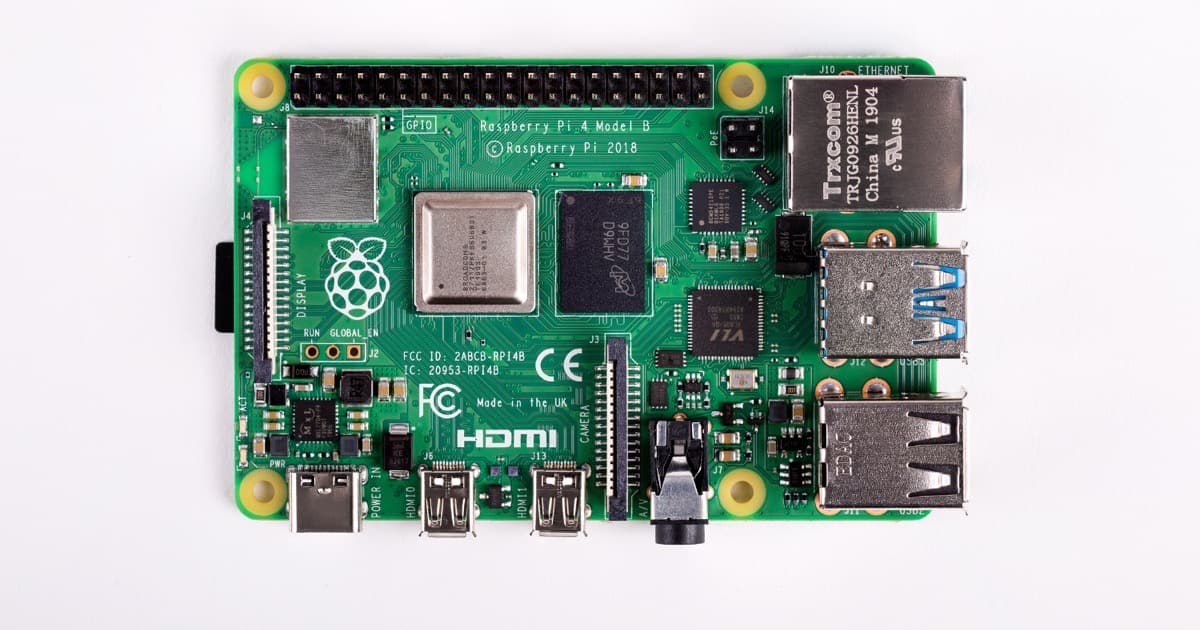
Raspberry Pi 4 8GB Option Launches for $75
The Raspberry Pi 4 was released last year in 2GB and 4GB models. Today an 8GB model is being released for US$75.
The BCM2711 chip that we use on Raspberry Pi 4 can address up to 16GB of LPDDR4 SDRAM, so the real barrier to our offering a larger-memory variant was the lack of an 8GB LPDDR4 package. These didn’t exist (at least in a form that we could address) in 2019, but happily our partners at Micron stepped up earlier this year with a suitable part.


