

Apple’s iOS 26, released on September 15, 2025, enhances the iPhone experience with features like advanced call screening and the sleek Liquid Glass design. A highlight is the addition of seven new ringtones, offering users fresh ways to personalize their devices. These include six remixed versions of the iconic “Reflection” ringtone, the default since iOS 11, and one unique track, providing a diverse auditory palette for calls, texts, and alarms.
Table of contents
What’s New Ringtones are in iOS 26
The new ringtones blend familiarity with innovation, catering to varied preferences. Six are variations of “Reflection,” maintaining its rhythmic core while introducing distinct tones. The seventh is a standalone track with a unique vibe. Each is described below as a fresh customization option, with options like the best free ringtones for iPhone available for further personalization.
Don’t miss the best of The Mac Observer
Set us as a preferred source and our Apple reporting ranks higher in your Google Search results and Discover feed — one tap, no account changes.
Buoyant
Buoyant delivers an upbeat, synth-driven melody with a light, airy feel, evoking a morning breeze. Its lively rhythm makes it an energizing choice for calls or alarms, ideal for users seeking a vibrant yet balanced alert.
Dreamer
Dreamer creates an ethereal, ambient soundscape with soft, soothing tones. Its gentle cadence suits those who prefer understated notifications, perfect for quiet settings or as a calm alarm to ease into the day.
Pond
Pond offers a serene, natural vibe with woodwind-like notes mimicking water ripples. Its tranquil sound is discreet, making it ideal for text alerts or calls in professional or peaceful environments.
Pop
Pop brings a bold, electronic edge with a punchy, synthwave-inspired beat. Its high-energy rhythm stands out in noisy settings, making it a great choice for users who want a noticeable ringtone.
Surge
Surge builds intensity with escalating beats, creating a dynamic, urgent tone. Its commanding presence suits busy users needing a ringtone or alarm that cuts through distractions.
Reflected
Reflected refines the classic “Reflection” with a polished, modern twist. It retains the original’s familiar pulse while feeling updated, making it versatile for users who enjoy the default but want a fresh take. Users can also set custom ringtone options to complement Reflected.
Little Bird
Little Bird stands out with a folksy, acoustic melody featuring chime-like notes and a whimsical, birdlike trill. Its playful charm makes it perfect for alarms or text alerts, adding warmth to notifications.
Where to Find the New Ringtones
The new ringtones are accessible on iPhones running iOS 26 (compatible with iPhone 11 and later).
- Open the Settings app.

- Tap Sounds & Haptics.

- Tap Ringtone.
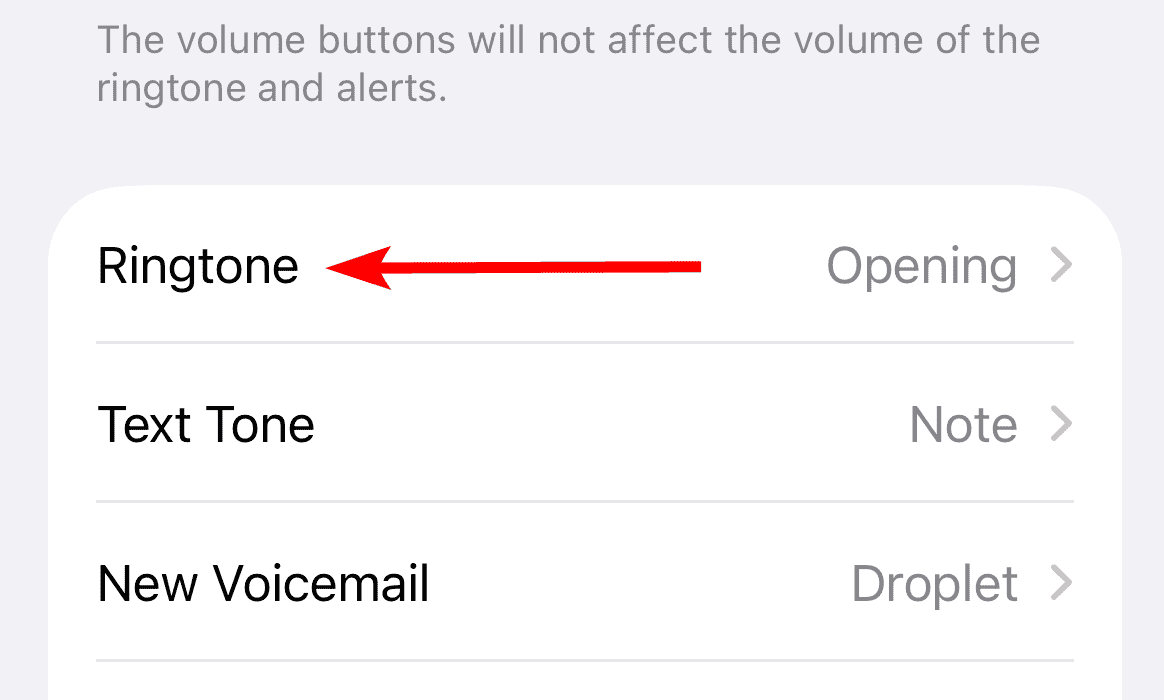


You can preview and set them directly. iOS 26 also allows you to turn any audio clip into a ringtone using GarageBand, though some report issues with the Use as Ringtone feature not working, often fixed by converting files to WAV or restarting.
FAQ
Yes, all seven ringtones can be set for calls, texts, or alarms via Settings > Sounds & Haptics.
Use GarageBand to import an M4A file (30-40 seconds), export it as a ringtone, and assign it in Settings.
They’re available on iOS 26-compatible devices, starting with iPhone 14 and later models.
Personalizing Your iPhone’s Sound
The seven new ringtones in iOS 26, from Buoyant’s vibrancy to Little Bird’s whimsy, offer iPhone users a refreshed way to personalize alerts. Integrated into the Sounds & Haptics menu, they balance innovation with the familiar “Reflection” legacy. Whether you choose Pond’s calm or Pop’s boldness, iOS 26 ensures your device’s alerts reflect your style. For more customization, explore how to set custom ringtone options to make your iPhone truly yours.


New ringtones are enot loud enough for a person to hear