

Apple has released macOS Tahoe 26 developer beta 8, carrying build number 25A5349a. The update comes just a week after beta 7 and could be the final version before Apple rolls out a Release Candidate ahead of next month’s public launch.
The update maintains Apple’s pattern of weekly developer betas that mostly refine stability and performance. While no major new features are expected this late in the cycle, developers continue to look for smaller interface adjustments or app-level changes in each release.
What macOS Tahoe 26 Brings
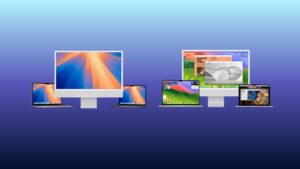
macOS Tahoe 26, first announced at WWDC25, introduces Apple’s new Liquid Glass design language, giving the desktop a more translucent and fluid look. The update also brings Live Activities to Mac, letting users track real-time updates like deliveries or sports scores directly on the desktop. Spotlight search sees its biggest redesign yet, with clipboard history, Shortcuts integration, and the ability to complete actions such as sending emails without opening separate apps.
Don’t miss the best of The Mac Observer
Set us as a preferred source and our Apple reporting ranks higher in your Google Search results and Discover feed — one tap, no account changes.
For the first time, Apple is also adding a dedicated Phone app to macOS, enabling call management directly from the Mac, along with systemwide Live Translation in Messages, FaceTime, and calls. Other additions include the long-awaited Journal app, a new cross-platform Games app, and refinements to Safari, Messages, Notes, and Terminal.
Developers can install macOS Tahoe 26 beta 8 by heading to System Settings, selecting General, then Software Update, and choosing the macOS Developer Tahoe Beta from the Beta Updates menu. Apple recommends backing up your Mac before installing beta software.
According to Apple, macOS Tahoe 26 marks a major step forward in unifying the Mac with iPhone experiences, while also expanding Apple Intelligence features across the system. Registered developers can download the latest beta through the Apple Developer Program.
For those outside the developer program, Apple will offer broader testing access through the Apple Beta Software Program.


Discussion