
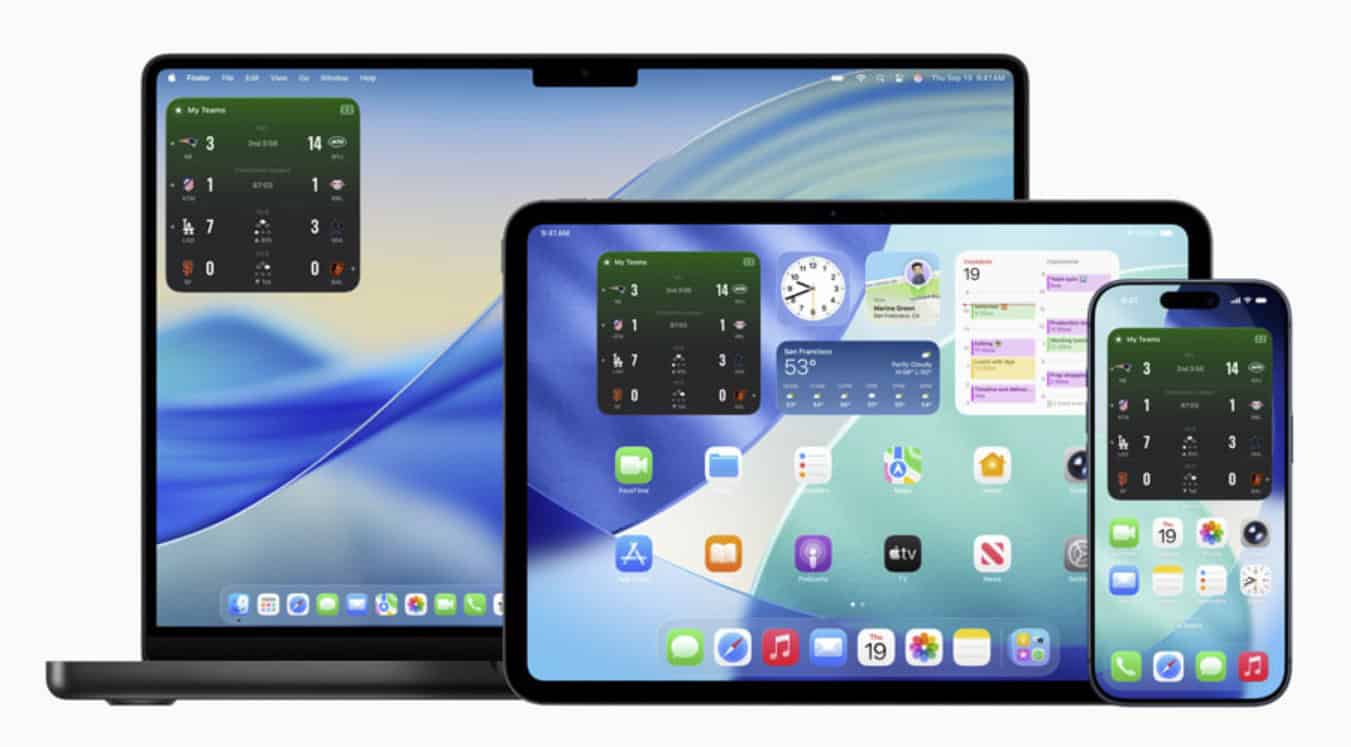
Apple Sports now has Home Screen widgets that surface live scores and upcoming games. Widgets are available on iPhone, and can also be added on iPad and Mac, giving quick at-a-glance updates across devices.
You can also schedule Live Activities ahead of kickoff. Follow an upcoming game in Apple Sports and the score tile will appear on your Lock Screen when the match starts.
The app’s footprint is growing, too. Apple Sports is now available in eight additional countries: Austria, France, Germany, Iceland, Ireland, Italy, Portugal, and Spain. League coverage expands with Europe’s second tiers and top-flight Portugal: 2. Bundesliga, Ligue 2, Segunda División, Serie B, and Primeira Liga.
Don’t miss the best of The Mac Observer
Set us as a preferred source and our Apple reporting ranks higher in your Google Search results and Discover feed — one tap, no account changes.
A quick note on platforms: Apple Sports remains an iPhone app today, but the new widget can be used on iPad and Mac. The latest update is version 3.3.
What the widgets show
Widgets come in two flavors: “My Teams” for your favorited clubs and “League” for a full competition snapshot. You can add multiple widgets and customize them per device to track different teams or leagues.
How to add the widget
Long-press your Home Screen → tap “+” → search for Apple Sports → pick “My Teams” or “League” → Add.
Tip: On iPhone, also follow any upcoming game to have its Live Activity trigger automatically at kickoff.
Availability
Apple Sports is free to use on iPhone running iOS 17.2 or later. Features and coverage vary by region. To see the new features, update the app to the latest version and make sure your devices are on current software.




Discussion