

Apple finally flipped the switch on Digital ID, letting you use passport-based identification at TSA checkpoints in more than 250 U.S. airports. It sounds almost magical: walk up, tap your iPhone or Apple Watch, authenticate with Face ID, and move on. But before you stroll into the airport expecting a friction-free experience, there are a few things you should take care of. Here’s the thing — Digital ID has rules, limits, and setup quirks that Apple didn’t spotlight in its announcement.
Let’s break it down so your first attempt doesn’t turn into a weird tech hiccup at the front of the TSA line.
Table of contents
1. Update Your Devices to iOS 26.1 or watchOS 26.1
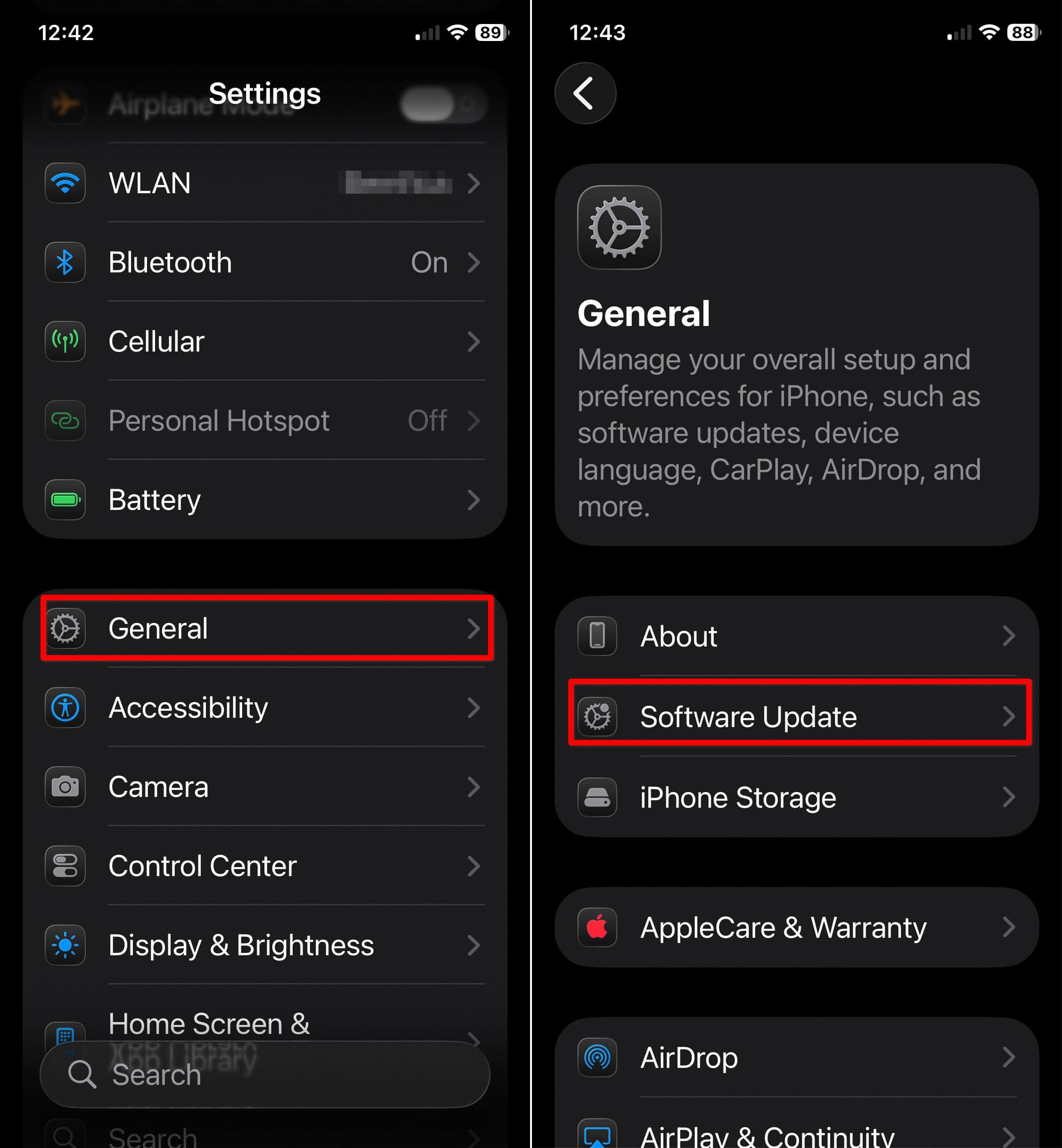
Digital ID didn’t arrive with iOS 26 itself; Apple enabled it quietly through a server-side switch. But you still need to be on iOS 26.1 (or watchOS 26.1 if you plan to use your watch).
No update, no Digital ID.
Don’t miss the best of The Mac Observer
Set us as a preferred source and our Apple reporting ranks higher in your Google Search results and Discover feed — one tap, no account changes.
Do a quick check before you pack:
- iPhone: Settings → General → Software Update
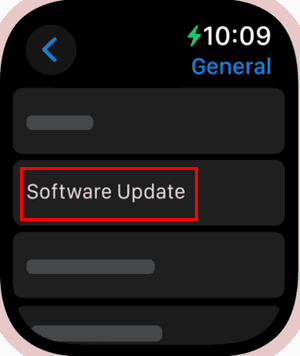
- Apple Watch: Watch app → General → Software Update


If your phone is running anything older or your watch hasn’t been updated in a while, handle this at home. Not in the security line.
2. Make Sure You Have an Unexpired U.S. Passport With You
Digital ID isn’t based on your state ID. Apple uses your passport information to create the ID stored in Wallet. You’ll need it with you during setup because the system scans:
- the photo page
- the embedded NFC chip on the back
- your face and head movements for verification
An expired passport won’t work.
A damaged passport won’t work.
A “somewhere in a drawer at home” passport certainly won’t work.
Even once your Digital ID is set up, you still need your physical passport for all international travel. Digital ID works only for domestic flights and only through TSA’s beta program.
3. Confirm Your Airport Actually Accepts Digital ID

Apple says Digital ID is available at over 250 U.S. airports, but Apple hasn’t published a clean public list yet. TSA’s rollout varies by state, and acceptance is limited to specific checkpoints — not always every lane.
States accepting Digital IDs in Wallet include:
- Arizona
- California
- Colorado
- Georgia
- Hawaii
- Iowa
- Maryland
- Montana
- New Mexico
- Ohio
- Puerto Rico
Your local airport might be covered. Or it might not be.
Before you walk in expecting the future, check the TSA website or your airport’s official page so you’re not stuck rummaging for a plastic ID.
4. Set Up Face ID or Touch ID (and Check That Bluetooth Is On)
Digital ID only works when the system knows you’re you. TSA won’t see your whole ID — you approve the exact information being shared through biometric authentication.
Make sure:
- Face ID or Touch ID is fully set up
- Your camera isn’t covered by a cracked screen protector
- Bluetooth is turned on (TSA identity readers rely on proximity tech that needs it)
If Face ID fails because you changed your look, shaved your beard, or have a smudged camera lens, you may get stuck in manual ID mode. Clean your camera, and test your phone before leaving the house.
5. Bring Your Physical ID Anyway — Seriously
Digital ID is convenient, but it’s not foolproof.
Here’s what Apple isn’t shouting from the rooftops:
- It’s not a legal replacement for your passport.
- It doesn’t count for international travel.
- It won’t work at every TSA security lane yet.
- TSA still recommends you always carry a physical ID.
- Losing access to your iPhone or your iCloud account leaves you without proof of identity.
It’s smart to treat Digital ID as a shortcut, not a total replacement. Think of it as an early preview of what ID verification might look like later — not the final destination.
Final Thoughts
Apple has built something impressive, even if the rollout is limited and a bit confusing. Digital ID can make domestic airport security faster, cleaner, and less awkward. But it’s still in beta, still dependent on your passport, and still something you should prepare for before relying on it.
Handle the five steps above and you’ll avoid the classic “I thought this would just work” moment we’ve all had with new tech.




Discussion