

If you’ve ever wondered which apps are watching what you do across the internet, you’re not alone. Apple built App Tracking Transparency to give you a say in all of this, and the good news is that shutting down tracking on your iPhone is surprisingly simple. Let’s walk through what actually matters and how to take control without overthinking it.
Table of contents
Start by blocking new tracking requests
Here’s the thing. Every time you install a new app, it can ask to track you across other apps and websites. If you don’t want to deal with pop ups or second guessing yourself, you can turn all of that off in one move.
- Open Settings, head to Privacy and Security, then tap Tracking.
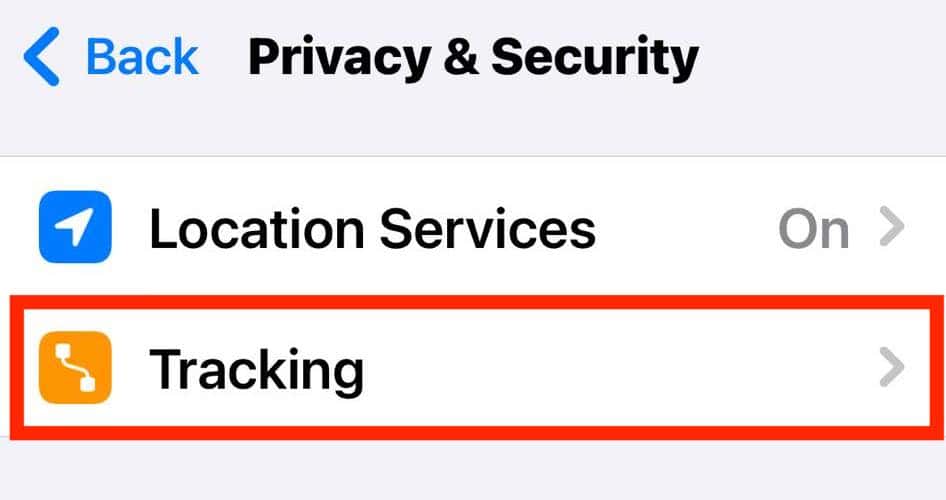
- At the top, you’ll see Allow Apps to Request to Track.
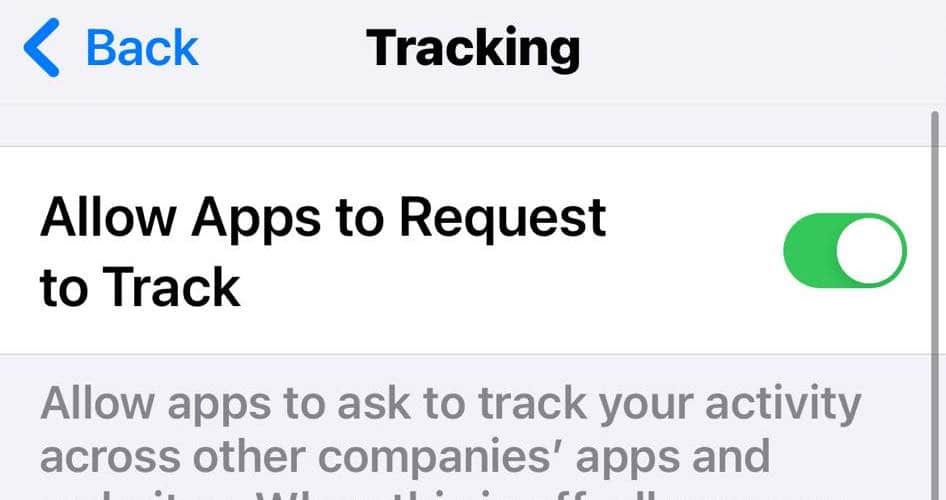
- Turn that off.


When you do, any app that tries to ask will get the message that you don’t want to be tracked. You don’t have to respond to anything, and the app won’t get access to your advertising identifier or other device level data it might have used for ad tracking.
Don’t miss the best of The Mac Observer
Set us as a preferred source and our Apple reporting ranks higher in your Google Search results and Discover feed — one tap, no account changes.
Review the apps already tracking you

If you’ve said yes to tracking in the past, you can still reverse it. In that same Tracking menu, you’ll see a list of apps that have asked for permission. Go through them and turn off anything you don’t want tracking you anymore. It takes seconds, and you can change your mind whenever you want.
Apple treats a “no” as a hard stop. The app loses access to your IDFA, which is the identifier advertisers use to piece together your activity across different places. Without that, targeted tracking becomes far harder.
Why the toggle might be grayed out
Sometimes the Allow Apps to Request to Track switch is unavailable. That usually means one of a few things. You’re using a child account. Your Apple ID was created in the last few days. Your device is managed by a school or workplace. Or a configuration profile is enforcing restrictions. Until that changes, iOS blocks tracking automatically.
What stopping tracking really does

Turning off tracking doesn’t mean you’ll stop seeing ads. It just means you won’t see ads based on what you did in other apps or on other websites. Think of it as moving from hyper targeted ads to generic ones. You get more privacy without breaking how the apps themselves work.
The bottom line
You don’t have to let apps follow you around. iOS gives you the controls, and most of them live in a single menu. Once you flip the switches you want, your phone stops handing out data to advertisers, and you get a little more peace of mind every time you open an app.


Discussion