
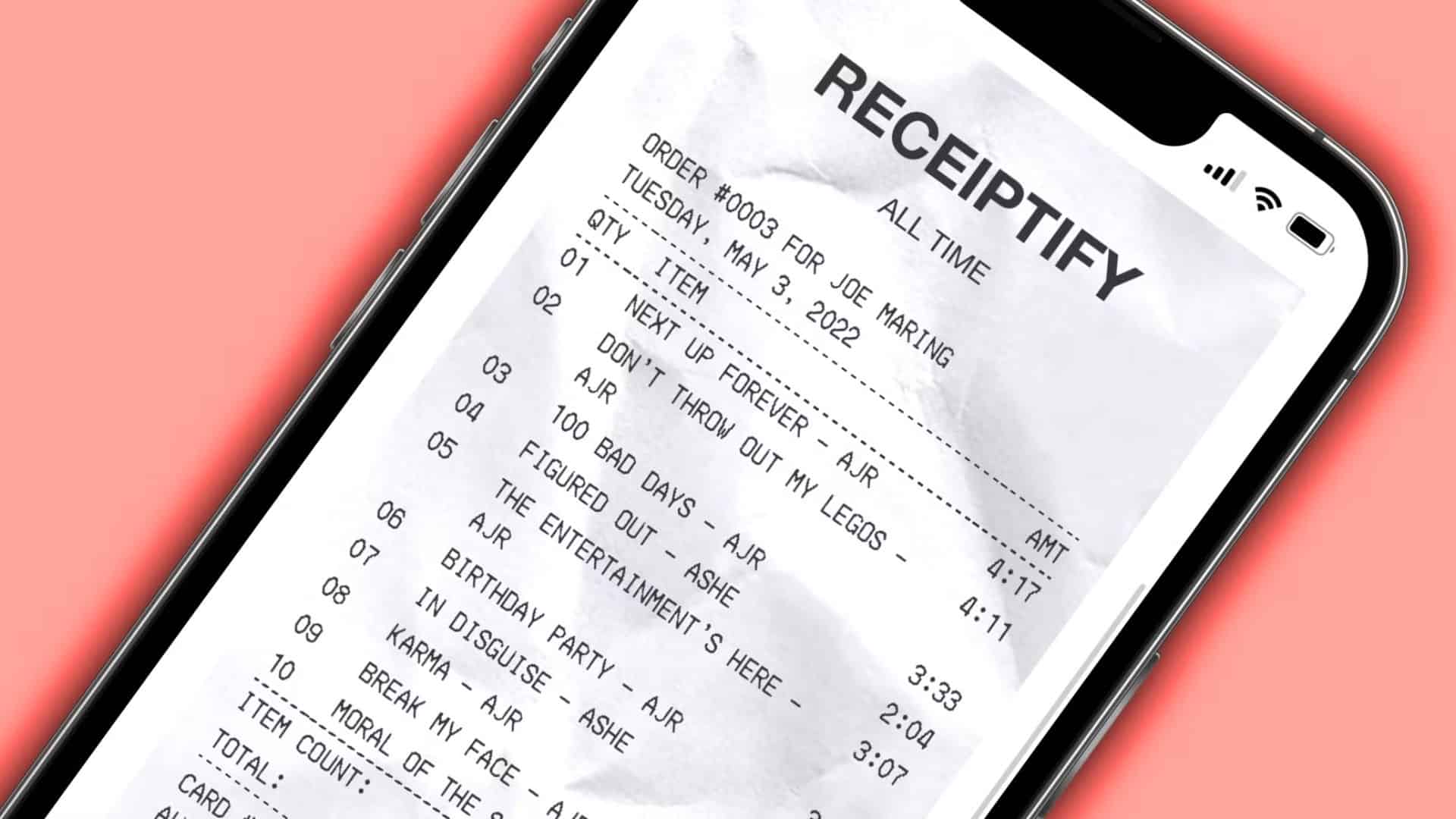
You want to generate a music receipt that lists your top tracks on Apple Music in a visual format, similar to Spotify Wrapped or Receiptify style receipts. But Apple has changed how third party apps can access music data. As of 2026, Receiptify does not work directly with Apple Music like it once did.
That means the way you use Receiptify today involves workarounds or alternative tools that pull your Apple Music listening stats. I explain every method below, with clear steps you can follow.
Receiptify is a web tool originally made to create a receipt style list of your most played music tracks. It works well with Spotify and Last.fm.
Don’t miss the best of The Mac Observer
Set us as a preferred source and our Apple reporting ranks higher in your Google Search results and Discover feed — one tap, no account changes.
Apple Music support used to exist but was removed in 2023 when Apple changed its API policies. Receiptify can no longer fetch listening data directly from Apple Music accounts.
In 2026, you still have options to see Apple Music stats and use Receiptify style visuals, but you must use Apple Music data indirectly.
Table of contents
Method 1: Use Receiptify With Last.fm Scrobbling (Best for Apple Music)
Receiptify does not connect to Apple Music directly. You can sync Apple Music to Last.fm and then use Receiptify with Last.fm listening history.
Why this works
Last.fm tracks what you listen to across services by scrobbling plays. Once Apple Music sends play data to Last.fm, Receiptify can generate a receipt using that data.
Steps to Set It Up
- Open your web browser and go to the Last.fm signup page.
- Create a Last.fm account and sign in.
- Follow instructions to link Last.fm with Apple Music.
- On iPhone or Mac, enable playback scrobbling in Apple Music settings with Last.fm.
- On Android, use a third party scrobbling app that supports Apple Music.
- Play music on Apple Music for at least a few hours so Last.fm logs tracks.
- Visit the Receiptify site in your browser.
- Choose Log in with Last.fm.
- Allow Receiptify to access your Last.fm history.
- Select the time period such as last month, six months, or all time.
- Click Generate Receipt.
- Download your receipt image to share or save.
What You Get
- A receipt style image listing your most played Apple Music tracks via Last.fm.
- Top 10 tracks for different time periods.
- Easy social sharing.
Method 2: Use Apple Music Replay and Manual Receipt Creation
Apple Music Replay is Apple’s official feature that shows your yearly listening stats. It is not exactly Receiptify style, but you can convert it into a receipt manually.
What Apple Music Replay Offers
- Top songs of the year.
- Play counts and total listening time.
- A playlist of top tracks you can save in Apple Music.
Steps to Use Apple Music Replay
- Open your web browser and go to music.apple.com/replay.
- Log in with your Apple ID.
- View your Replay stats including top songs, total playtime, and top artists.
- Save the Replay playlist to your Apple Music library.
- To make a visual receipt manually, take screenshots of your top tracks and stats.
- Use a template or graphic app such as Canva to style the screenshot like a receipt.
- Save or share the image.
What You Get
- Official data directly from Apple.
- A yearly summary of your most played music.
- Secure and reliable stats.
Method 3: Use Stats.fm for Deeper Apple Music Insights
Stats.fm is a third party analytics platform that shows more detailed stats than Apple Music Replay.
What Stats.fm Does
- Tracks play counts over time.
- Shows top songs, artists, and genres.
- Works with Apple Music via scrobbling.
Steps to Use Stats.fm
- Open the Stats.fm app or website.
- Sign in with your Apple Music account or link Last.fm.
- Enable scrobbling if required.
- View top songs this month, top artists, and listening time trends.
- Export screenshots or data logs.
- Optionally, make a receipt style graphic manually.
What You Get
- Monthly and all time listening stats.
- Cross platform compatibility.
- A flexible option for visuals and analysis.
Method 4: Use Instafest to Create Visual Track Lists
Instafest does not make a receipt, but it creates a visual music lineup based on your listening preferences.
Steps to Use Instafest
- Open Instafest.
- Enter the link to your Apple Music playlist or top tracks list.
- Generate your festival lineup poster.
- Save and share.
What You Get
- Creative visual based on your top artists.
- A fun alternative to a receipt.
Overall Tips
- Always link Apple Music to Last.fm if you want data export.
- Enable scrobbling on mobile and desktop apps.
- Play songs you want on Apple Music regularly to improve Last.fm logs.
- Use official Apple Replay for reliable annual stats.
- Receiptify no longer connects directly to Apple Music.
- You must use scrobbling or manual methods.
- Official Apple tools still give stats but not receipts.
FAQs
Can I still log in to Receiptify with Apple Music directly?
No. Receiptify’s Apple Music integration was removed due to changes in Apple’s API policies.
How can I include Apple Music data in Receiptify?
Use Last.fm scrobbling or export playlists and stats manually. You then let Receiptify pull data from Last.fm.
Can I get monthly Apple Music receipts?
Apple Replay now supports monthly stats, but not a receipt image. You can combine Replay with graphic tools to make a receipt manually.
Do I need a subscription for any of these methods?
No. Apple Music Replay and Last.fm are free. Stats.fm may have premium options but core stats are free.
Summary
- Direct Receiptify with Apple Music no longer works due to Apple API restrictions.
- Sync Apple Music to Last.fm and then use Receiptify to generate receipts.
- Use Apple Music Replay for official yearly listening insights.
- Try Stats.fm for deeper data and trends.
- Make custom visuals if automatic receipts are not available.
Conclusion
Today, you cannot use Receiptify exactly as before with Apple Music. You must gather Apple Music listening data indirectly through Last.fm scrobbling or use Apple’s own Replay feature and alternative tools. Once you have that data, you can generate receipt style visuals with Last.fm and Receiptify or craft your own. These methods let you see and share your music habits in 2026, even without direct API access.




Discussion