

If your iPhone feels slightly slow when you long-press apps or menus, you can fix it in seconds with one simple setting that changes how fast your phone responds to touch.
iOS includes a setting called Haptic Touch duration, and it controls how quickly your iPhone reacts when you press and hold on the screen to open menus, previews, or shortcuts.
By default, Apple keeps it on a slower response time, which makes actions feel delayed, especially when you use gestures often. When you switch it to Fast, everything feels more responsive and immediate, and daily use becomes smoother without changing anything else.
Don’t miss the best of The Mac Observer
Set us as a preferred source and our Apple reporting ranks higher in your Google Search results and Discover feed — one tap, no account changes.
Many users who tried this setting say it makes the phone feel quicker, even though performance stays the same, because the delay between touch and action gets shorter.
How to enable it
- Open the Settings app
- Scroll down and tap Accessibility
- Tap Touch
- Select Haptic Touch
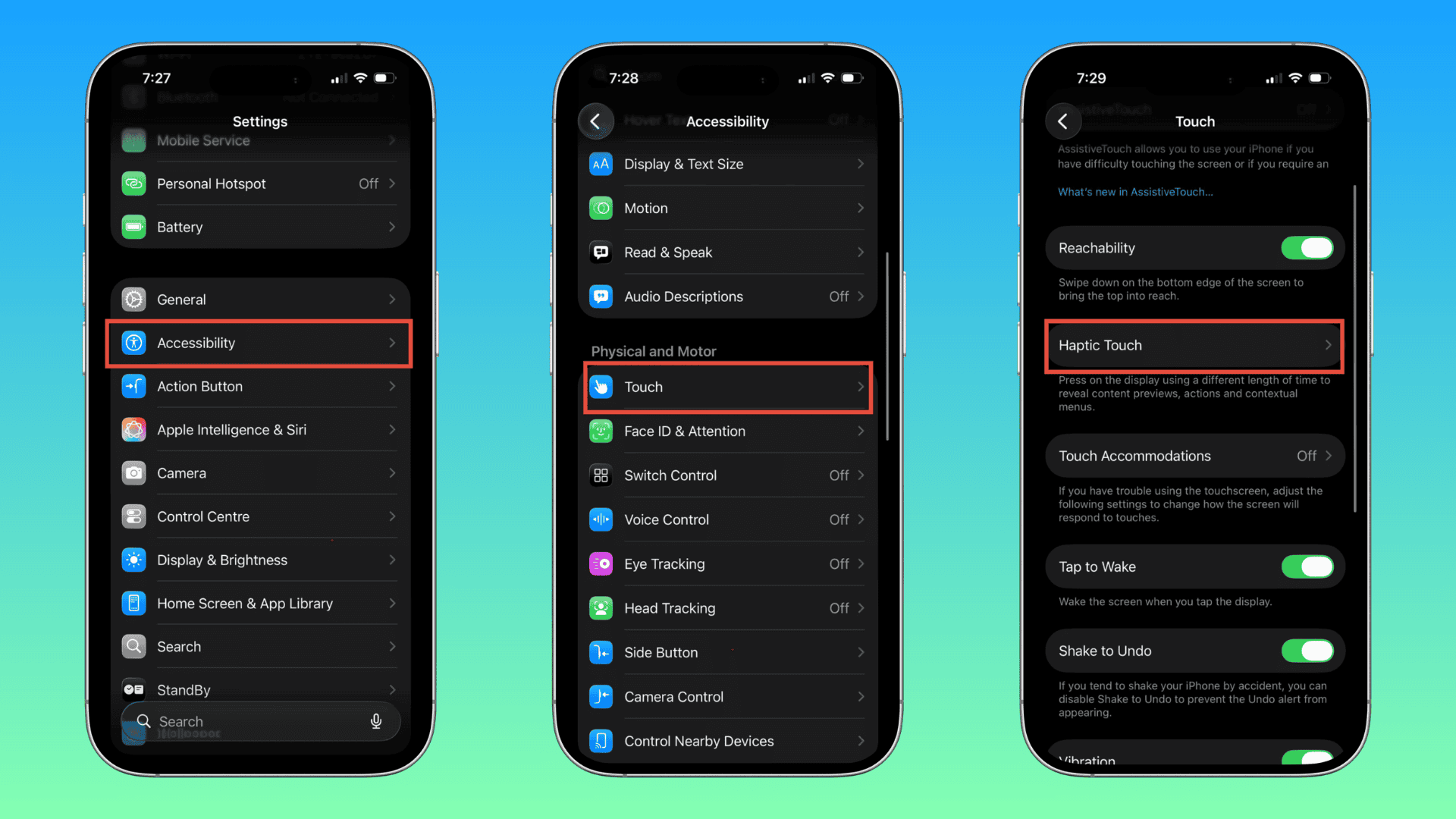
- Choose the Fast option
You can also test it on the sample image shown in the settings screen to feel the difference instantly.
Many users already had this setting enabled without realizing it, while others including me noticed an immediate upgrade in responsiveness after switching to Fast. Some still feel Apple should add an even faster option, but most agree that this tweak improves the overall experience.
This setting takes less than a minute to change, and it makes your iPhone feel quicker in daily use. If you have never tried it, turn it on and you will notice the difference right away.




Discussion