

OpenAI has expanded its ChatGPT Finances feature to the Mac desktop app, allowing users to connect their bank accounts, track spending, monitor investments, and manage personal finances directly from macOS. The update arrived on November 11, extending a feature previously available through ChatGPT’s website and mobile apps.
OpenAI introduced ChatGPT Finances in May 2026, initially limiting access to paying subscribers. The company subsequently expanded availability to Plus users in June and Free and Go users in October.
ChatGPT Finances Now Works on Mac
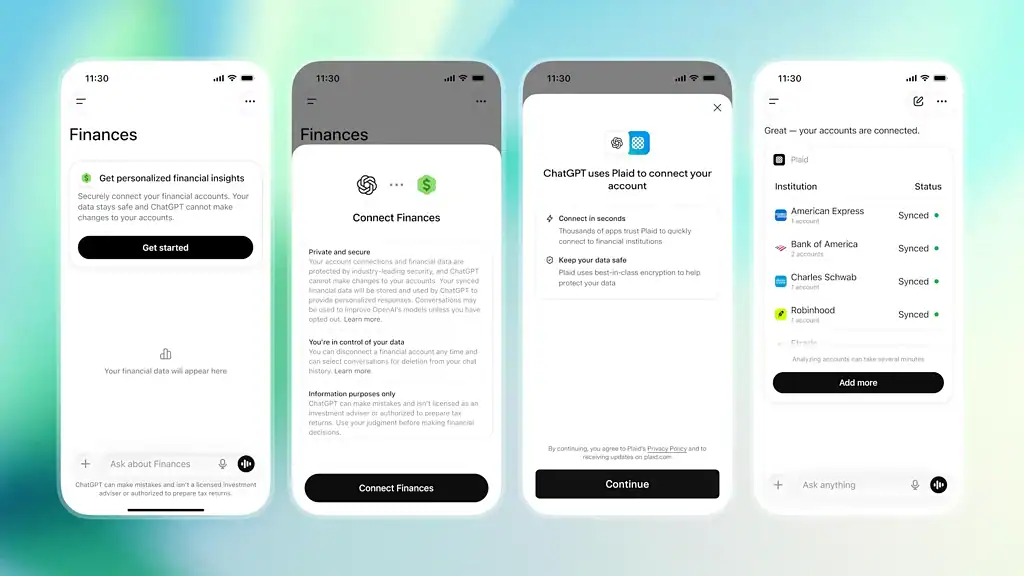
According to OpenAI’s official announcement, ChatGPT Finances connects financial accounts through Plaid, allowing the assistant to analyze actual transactions, account balances, and investments.
Don’t miss the best of The Mac Observer
Set us as a preferred source and our Apple reporting ranks higher in your Google Search results and Discover feed — one tap, no account changes.
The feature includes several tools for managing personal finances:
- Spending analysis: Track expenses by category and identify opportunities to save money.
- Subscription management: Review recurring charges, upcoming bills, and unnecessary subscriptions.
- Investment tracking: Monitor portfolio performance, stock holdings, and asset allocation.
- Credit monitoring: Track credit scores and understand factors affecting credit health.
- Weekly financial updates: Receive personalized insights about recent financial activity.
- Budget planning: Set savings goals and evaluate debt repayment strategies.
Users can ask questions such as “Where did I spend the most money this month?” or “Which subscriptions should I cancel?” and receive answers based on their connected financial information.
The feature also supports voice conversations, stock watchlists, and custom financial tools.
How to Access ChatGPT Finances on Mac
Mac users can access Finances by updating the ChatGPT desktop app to its latest version.
After updating, the Finances section appears in the sidebar, where users can connect supported financial accounts and access their personalized dashboard.
OpenAI says financial connections provide read-only access, meaning ChatGPT cannot transfer money, pay bills, or execute stock trades. Users can also disconnect their accounts whenever they choose.
Availability and Pricing
ChatGPT Finances is currently available to Free, Go, Plus, and Pro users in the United States, with no additional subscription required.
The Mac expansion brings the feature to another platform as OpenAI continues adding financial management capabilities to ChatGPT. The company has not announced when Finances will become available outside the United States.




Discussion