

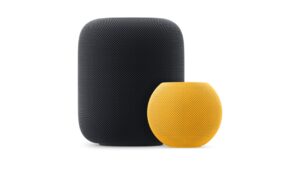
Apple released HomePod Software 26.1 alongside iOS 26.1, iPadOS 26.1, and macOS Tahoe 26.1 for both HomePod and HomePod mini. Apple says the update includes performance and stability improvements.
You should expect smoother responses, fewer hiccups during playback, and more reliable control in the Home app. Apple’s HomePod updates often focus on under-the-hood fixes that improve day-to-day use.
Most speakers install updates automatically. If you left automatic updates on, your HomePod will update on its own when the software becomes available.
Don’t miss the best of The Mac Observer
Set us as a preferred source and our Apple reporting ranks higher in your Google Search results and Discover feed — one tap, no account changes.
If you prefer to manage updates yourself, you can check and install 26.1 manually in the Home app.
Apple Support
How to update on iPhone, iPad, or Mac
Open the Home app, tap the More button, choose Home Settings, then select Software Update. If an update is available, tap Update Now. These steps apply across iPhone, iPad, and Mac, and update all speakers in the selected home.
For a smooth install, keep HomePod plugged in and on Wi-Fi. Make sure your iPhone, iPad, or Mac runs the latest OS before you start the update from the Home app.
Discussion