Call Context, Live Translation, Image Playground, Apple Reference Image and Split View all ship as part of iOS 27, and each answers a specific, repeated question better than the keynote did. Here is what Apple’s own pages say each one actually does, and what it needs to work.
Some of these already existed in a smaller form; others are entirely new to iOS 27. Grouping them together is useful because the questions people ask about each one tend to be identical: what triggers it, which devices get it, and where it does not work yet. Two of the five, Apple Reference Image and Split View, arrived at the September 9 keynote with far less attention than the price and colors, and Apple’s own product pages are the clearest place to actually read about them.
| Feature | What it needs |
|---|---|
| Call Context | English only, an Apple Intelligence-enabled iPhone |
| Live Translation | Messages, FaceTime and phone calls, available now |
| Image Playground | Any Apple Intelligence device, subject to daily limits |
| Apple Reference Image | Opt-in, not available in the EU at launch or in China |
| Split View on iPhone | iPhone Duo only |
What is Call Context, and what does it need
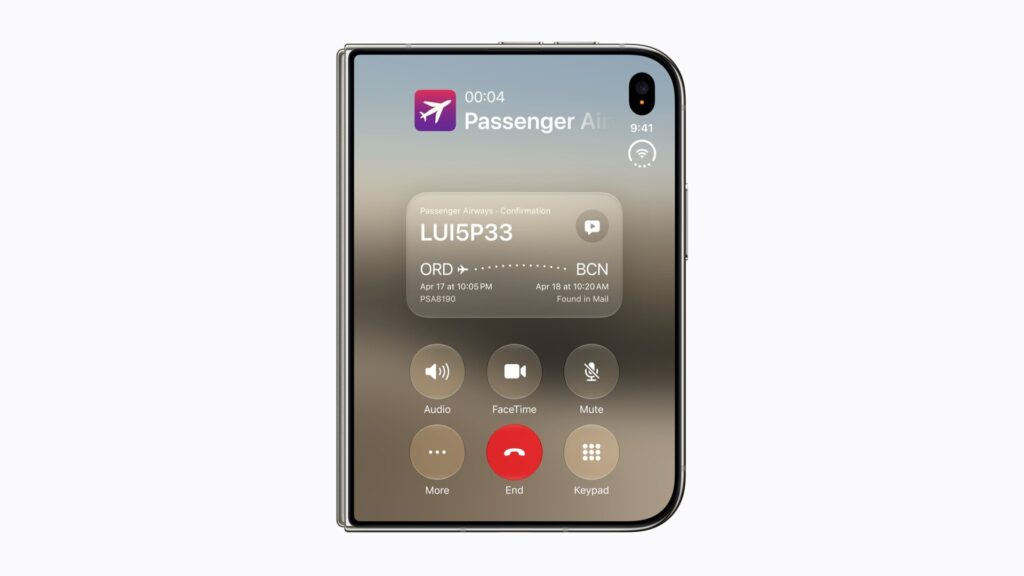
Apple describes Call Context as a feature that surfaces relevant information while on a call, pulling details such as reservation codes and confirmation numbers from a user’s own apps when calling a business. Apple lists it as English only, with no other language committed to a date, and it requires an Apple Intelligence-enabled iPhone.
Don’t miss the best of The Mac Observer
Set us as a preferred source and our Apple reporting ranks higher in your Google Search results and Discover feed — one tap, no account changes.
What is Live Translation, and where does it work
Live Translation automatically translates text in Messages and displays live translated captions in FaceTime and phone calls. Apple’s own wording marks it available now rather than tying it to a future update, which sets it apart from several other features on the same page still marked as coming later.
What is Image Playground, and does it cost extra
Image Playground creates images in just about any style, including photorealistic, directly from a description. It does not carry its own price, but Apple lists it among the features subject to daily usage limits because it relies on server-side models, and increased access is available through most iCloud+ subscription plans.
What is Apple Reference Image, and where can’t you use it
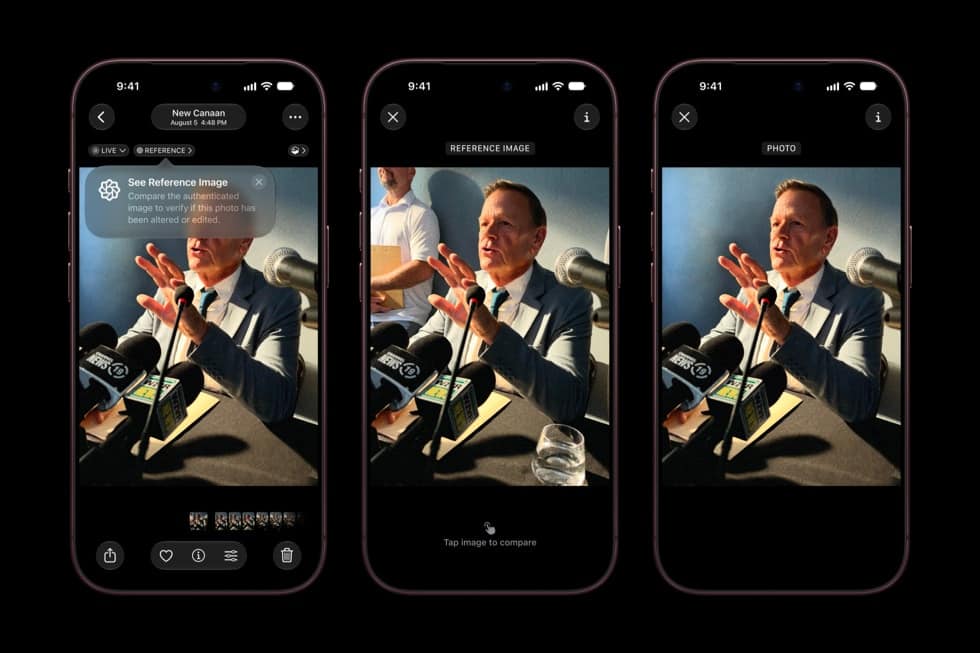
Apple Reference Image is an opt-in capture mode that records signed sensor data at the moment a photo is taken and builds what Apple calls a tamper-evident reference image, processed through Private Cloud Compute rather than kept only on the device. Apple states capture is unavailable in the EU at launch and unavailable in China for regulatory reasons, with a related content-credential technology arriving by a later software update. It ships on iPhone 18 Pro alongside the rest of this year’s camera changes.
What is Split View on iPhone, and which iPhone actually has it
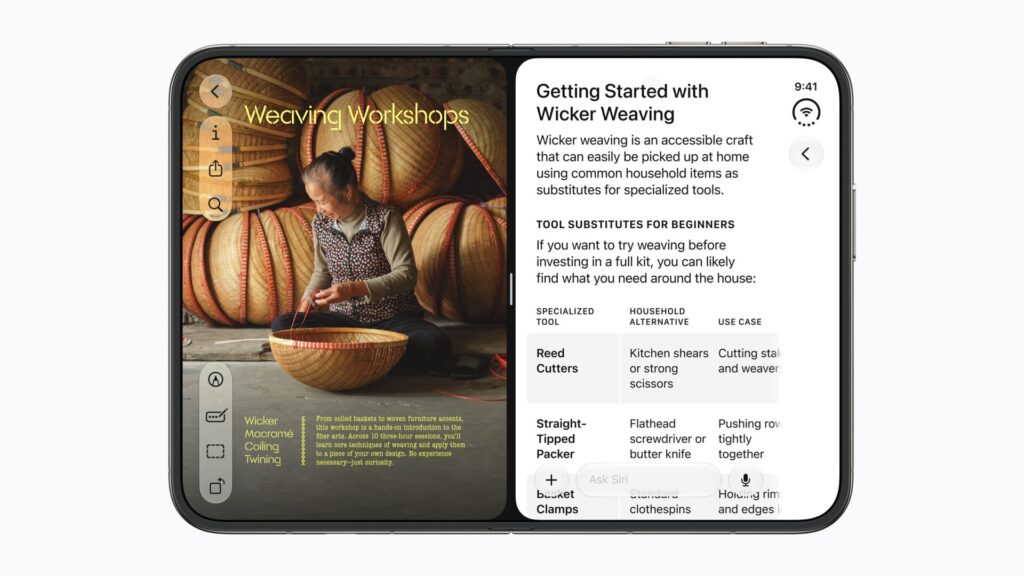
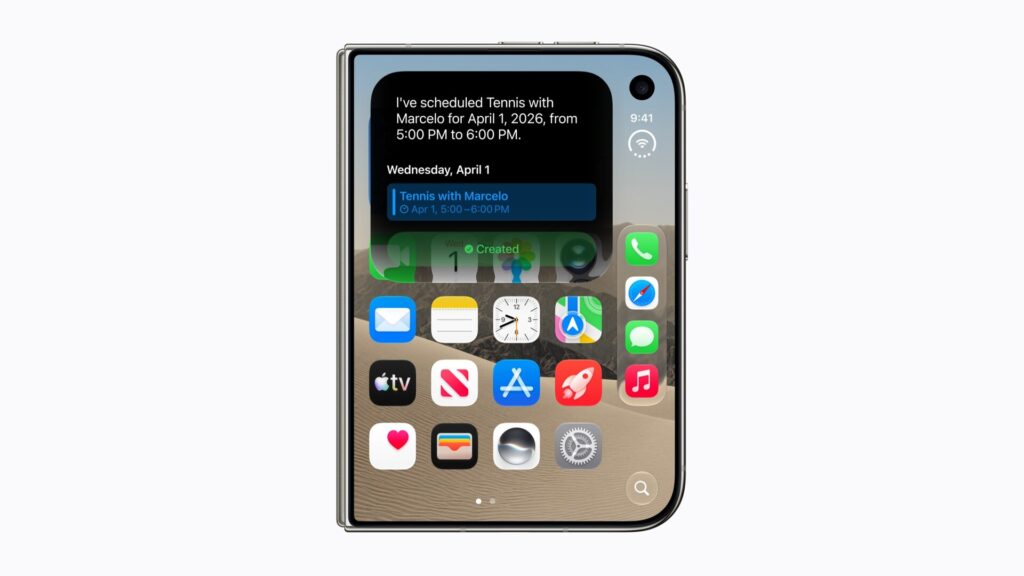
Split View puts two apps side by side on an iPhone screen for the first time, part of iOS 27’s software for iPhone Duo. It is built around the Duo’s inner display specifically; Apple has not described Split View as a feature reaching iPhone 18 Pro, iPhone Air or any other iPhone in its current lineup, including the iPhone 18 Pro Max, which shares nothing of the Duo’s folding screen.
| Feature | Available at iOS 27 launch, September 14 |
|---|---|
| Call Context | Yes, English only |
| Live Translation | Yes, marked available now |
| Image Playground | Yes, subject to daily limits |
| Apple Reference Image | Yes, except EU and China |
| Split View on iPhone | No, waits for iPhone Duo on October 23 |
What Apple has not said
Apple has not published a language timeline for Call Context beyond English, has not said when Apple Reference Image might reach the EU or China, and has not stated whether Split View could ever extend to a non-folding iPhone.
As of September 12, 2026, four of these five features are set to ship as described above when iOS 27 arrives Monday, September 14. Split View is the exception, tied to iPhone Duo’s own October 23 release. The detail worth watching next is whichever software update finally brings Apple’s content-credential technology for Reference Image, since Apple has only promised it for later in the year.