

If your AirPods have started sounding quieter than usual, it’s usually not a hardware problem. Between hidden settings, sound processing features, and simple physical blockage, volume can drop over time. Luckily, most fixes are quick.
Table of contents
Clean Your AirPods First
Dust and earwax reduce loudness more than people expect. Even a thin layer over the speaker mesh can cut volume by a surprising amount.

Image Source: Apple Communities
Don’t miss the best of The Mac Observer
Set us as a preferred source and our Apple reporting ranks higher in your Google Search results and Discover feed — one tap, no account changes.
If one side is noticeably quieter, the guide on fixing one AirPod that sounds louder than the other explains why imbalanced audio happens and how to address it.
Use a soft, dry brush and avoid pressing anything into the mesh.
Check Your Volume Limit Settings
iOS includes Headphone Safety controls that limit maximum volume by default. When this is enabled, your AirPods will never reach their full loudness.
Go to:
Settings → Sounds & Haptics → Headphone Safety
Turning off Reduce Loud Sounds or raising the limit often restores volume instantly. Apple provides more detail on this in its guide to customizing headphone audio levels.
Turn Off Sound Check
Apple Music’s Sound Check normalizes audio between tracks. It works well for consistency, but it can make louder songs sound too soft on AirPods.
Go to:
Settings → Music → Sound Check
Toggle it off and test again.
If you also want deeper control over your audio profile, the walkthrough on how to increase bass on AirPods covers adjustments that influence overall output.
Adjust the Volume Balance
If one AirPod plays softer than the other, the balance slider may have shifted.
Go to:
Settings → Accessibility → Audio & Visual → Balance
Make sure the slider is centered.
Reset Your AirPods
A reset clears minor software issues and helps restore the proper volume.
- Put AirPods in their case
- Hold the break button until the light flashes amber
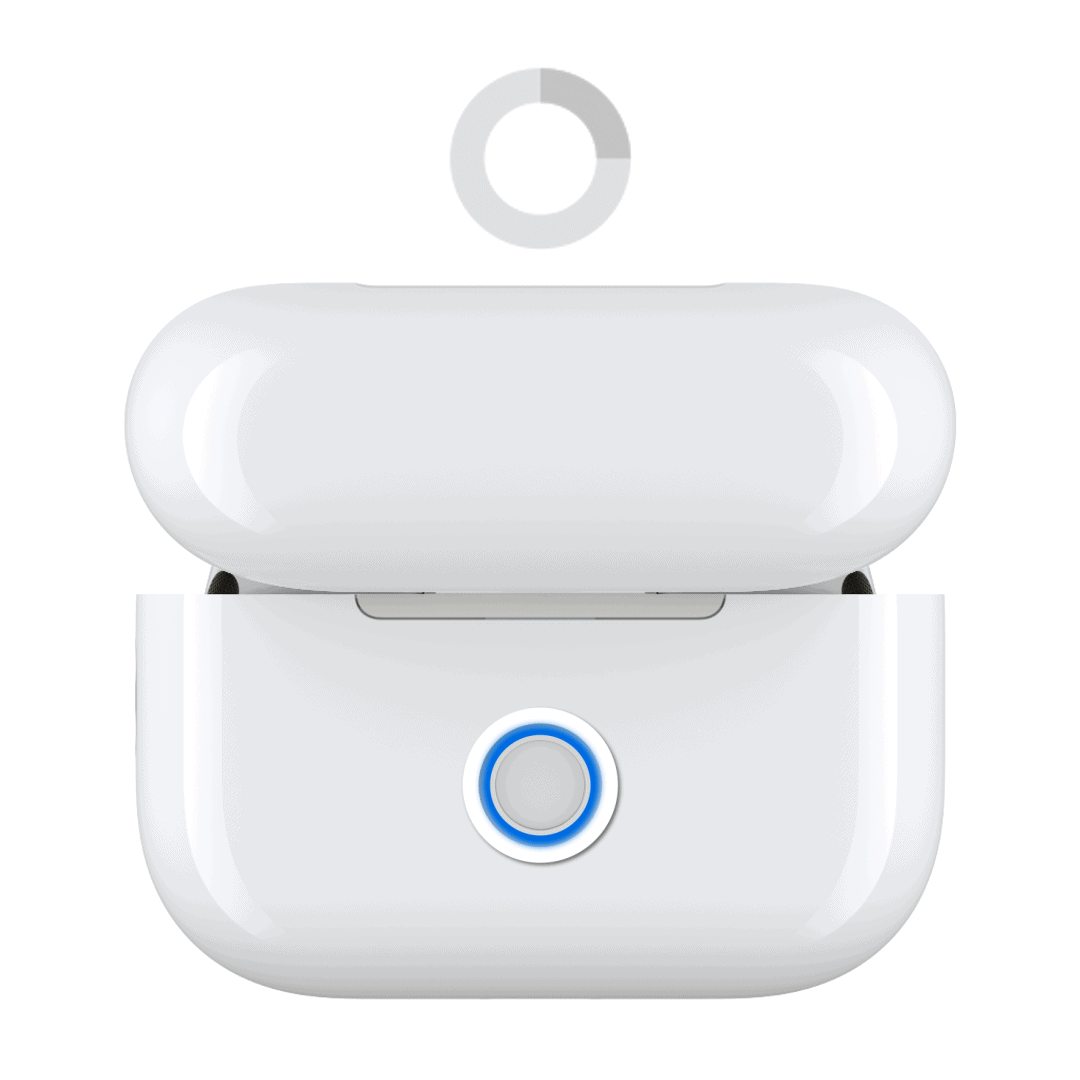
- Keep holding until it flashes white
- Reconnect to your device

If the issue relates to volume gestures or touch controls, Apple explains how to adjust AirPods volume directly using onboard controls.
Disable Low Power Mode
Low Power Mode can affect system responsiveness and Bluetooth performance.
Go to:
Settings → Battery → Low Power Mode
Turn it off and test the loudness again.
Update Your iPhone or Mac
Software updates can fix Bluetooth or audio bugs that reduce volume.
On iPhone:
Settings → General → Software Update

Image Source: Apple
On Mac:
System Settings → General → Software Update

Image Source: Auburn University
Final Thoughts
AirPods usually get quieter because of settings, not defects. Cleaning the mesh, adjusting safety controls, and resetting the device solve most issues. If the volume is still low after trying everything, the drivers may be aging, and Apple Support can check whether your pair qualifies for service.


Discussion