

If you use Apple Notes and suddenly find yourself holding an Android phone, you’re not stuck. Apple doesn’t offer a native Notes app for Android, but your notes are still very reachable. You just have to know where to look. Here’s the clean, practical way to get to them without hacks, exports, or switching ecosystems.
Table of contents
The simplest option: iCloud in your browser

Here’s the thing. Apple Notes lives in iCloud. If your notes are synced there, Android can see them just fine through a web browser.
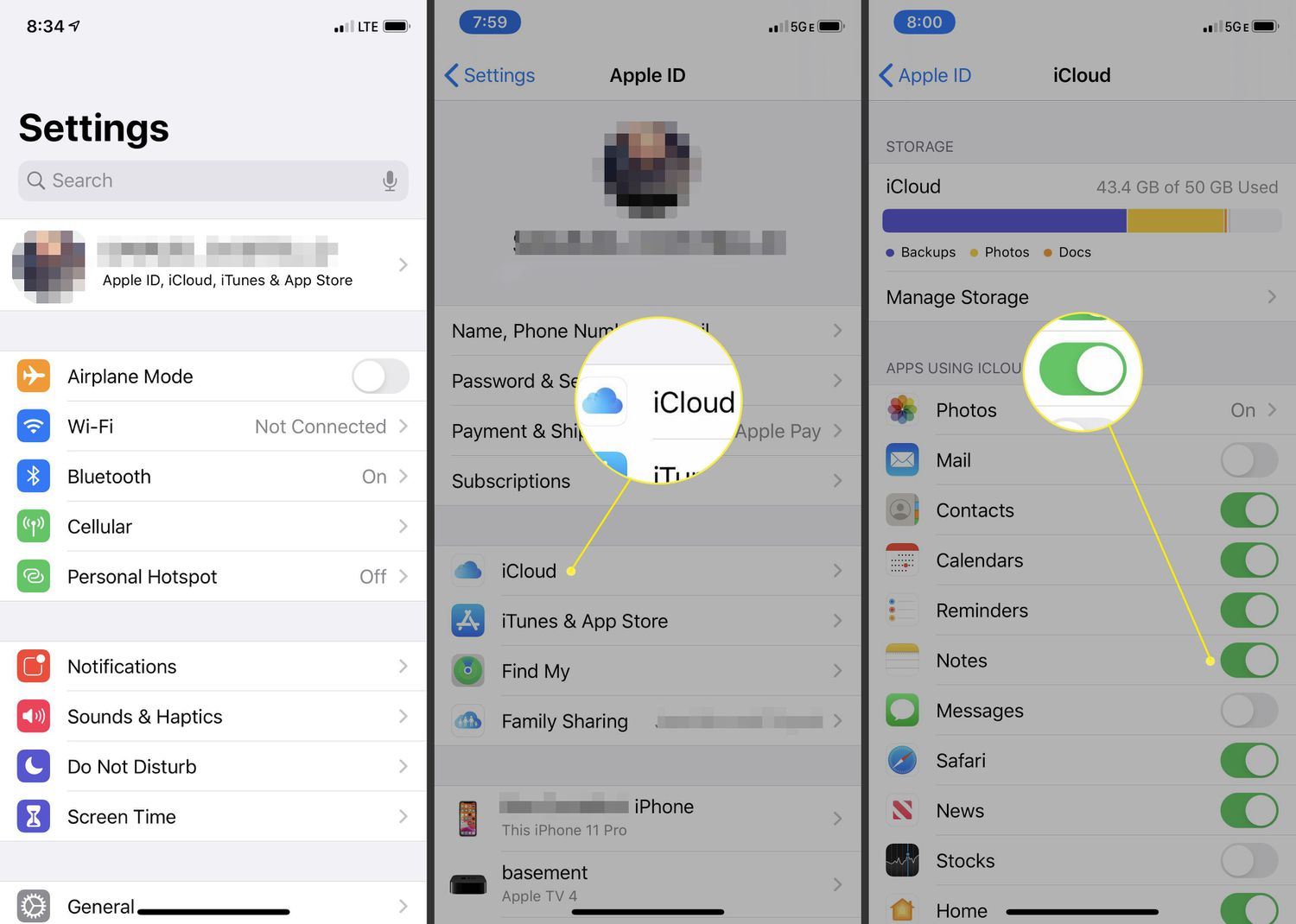
- First, make sure Notes is actually syncing on your iPhone, iPad, or Mac. Open Settings, tap your Apple ID, go to iCloud, and confirm Notes is turned on. If it isn’t, stop here and fix that.
- Now grab your Android phone.
- Open Chrome and go to iCloud.com. Sign in with your Apple ID. If you plan to check notes often, choose Trust this device so you don’t repeat the login dance every time.

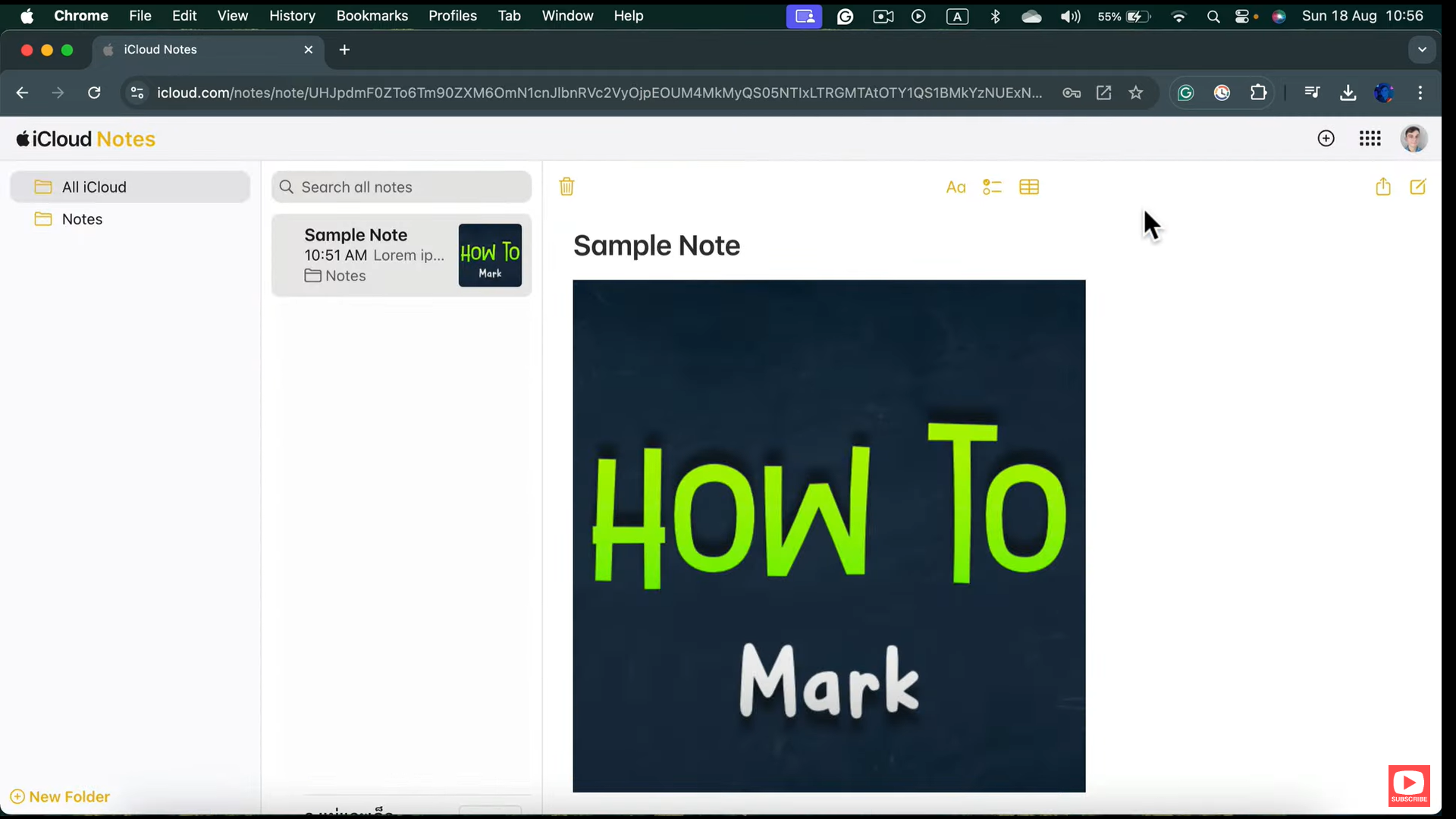
- Tap Notes. That’s it. Every synced note appears, sorted by the most recent change. You can open notes, edit them, and even create new ones directly from Android.

This isn’t a stripped-down viewer. It’s the real thing.
Don’t miss the best of The Mac Observer
Set us as a preferred source and our Apple reporting ranks higher in your Google Search results and Discover feed — one tap, no account changes.
Turn it into an app with one tap
Opening a website every time gets old fast. The good news is Apple Notes on iCloud works as a Progressive Web App.
- While you’re on the Notes page in Chrome, tap the three-dot menu and choose Add to Home screen.
- Name it something obvious like Apple Notes and confirm.

Now you have an icon that behaves like an app. It opens in its own window, sits in your recent apps list, and launches instantly. No browser clutter. No extra steps.
This is the closest thing to a native Apple Notes app on Android, and for most people, it’s more than enough.
Viewing notes through Gmail, if you’re desperate
There’s another option, but it’s limited.
If your Apple Notes are synced to an email account like Gmail, you can view them inside the Gmail app under Notes. This works for reading only. No edits. No new notes. Think of it as emergency access, not a daily workflow.
If the iCloud web version works for you, skip this entirely.
What about locked notes?
Locked notes are trickier. You can view them on iCloud.com, but only if they were locked with a separate Notes password. If they were locked using your device passcode or login password, they won’t open on the web at all.
Once unlocked, you can move between locked notes without re-entering the password until the session expires.
The honest takeaway
Apple doesn’t make this obvious, but it does work. If you rely on Apple Notes and use Android, the iCloud web app is the answer. Add it to your home screen and forget it’s not native.
No migrations. No third-party tools. No mess.
Just your notes, right where you need them.


Discussion