

Apple has released iOS 27 public beta 4 for iPhone users enrolled in its beta testing program. The update carries build number 24A5418b, the same build released as iOS 27 developer beta 6, and arrives one week after public beta 3.
The latest beta focuses mainly on fixing bugs and improving performance as iOS 27 moves closer to its final release. Apple has also made a few smaller interface changes across the system.
How to update
Before installing beta software, back up your iPhone so you can restore your data if something goes wrong.
Don’t miss the best of The Mac Observer
Set us as a preferred source and our Apple reporting ranks higher in your Google Search results and Discover feed — one tap, no account changes.
If you are already enrolled in the Apple Beta Software Program, follow these steps:
- Open the Settings app on your iPhone.
- Tap General.
- Select Software Update.
- Tap Beta Updates.
- Make sure iOS 27 Public Beta is selected.
- Return to the Software Update page.
- Tap Update Now when iOS 27 public beta 4 appears.
- Follow the on-screen instructions to complete the installation.
Users who have not joined the public beta program will first need to enroll their Apple Account in the Apple Beta Software Program before the update appears.
All changes in iOS 27 public beta 4
iOS 27 public beta 4 does not introduce many major features, with Apple now concentrating on stability and smaller refinements. The changes discovered so far include:
- New Shortcuts splash screen: The Shortcuts app now displays an updated introductory screen highlighting its features.
- New Game Center icon: Apple has refreshed the Game Center icon in this release.
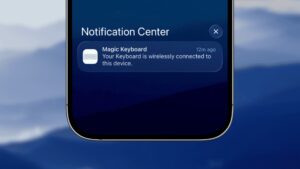
- Updated notification animation: Notifications now use a revised animation as part of Apple’s continuing interface refinements.
- Messages fix: A user interface issue affecting pinned conversations in Messages appears to have been fixed in this build.
- Bug fixes and performance improvements: Apple continues to improve system stability and performance as testing moves closer to the final iOS 27 release.
More small changes could surface as users spend more time with the new build.
If you’ve already installed iOS 27 public beta 4, let us know your experience in the comments.



Discussion