
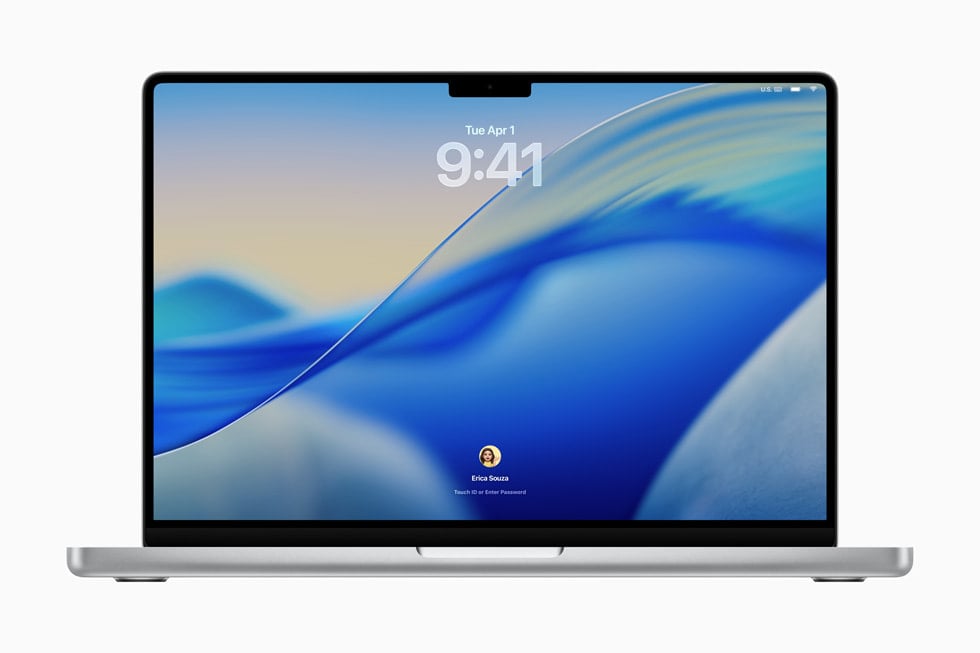
Apple shipped security fixes for the Macs and Apple Watches that can’t run its newest software. Its security releases page lists macOS Tahoe 26.7.3, macOS Sequoia 15.8.3, watchOS 27.2.1 and watchOS 26.6.1, all dated November 9, right next to iOS 27.2.1 and macOS Golden Gate 27.2.1.
If your Mac already runs Golden Gate, macOS 27.2.1 covers you. This round is for everyone else: the Intel MacBook Pro that topped out at Tahoe, the 2018 Mac mini still on Sequoia, and the Series 8 on your wrist that Apple left off the watchOS 27 list. iPhone XS and XR owners get their own patch too, iOS 18.7.12.
Tahoe 26.7.3 and Sequoia 15.8.3 get the same eight fixes as Golden Gate
Apple’s notes for macOS Tahoe 26.7.3 and macOS Sequoia 15.8.3 each list eight CVE entries, and they match the eight in Golden Gate 27.2.1 one for one. So an older Mac on the right update isn’t missing anything Apple patched this time. Five of the eight deal with Bluetooth, AirPlay pairing or the code that lets Apple devices find each other.
Don’t miss the best of The Mac Observer
Set us as a preferred source and our Apple reporting ranks higher in your Google Search results and Discover feed — one tap, no account changes.
- AirPlay (CVE-2026-113968): an attacker in Bluetooth range could get around the limit on pairing code attempts.
- Bluetooth (CVE-2026-113970): a use-after-free bug that could let someone in Bluetooth range corrupt process memory.
- CoreUtils (CVE-2026-113965 and CVE-2026-113964): a malicious Bluetooth device could pair without you doing anything, and an attacker could skip the pairing code limit to do the same.
- rapportd (CVE-2026-113969): someone on your network could bypass the limit on AirPlay pairing code attempts.
- Messages (CVE-2026-113960 and CVE-2026-113961): a person added to an iMessage group could read messages sent before they joined, and a remote attacker could join a group chat and receive its messages.
- brotli (CVE-2026-111497): crafted input could trigger an out-of-bounds write and corrupt memory.
The Messages pair is the one I’d care about most. The five pairing bugs need an attacker in Bluetooth range or on your network. Apple describes the group chat flaw as open to a remote attacker. Apple fixed the first Messages bug by removing the vulnerable code outright and the second with tighter authorization checks. An anonymous researcher gets credit for both, while Apple’s own engineers found four of the Bluetooth and AirPlay issues.
Apple adds a standard line to its notes when it knows of a report that a flaw may have been exploited, and none of the four documents carries it. Treat this as a patch-this-week update, not a drop-everything one.
Which Macs are stuck on macOS Tahoe or Sequoia and need these updates
Apple’s Golden Gate compatibility list covers only Apple silicon Macs and the MacBook Neo. Put it next to the Tahoe list and four Intel Macs fall out. Tahoe 26.7.3 is the end of the road for these:
- MacBook Pro (16-inch, 2019)
- MacBook Pro (13-inch, 2020, Four Thunderbolt 3 ports)
- iMac (Retina 5K, 27-inch, 2020)
- Mac Pro (2019)
The Sequoia list adds 11 more models that stopped at macOS 15 and get Sequoia 15.8.3 instead:
- MacBook Pro (13-inch, 2018, Four Thunderbolt 3 ports) and MacBook Pro (15-inch, 2018)
- MacBook Pro (13-inch, 2019) with two or four Thunderbolt 3 ports, and MacBook Pro (15-inch, 2019)
- MacBook Pro (13-inch, 2020, Two Thunderbolt 3 ports)
- MacBook Air (Retina, 13-inch, 2020)
- iMac (Retina 5K, 27-inch, 2019) and iMac (Retina 4K, 21.5-inch, 2019)
- iMac Pro (2017) and Mac mini (2018)
If you kept an Apple silicon Mac on Tahoe or Sequoia on purpose, maybe for an app that isn’t ready for Golden Gate, Apple lists these same updates for you.
Older Apple Watch models get five fixes in watchOS 26.6.1, not nine
watchOS 27.2.1 is for Series 9 and later and lists nine CVEs: the eight Mac fixes plus an App Intents bug that could let an app reach sensitive user data. watchOS 26.6.1 is for the Series 6, 7 and 8, Apple Watch SE (2nd generation) and the first Apple Watch Ultra. It lists five.
Those five are the AirPlay, Bluetooth, two CoreUtils and rapportd pairing fixes. The 26.6.1 document doesn’t list either Messages bug, the brotli memory bug or the App Intents issue. Apple doesn’t say whether watchOS 26 was ever exposed to them, so you can’t read the shorter list as proof of a gap. What you can read is the support status. Apple’s watch update guide names SE 3, Series 9 and later and Ultra 2 and later for watchOS 27. An Ultra or a Series 8 still works fine, but watchOS 26 is now its maintenance track, and the fixes arrive on that track’s terms.
How to install Tahoe 26.7.3, Sequoia 15.8.3 and the watchOS updates
On a Mac, open System Settings, click General, then Software Update, as Apple’s update guide describes. Software Update only offers what your Mac can run, so a 2018 Mac mini sees Sequoia 15.8.3 and nothing newer. Keep the Mac awake with the lid open until it finishes. It may restart more than once.
For an Apple Watch, open the Watch app on your iPhone, tap My Watch, then General, then Software Update. Apple wants the watch at 50 percent battery or more and sitting on its charger, with the iPhone on Wi-Fi and close by. You can also run it on the watch itself under Settings, General, Software Update. Apple says it can take from several minutes to an hour, so overnight is the easy option.
This is the second security round for these older systems in two weeks, after Tahoe 26.7.2 and Sequoia 15.8.2 on October 26. If you’ve been putting off automatic updates on an older Mac, Software Update settings is where you switch them on.




Discussion