
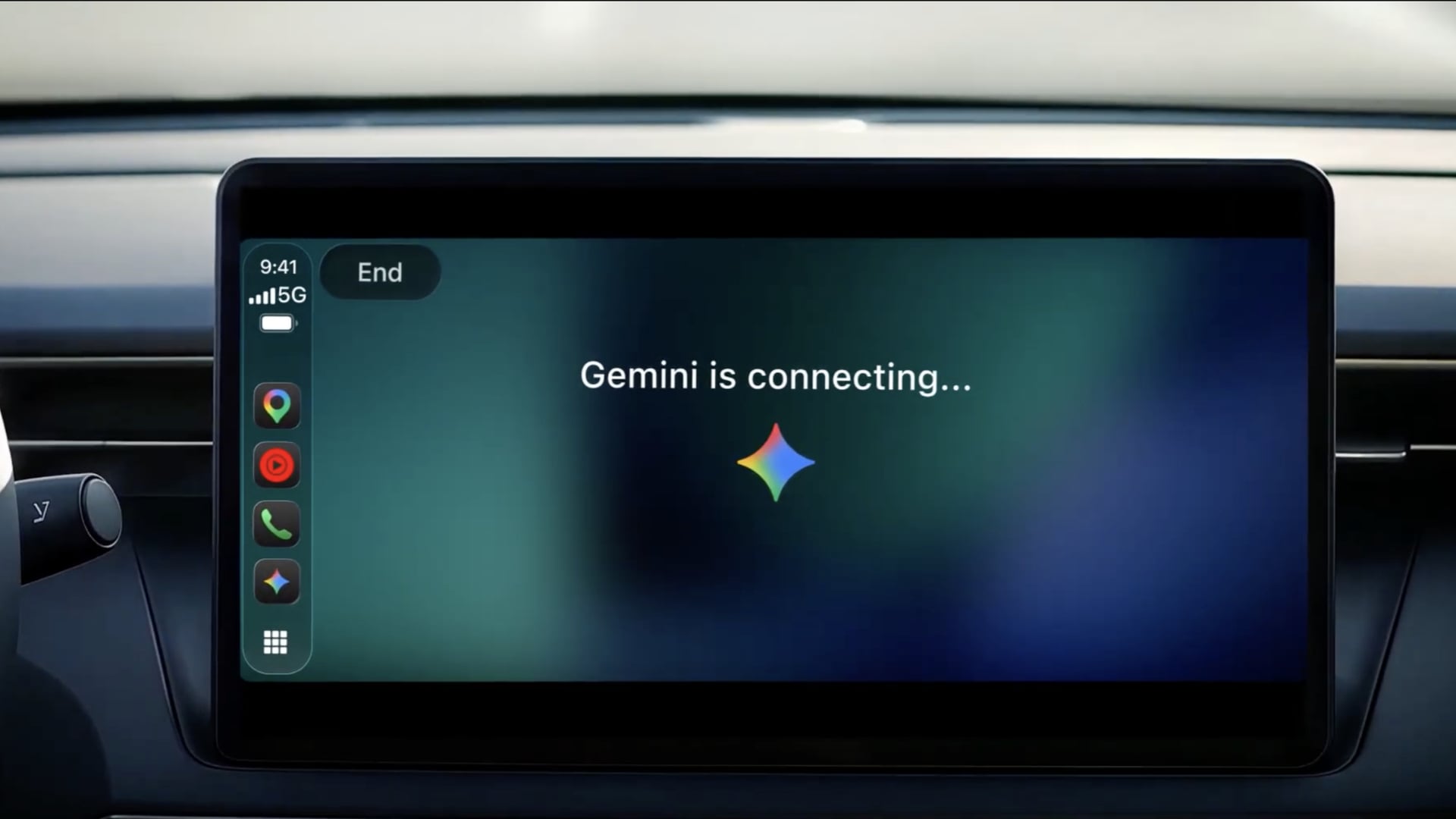
Google has officially started rolling out its Gemini app on Apple CarPlay, allowing iPhone users to access Gemini Live directly from their vehicle’s dashboard. The global rollout began on November 11, bringing natural voice conversations, email summaries, calendar assistance, and other AI features to drivers across all supported Gemini Live languages.
According to Google’s official announcement, users can open Gemini from the CarPlay screen, continue previous conversations, or start new ones without interacting with their iPhones.
Gemini Live Brings More AI Features to CarPlay
The integration allows drivers to have ongoing conversations with Gemini, including interrupting responses, changing topics, and asking follow-up questions.
Don’t miss the best of The Mac Observer
Set us as a preferred source and our Apple reporting ranks higher in your Google Search results and Discover feed — one tap, no account changes.
Google also supports connections with Gmail and Google Calendar, allowing users to check upcoming appointments, summarize unread emails, and prepare for meetings while driving.
Other supported capabilities include finding nearby restaurants, learning about local landmarks, brainstorming ideas, and practicing presentations.
Google explains that conversations automatically sync with the Gemini app on iPhone, so users can review their discussions after finishing their drive.
The company previously introduced Gemini voice controls in Google Maps for CarPlay, while the dedicated app now provides broader conversational capabilities outside navigation.
How to Use Google Gemini on Apple CarPlay
Google says users need the latest Gemini app on their iPhone before accessing the new CarPlay integration.
To get started:
- Update the Gemini app through the App Store.
- Enable microphone permissions for Gemini.
- Open Gemini Live on your iPhone at least once.
- Connect your iPhone to a compatible CarPlay vehicle.
- Tap the Gemini icon on the dashboard to start or resume a conversation.
The rollout is gradual, so availability can vary during the initial release.
Gemini joins ChatGPT, Claude, Microsoft Copilot, and other AI assistants already available on CarPlay.
Apple first introduced support for third-party conversational AI apps with iOS 26.4, allowing developers to build voice-focused experiences without replacing Siri or gaining control over vehicle functions.



Discussion