

Apple Watch can now automatically identify songs playing around you and display their titles and artists without requiring you to open Shazam or ask Siri. Available on Apple Watch Series 12 and Apple Watch Ultra 4, the feature uses Apple’s new Audio Intelligence technology in watchOS 27 to recognize nearby music directly from your wrist.
Whether you’re listening to music at a restaurant, shopping mall, or café, your Apple Watch can identify the track in the background. The result appears in the Smart Stack, where you can save the song or open it in Apple Music.
How to Enable Automatic Music Recognition on Apple Watch
According to Apple’s support documentation, automatic Music Recognition requires an Apple Watch Series 12 or Ultra 4 paired with an iPhone 11 or later, or a second-generation iPhone SE or newer, running iOS 27.
Don’t miss the best of The Mac Observer
Set us as a preferred source and our Apple reporting ranks higher in your Google Search results and Discover feed — one tap, no account changes.
To enable the feature:
- Open Settings on your Apple Watch.
- Scroll down and select Smart Stack.
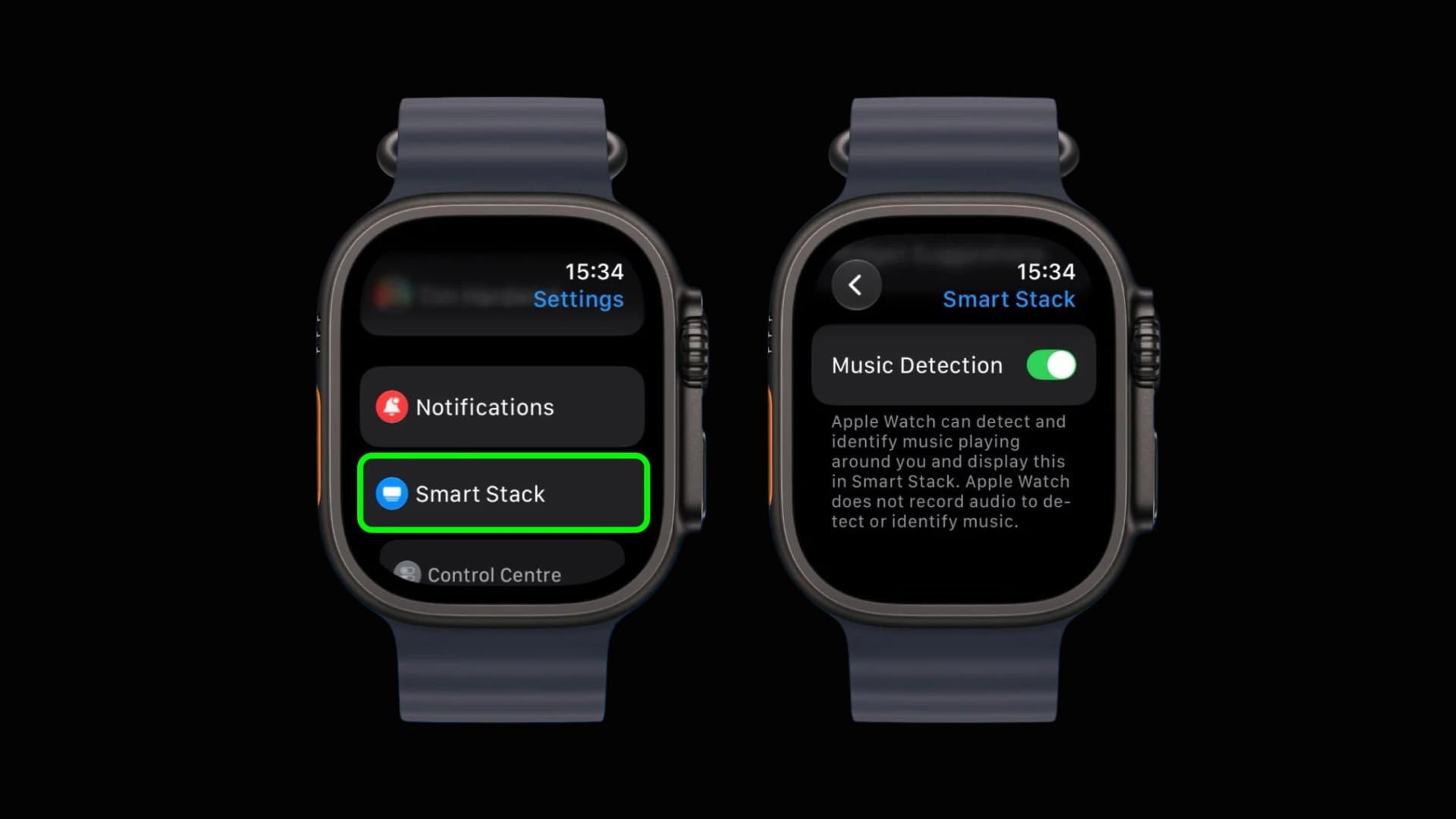
- Turn on Music Detection.
- Return to your watch face and wait until music plays nearby.
- Swipe up or turn the Digital Crown upward to open Smart Stack.
The Music Recognition widget automatically displays the song’s title and artist once Shazam identifies it. You can also tap Add to save the track to your Shazam history.
Older Apple Watch models still support song identification through Shazam, although users must manually start recognition.
How Apple Watch Recognizes Music Without Recording Audio
Apple uses the S11 chip’s Secure Exclave to analyze surrounding audio and detect music directly on the device.
When identifying a song, the system generates an acoustic fingerprint and sends it to Shazam’s servers for matching. According to Apple’s privacy documentation, the feature does not record or store surrounding audio.
Music Detection also automatically stops working when Low Power Mode, Water Lock, or Sleep Focus is enabled.
The feature makes discovering unfamiliar songs easier, especially when reaching for your iPhone would interrupt what you’re doing.




Discussion