
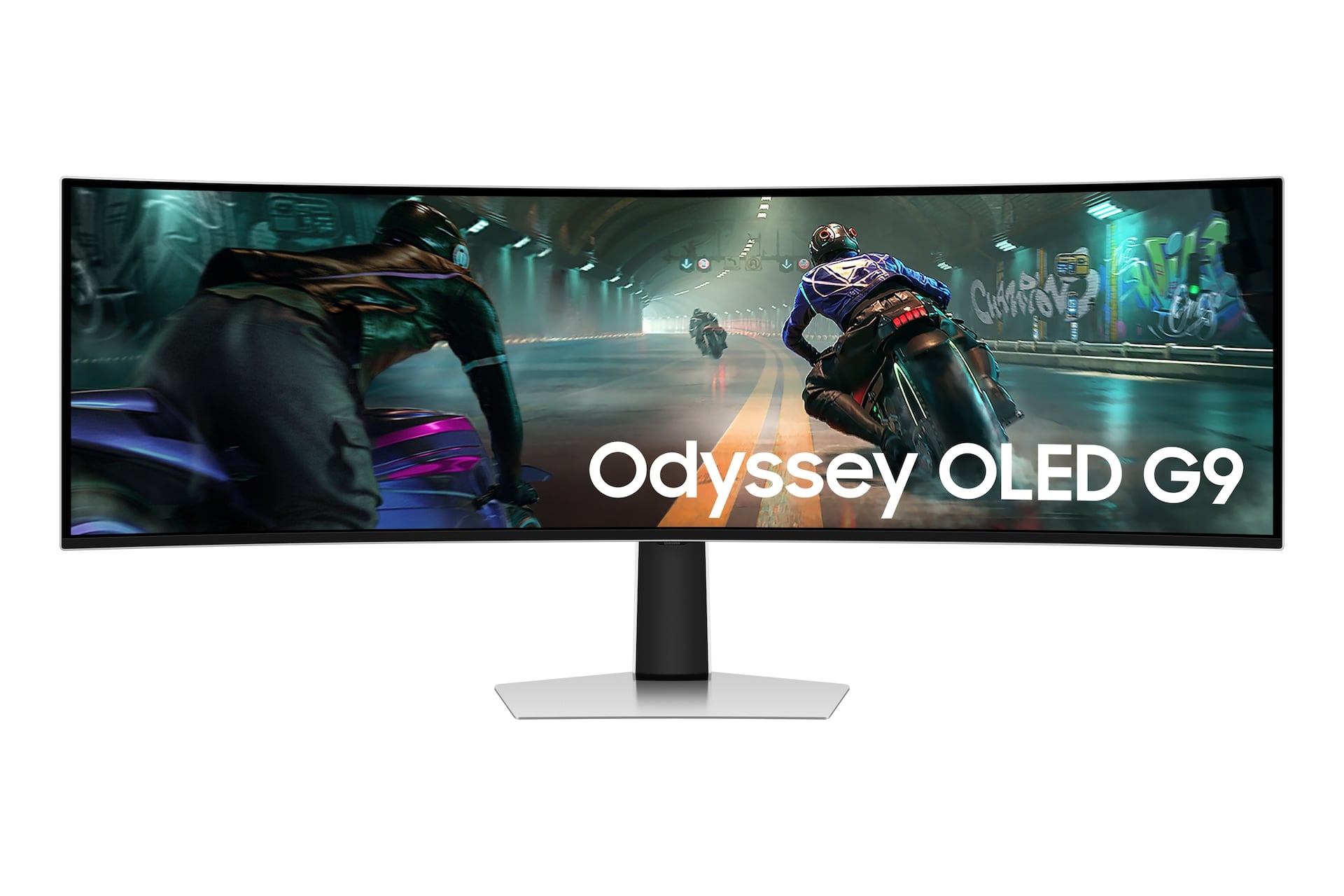
Samsung’s 49-inch Odyssey OLED G9 (G91SD) is $795.99 on Amazon, down from a $1,299.99 list price. That’s $504 off, and Amazon tags it as a Black Friday Deal. It suits Mac owners who want three or four windows side by side on one screen instead of two monitors.
We checked the price, seller and stock on Amazon on November 23, 2026. Amazon.com sells it, and the listing showed it in stock with no low-stock warning. Samsung’s own Odyssey OLED G9 G91SD page has the same $795.99 price with $1,299.99 as the regular price, so the $504 saving is real and not a padded list price.
The Odyssey OLED G9 gives you the Studio Display’s 5,120-pixel width for $803 less
Apple’s Studio Display starts at $1,599. The Samsung costs $803.01 less and is a very different screen. Both are 5,120 pixels wide. But the Studio Display stacks 2,880 rows of pixels on a 27-inch panel, and the G9 stretches 1,440 rows across 49 inches. You get the same width in pixels, half the height and a screen that runs 47 inches across.
Don’t miss the best of The Mac Observer
Set us as a preferred source and our Apple reporting ranks higher in your Google Search results and Discover feed — one tap, no account changes.
That gap shows up in text. Apple rates the Studio Display at 218 pixels per inch, which is why macOS looks so crisp on it. Samsung puts the G9 at 110 pixels per inch. Text on the Samsung will look softer than you’re used to on a Retina Mac.
| Odyssey OLED G9 (G91SD) | Apple Studio Display | |
|---|---|---|
| Price | $795.99 on Amazon | From $1,599 at Apple |
| Regular price | $1,299.99 | $1,599 |
| Screen | 49-inch curved OLED, 1800R | 27-inch flat 5K Retina |
| Resolution | 5120 x 1440 (32:9) | 5120 x 2880 |
| Pixel density | 110 ppi | 218 ppi |
| Refresh rate | Up to 144Hz | 60Hz |
| Brightness | 250 nits typical, DisplayHDR True Black 400 | 600 nits |
| Video inputs | DisplayPort 1.4, HDMI 2.1, Micro HDMI 2.1 | Thunderbolt 5 upstream |
| Charges your Mac | No, USB-C upstream is data only | Yes, 96W |
| Camera and speakers | None | 12MP Center Stage camera, six speakers |
| Stand | Height adjustable (120mm) and tilt | Tilt only at $1,599 |
| Weight with stand | 28.4 lb | 13.9 lb |
Where the Samsung pulls ahead is motion and contrast. Samsung lists a 144Hz maximum refresh rate, a 0.03ms response time and a 1,000,000:1 static contrast ratio from the OLED panel. The Studio Display spec page lists 60Hz. Scrolling, video scrubbing and games all feel smoother at 144Hz.
Your MacBook needs a DisplayPort or HDMI cable and its own charger to run this monitor
Samsung’s spec sheet lists one DisplayPort 1.4 input, one HDMI 2.1 input and one Micro HDMI 2.1 input. The USB-C upstream port carries data only, for the two USB-C downstream ports. So you don’t get the Studio Display’s one-cable setup with 96W charging.
A MacBook Air needs a USB-C to DisplayPort cable, and you keep your Apple charger plugged in. Samsung includes a DisplayPort cable in the box, but a MacBook doesn’t have a full-size DisplayPort port. A MacBook Pro with an HDMI port can plug straight in.
Apple’s MacBook Air M5 tech specs say one external display can run at up to 5K at 120Hz or 4K at 240Hz, and the Thunderbolt 4 ports support DisplayPort 1.4 with DSC. Apple doesn’t list 5120 x 1440 at 144Hz by name, so treat full 144Hz as likely, not promised. The MacBook Neo is a poor match. Apple lists one external display at up to 4K at 60Hz, so you’d give up the 144Hz that you’re paying for. Apple’s HDMI support page also says to check an adapter’s specs for supported resolutions.
OLED burn-in protection, a height-adjustable stand and the things Samsung leaves out
macOS keeps a menu bar and a Dock on screen all day, which is the classic burn-in risk for OLED. Samsung’s answer is a set of panel protections listed on Amazon: logo and taskbar detection that dims static elements, a thermal system that cuts brightness as the panel heats up, and a screen saver that dims after 10 minutes of inactivity. Samsung’s US page also says burn-in at normal usage is covered within the warranty, and the Amazon listing names a 3-year warranty. Commercial use isn’t covered.
The stand adjusts 120mm in height and tilts from -2 to 15 degrees. The 100 x 100 VESA mount takes an arm if you need the desk space. With the stand it measures 47.0 x 20.8 x 11.2 inches and weighs 28.4 pounds.
There’s no camera, no speakers and no microphone. Brightness is 250 nits typical against the Studio Display’s 600, so a sunny room will wash it out faster.
Who should buy the 49-inch Odyssey OLED G9 for a Mac desk and who should skip it
- Buy it if you edit video or audio, trade or code with many windows open and want one wide canvas instead of two monitors.
- Buy it if you game on a Mac or a PC on the same desk and want 144Hz OLED.
- Skip it if you mostly read and write. A Retina screen at 218 ppi is easier on text.
- Skip it if you want a one-cable setup that charges your MacBook, or if you own a MacBook Neo.
If you care more about space than sharp text, the Odyssey OLED G9 at $795.99 is a lot of screen for less than half of a Studio Display with the height-adjustable stand at $1,999. Want 5K sharpness instead? Our Odyssey G8 5K deal from November 14 covered a cheaper 5K option. For a tighter budget, see Samsung’s 34-inch ultrawide deal.
MacObserver may earn a commission when you buy through links on this page. It doesn’t change the price you pay.




Discussion