

Apple has released visionOS 26.4 for Apple Vision Pro, around six weeks after visionOS 26.3. The update brings the usual bug fixes and security improvements, but it also adds a few user-facing changes, including support for AirPods Max 2, faster Spatial Audio setup in familiar rooms, and eight new emoji. Apple is recommending the update for all Vision Pro users.
Installing the update is straightforward. On Vision Pro, open the Settings app, go to General, then tap Software Update. Apple says you need to remove the headset during installation, and you can track progress through the software progress bar shown on the external EyeSight display.
How to update visionOS 26.4
If you want to install visionOS 26.4 right away, follow these steps:
Don’t miss the best of The Mac Observer
Set us as a preferred source and our Apple reporting ranks higher in your Google Search results and Discover feed — one tap, no account changes.
- Open Settings on your Apple Vision Pro
- Tap General
- Select Software Update
- Download and install visionOS 26.4
- Remove the headset when prompted so installation can finish
Apple recommends keeping your device charged before starting the update.
All the Changes
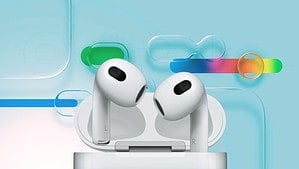
visionOS 26.4 is not a huge feature drop, but it does include a handful of useful improvements that Vision Pro users will notice in day-to-day use. Apple’s release notes highlight compatibility with the newly announced AirPods Max 2, which starts taking orders on March 25, 2026, with availability beginning in early April.
- Support for AirPods Max 2
Vision Pro now works with Apple’s latest over-ear headphones, giving users another option for high-end audio on the headset. - Spatial Audio starts faster in familiar spaces
Apple says the system now remembers the acoustic properties of rooms you have used before, which helps Spatial Audio begin more quickly in those spaces. - Eight new emoji
The update adds new emoji characters to the keyboard, including an orca, trombone, landslide, ballet dancer, treasure chest, distorted face, fight cloud, and hairy creature. - Bug fixes and security improvements
Apple says visionOS 26.4 also includes general fixes and security updates, which is one reason it is recommending the release to all users.
There is also a broader developer-facing addition tied to visionOS 26.4 called foveated streaming, which helps stream high-quality content more efficiently by focusing resources where the user is looking. That is more relevant to apps and developers than to regular users right now, but it could lead to more advanced Vision Pro experiences over time.
If you use Apple Vision Pro regularly, visionOS 26.4 looks like a worthwhile update even without a long list of headline features. Support for AirPods Max 2, quicker Spatial Audio behavior, and the usual round of fixes make this a practical release. Let us know in the comments if you have installed visionOS 26.4 and how it is running on your Vision Pro.

Discussion