

Apple’s Claris wants to turn the Macs on your desk into your own AI server. On a private preview page, the Apple-owned company behind FileMaker describes Claris Harbor as an app that “turns the Apple silicon computers you own into a private AI server.” It runs open-weight models with no cloud fees or per-token billing, and it can pool unified memory across several Macs over Thunderbolt 5.
You can’t download it yet. Claris labels Harbor a Private Preview with early access, and the page only offers a form to stay informed. There’s no price, no release date and no list of supported Macs. But the page says enough to show what Apple’s software arm is building, and who it’s building it for.
What Claris says Harbor does on a single Mac and across a Thunderbolt 5 cluster
The Claris page lists three main features:
Don’t miss the best of The Mac Observer
Set us as a preferred source and our Apple reporting ranks higher in your Google Search results and Discover feed — one tap, no account changes.
- Strictly private: your data and prompts stay on your physical Mac hardware.
- Thunderbolt clustering: you can pool unified memory across machines to run larger models.
- Quick setup: you can set up an endpoint on a single Mac.
That endpoint part is the key. An endpoint is the address other apps call when they send a prompt to a model. So Harbor isn’t pitched as a chat window. It’s pitched as plumbing, a server other software on your network can talk to, much like a cloud AI service, except the model runs on Macs you already paid for.
Clustering is where Apple silicon has an edge. The CPU and GPU share one pool of unified memory, and the size of that pool decides how big a model you can load. Link two Macs and, in theory, you get a bigger pool than either has alone.
The Harbor signup form asks for your company, which points to business buyers
The early access form asks for your first and last name, email, company, phone number, country and comments. That company field, plus the line about no per-token billing, reads like a pitch to firms that pay for cloud AI by the token and want to bring it in-house.
It also fits what Claris already sells. Its FileMaker 2025 release lets customers run their own AI Model Server on local hardware, including Apple silicon Macs with models in Apple’s MLX format. Claris suggests 32GB of memory as a starting point and 64GB to 96GB or more for large models. Harbor looks like that idea pulled out of FileMaker and made into its own Mac product.
Which Macs can join a Harbor cluster, based on Thunderbolt 5 and memory
Claris only says Harbor runs on Apple silicon and that clustering uses Thunderbolt 5. It hasn’t said whether single-Mac use needs a minimum chip or amount of memory. So base M1, M2 and M3 Macs, which lack Thunderbolt 5, look limited to running Harbor on their own, if Claris supports them at all.
Mac clustering got its big boost when Apple added RDMA over Thunderbolt in macOS Tahoe 26.2. RDMA lets one Mac read another’s memory directly, with very low latency. The open-source exo project lists Thunderbolt 5 Macs such as the M4 Pro Mac mini, M4 Max Mac Studio, M4 Max MacBook Pro and M3 Ultra Mac Studio for this kind of setup.
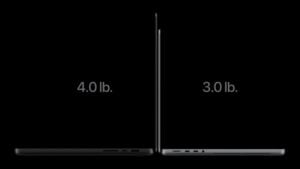
Apple’s newest laptop fits too. The MacBook Pro with PROLED XDR Display has three Thunderbolt 5 ports and up to 128GB of unified memory. Apple says the M5 Max can run LLMs with hundreds of billions of parameters on device, as we covered in our look at the touchscreen MacBook Pro for local AI.
How Harbor compares with LM Studio and exo, the tools Mac owners already use
You can already run local models on a Mac. Apple even pictured LM Studio in its PROLED MacBook Pro announcement. LM Studio’s requirements call for an Apple silicon Mac, macOS 14 or newer and 16GB or more of RAM. It runs models on one machine.
exo is the closer match. It’s open source under the Apache 2.0 license, pools several devices into one cluster and supports RDMA over Thunderbolt 5. Its Mac app needs macOS Sequoia 15.1 or later, and its developers report up to a 1.8x speedup on two devices. But turning on RDMA means booting each Mac into Recovery, running a command and rebooting. Every Mac has to connect to every other Mac with Thunderbolt 5 cables, and the macOS versions have to match exactly.
That setup work is the gap Harbor seems aimed at. Claris promises quick setup, but it hasn’t said whether Harbor skips the Recovery step, how it handles models that don’t fit, or what it will cost. If you’re buying a Mac for local AI now, memory decides more than any app will. A model that doesn’t fit in one Mac’s unified memory won’t run on it, and clustering only helps if you own a second Thunderbolt 5 Mac.



Discussion