

Apple released macOS Tahoe last September with a bold Liquid Glass redesign. Since then, the company has shipped two point updates. Yet Finder’s column view still shows a visible interface flaw that affects everyday use. Even after macOS 26.3, the layout problem remains only partially fixed.
If you use Finder in column view and keep scroll bars set to “always show,” you have likely noticed the issue. In macOS 26 and 26.2, the horizontal scroll bar at the bottom overlapped the small resize handles at the base of each column. Those handles let you adjust column widths. Once covered, you could no longer click them, which made a basic function harder to use than it was in earlier versions, such as macOS Sequoia.
Developer Jeff Johnson has tracked the issue closely on his blog.
Don’t miss the best of The Mac Observer
Set us as a preferred source and our Apple reporting ranks higher in your Google Search results and Discover feed — one tap, no account changes.
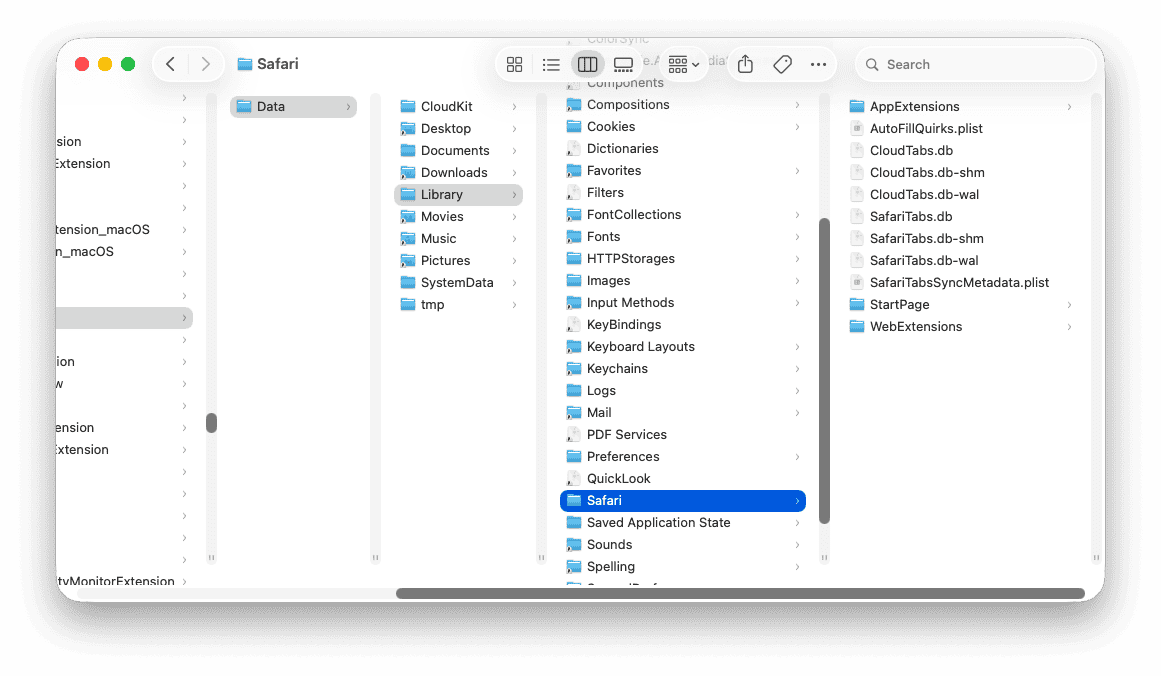

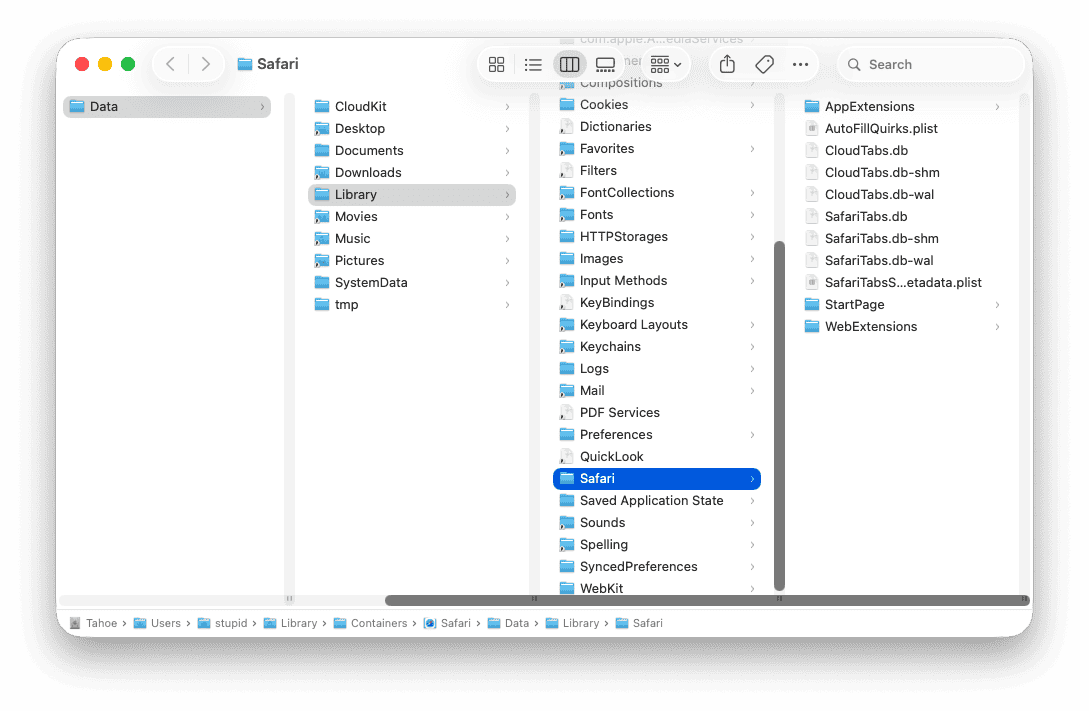
Johnson first showed how the horizontal scroll bar in macOS 26.2 “covers the resizing widgets in the vertical scrollers and prevents resizing the columns.” That meant users had no direct way to adjust widths when scroll bars stayed visible.
Apple’s 26.3 Fix Falls Short
With macOS 26.3, Apple introduced a partial fix. The company shortened the vertical scrollers. As a result, the resize handles now sit above the horizontal scroll bar and are technically clickable again. On paper, that resolves the most disruptive part of the bug.
However, the layout still breaks in other ways. The horizontal scroll bar continues to overlap file names in the column view, which obscures content. The interface no longer blocks resizing, but it still interferes with readability.
Johnson pointed out another problem. When you hide the path bar and status bar, the columns extend downward. Yet the vertical scrollers do not expand with them. Instead, they stop short, leaving a noticeable gap at the bottom. He described the result as “a ridiculous amount of space between the bottom of the scrollers and the bottom of the columns, looking silly and amateurish.”
That visual gap makes the interface feel unfinished. It also raises a simple question about internal testing.
A Question of UI Polish
The broader criticism centers on Apple’s reputation for detail. Daring Fireball’s John Gruber called the situation “an embarrassing fudge” for a company known for pixel precision across macOS. The remark highlights a shift in perception. Apple once set the standard for small interface details. Now, even routine Finder layouts show inconsistencies.
The Liquid Glass redesign aimed to modernize macOS Tahoe. Instead, it introduced regressions in a core system tool. Finder remains central to how you manage files. When basic elements like scroll bars and resize handles conflict, the friction becomes hard to ignore.
Apple is expected to release macOS 26.4 in March or April. The update could include new Siri features and additional emojis. Still, there is no clear sign on when Apple will fully resolve the column view layout issues introduced with Liquid Glass.
For now, if you rely on column view with always visible scroll bars, you still deal with a Finder interface that feels less refined than before.



Discussion