

Those that own a MacBook are likely all too familiar with the notch on their display: that little black space in your menu bar that houses your camera. While some may not mind it, others can find it to be far too distracting. However, users should know that there are options available to transform the notch on your Mac into something more.
We’re taking a look at some of the best notch apps available for your MacBook. Some of the apps on this list have a focus on productivity, whereas others have a focus on expanding the capabilities of macOS. Each of them has something to offer, but one stands out above the rest as the best MacBook notch app.
1. NotchNook
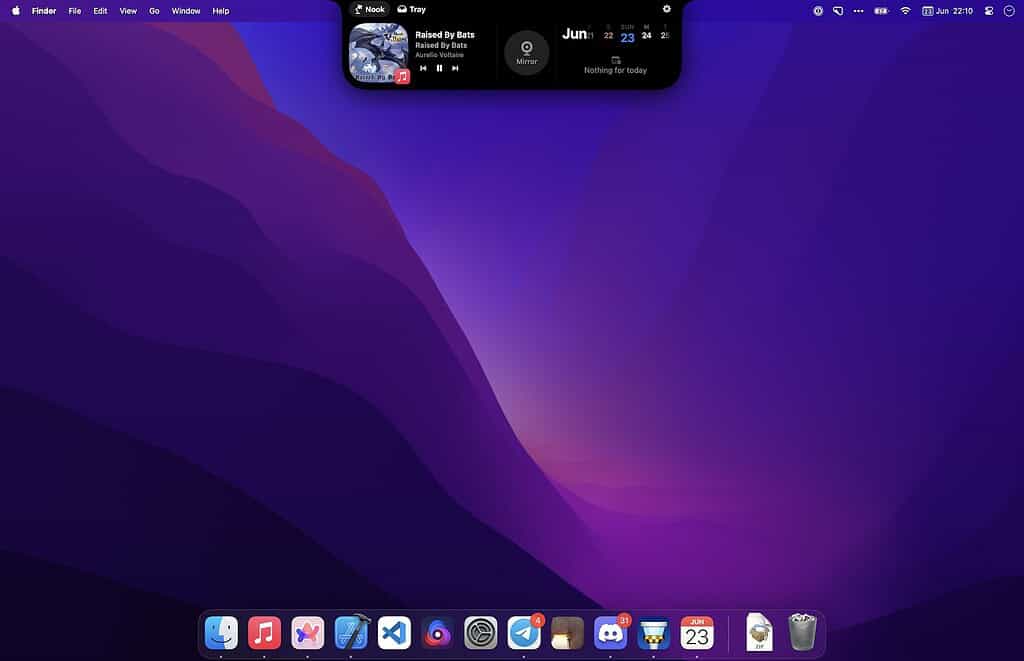
If you’re looking for a solid app for the notch on your MacBook, then NotchNook stands out as the best MacBook notch app that transforms that little space in your menu bar into a rather helpful productivity hub. Rather than just focusing on animations and presentation, NotchNook integrates practical features that can harmonize your workflow.
Don’t miss the best of The Mac Observer
Set us as a preferred source and our Apple reporting ranks higher in your Google Search results and Discover feed — one tap, no account changes.
Featuring support for drag-and-drop file handling, NotchNook can make the space on your Mac a holding area for links, documents, and images — speeding up your multitasking significantly. You can also access widgets like your calendar, notes, and even media controls without the need for switching between apps.
What’s really great is how NotchNook is able to fit so naturally within macOS. It doesn’t feel like an add-on, but rather an extension of the operating system. Even better, users can use the code MACOBSERVER30 to get an exclusive 30% discount. This means a lifetime subscription for $16.80 over the usual $24, or a monthly subscription for just $2.10 vs the typical $3/mo. There’s also a free trial for those who want to give it a shot, but the company also provides a 7-day money-back guarantee that’s absolutely risk-free.
If you’re looking for the best MacBook notch app, Download NotchNook today and see how expanding the capabilities of your notch can make a difference. Just apply the code and start saving time on your Mac immediately.
2. LookieLoo
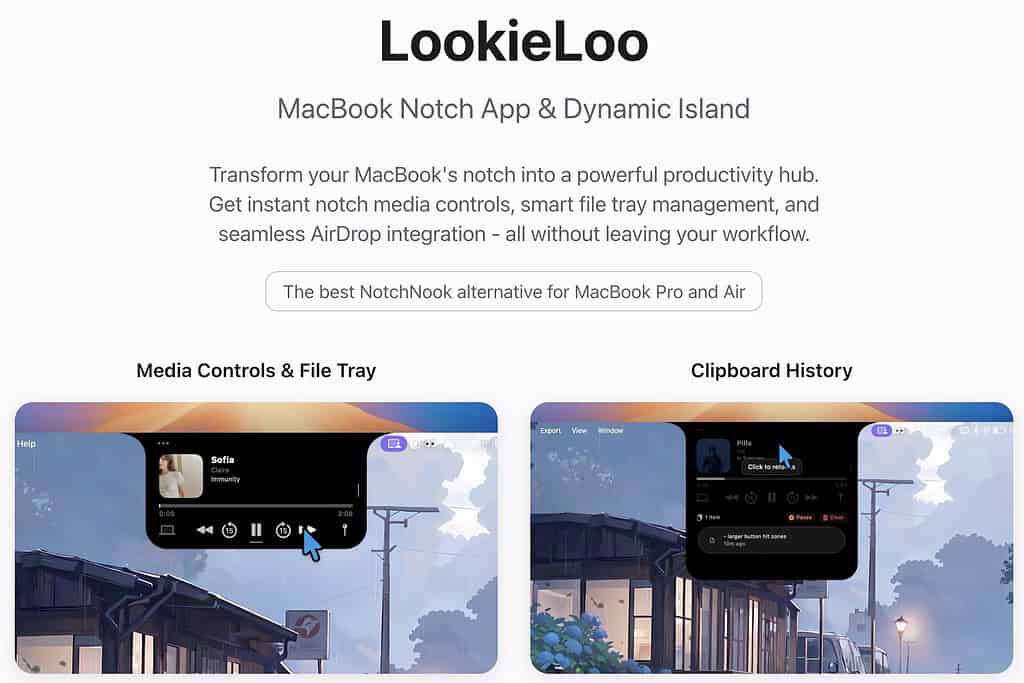
LookieLoo takes a simple approach to your MacBook notch, but it also offers a fair amount of functionality. As a quick-hub, it can provide users with some system stats and a few notifications, all while never seeming to get in the way. It doesn’t command your attention, rather, it works alongside your workflow in a way that’s more beneficial than obtrusive.
Rather than trying to reinvent how you navigate macOS, it brings some rather useful information to the forefront. It can provide subtle improvements to your experience, and it’s got some media controls that show it knows how to have a bit of fun.
However, one downside is that it may be too passive for some users, who may be wanting more active controls for their productivity. It can still be helpful, but it may be more limited than others on this list. While you shouldn’t expect deep interactivity, there are some features that can make it helpful.
3. NotchNest

As a notch app, NotchNest is all about features. Offering a multitude of apps that can range from jotting down notes to playing mini games, NotchNest takes a transformative approach to your menu bar. Using a single interface, it users can think of it almost more as a workspace rather than a simple utility.
With a kitchen-sink approach to its offerings, there’s a lot available without feeling overwhelming. For those like multitasking, it’s capable of quite a bit, and it offers a fair amount of efficiency with its access to shortcuts.
Looking at everything it offers, it can feel a bit busy at times. With others on this list feeling more streamlined, it can feel like the app is gunning for your attention more rather than providing an experience. There can be a learning curve to it, but some may like digging into everything it can offer.
4. Droppy

Don’t call Droppy a notch app, because it sees itself more as a productivity powerhouse. Offering its fair share of HUDs, this one also has quick file controls, clipboard history, as well as some other features that can make certain tasks more accessible.
A cool thing about the app is that it doesn’t feel obtrusive. Offering simple-to-navigate controls, this one can be pretty easy to pick up and get going. It’s good for feeling like an extension of your system rather than a whole new experience.
On the flipside, however, some users note that it can feel unpolished at times, though the developer is good at responding to feedback. This one can be good for those that are looking for some additional features on macOS, but some may still prefer something that takes a simpler approach.
#5 TopNotch
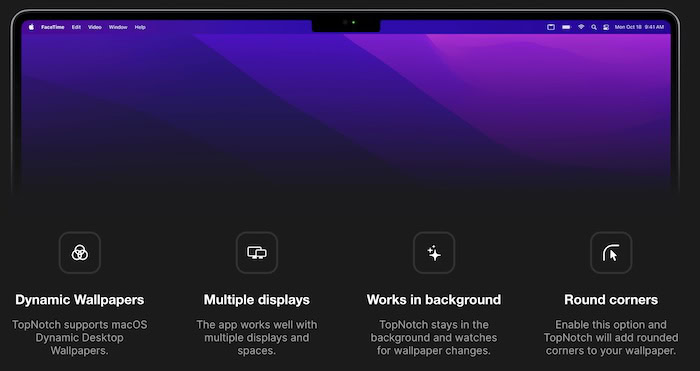
TopNotch wants to make your notch disappear like a ninja. For those that like aesthetics, TopNotch is all about trying to remove that black space entirely. With this app, your menu bar transforms into a black strip to give your display a more uniform look. It’s pretty good for those that find the notch distracting.
Since it works in the background, there’s not a lot of setup to be had, making it incredibly straightforward. It also works with multiple displays, and it can even add rounded corners to your wallpaper.
However, this one is purely going to be cosmetic. You may appreciate how it looks, but it’s not going to introduce any new features or capabilities to your notch. It’s not aiming to, however, so this is one for those that just like the look of things.
Conclusion: What’s the Best Notch App for Your MacBook?
The notch on a stock MacBook can look unappealing for some users, but a great MacBook notch app should provide a bit of functionality without feeling like it’s taking on too much. If you’re looking for access to quick controls that can benefit your macOS experience, NotchNook is the way to go. With how much it can save on your workflow compared to the cost, it’s going to transform your MacBook notch in a way that’s beneficial yet not over complicated.



Hi Nick! Thanks a lot for your review, indeed a great list of applications. Droppy will receive a significant update, where it’ll streamline and ‘ease’ things for users. Have a great day.