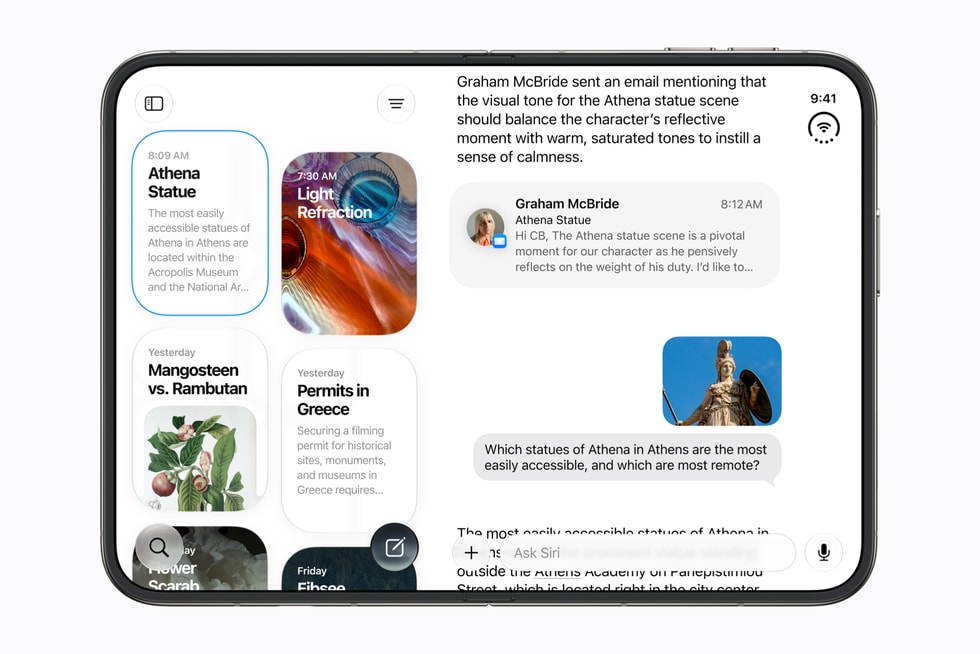
Things 3.24 and Fantastical 4.2 both arrived on September 14 with support for Siri AI. Cultured Code says you can now build a Things to-do by talking to Siri naturally and correcting it as you go, while Flexibits says Siri can check your Fantastical schedule, create events and change existing ones.
Siri AI is Apple’s beta version of Siri in iOS 27, iPadOS 27, macOS 27, watchOS 27 and visionOS 27, and it needs an Apple Intelligence-enabled device set to a supported language, starting with English. Apple says it won’t be available at first in the EU on iOS, iPadOS and watchOS, and that it’s subject to daily usage limits.
What Cultured Code says Siri AI does in Things
Cultured Code says Things has worked with Siri for almost a decade, but requests often failed if you strayed from very specific phrases. With Siri AI, you can “speak as you naturally would.” The developer’s example is a loose request to get tires checked before a road trip, from which it says Siri pulls out the relevant details.
Don’t miss the best of The Mac Observer
Set us as a preferred source and our Apple reporting ranks higher in your Google Search results and Discover feed — one tap, no account changes.
Follow-ups are the other change. You can “keep the conversation going to make a correction or add more information.” Cultured Code’s example builds one to-do over five requests: remind me to send the report, add a note about last month’s financial data, schedule it, add it to the Work list, then summarize a colleague’s latest email and append it to the notes. Things is also available in Apple’s new Siri app, where Siri can save to-dos from a chat into Things.

The limits Cultured Code lists
- Name the app. At least in your first few conversations, say the to-do should go to Things, or it might end up in Reminders.
- One date per to-do. “Siri only supports a single date per to-do, namely its start date.” You can schedule to-dos and set alarms, but not deadlines.
- No date-based lists. Siri doesn’t know Things lists such as Today or Upcoming, so ask it to schedule an item for a date instead of moving it there.
- Misleading previews. Siri’s preview of a to-do can switch to looking like Reminders mid-conversation. Cultured Code says the data is still stored in Things.
- Missed projects. Siri sometimes can’t find an existing project or area. You can ask it to try again.
Things 3.24 also adds Spotlight integration, which Cultured Code says requires OS 27. To-dos and projects can appear in Spotlight results, and Siri AI can search Things for context. The operating system picks which items surface, and you can turn the integration off in Things’ Settings. The update also shows snooze options as soon as you press and hold a notification, adds more intervals including a snooze until the next day, and brings a new extra-tall widget. It’s a free update on Mac, iPad, iPhone, Apple Watch and Vision Pro.
What Flexibits says Siri AI does in Fantastical
Flexibits says you can ask Siri to “check your schedule, create new events, or modify existing ones.” Its example starts with “Hey Siri, what does my schedule look like on October 5?” Siri shows an overview of the day, and if a 10 a.m. meeting no longer works, you can ask it to move the meeting. Flexibits says those conversations also appear in the Siri app.
Unlike Cultured Code, Flexibits lists no Siri AI limits in its post. The rest of Fantastical 4.2 is about looks: the Mac app adopts the refined Liquid Glass design in macOS 27 and, in Flexibits’ words, “brings back the sidebar look,” and the Event List and Event List + Calendar widgets gain extra-tall sizes on iOS and macOS. Flexibits’ contacts app, Cardhop 2.5, gets extra-tall and extra-wide widget sizes in the same release.