
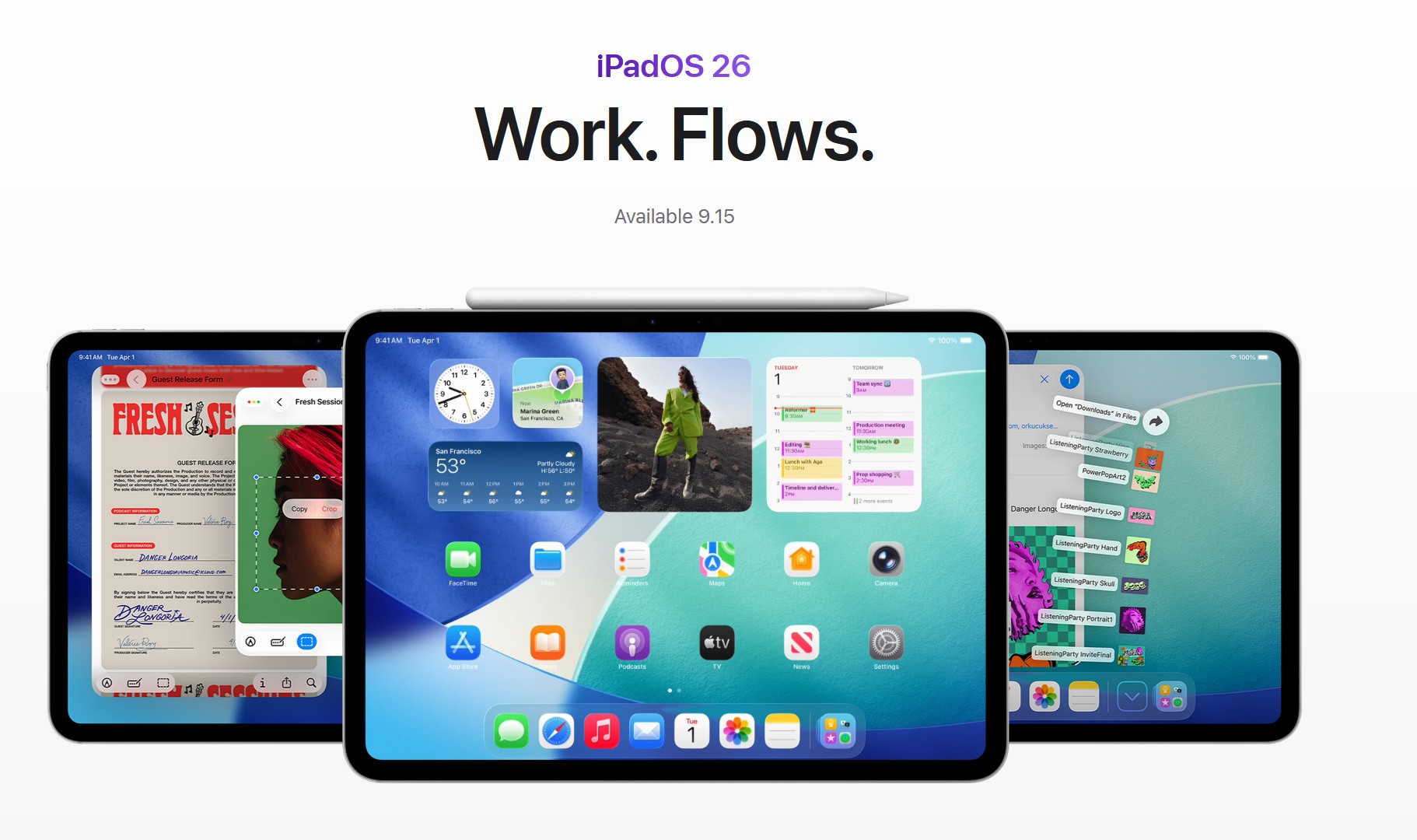
For most people—especially on M-series iPads—update now. iPadOS 26 brings a real windowed desktop model, a redesigned “Liquid Glass” UI, and broader Apple Intelligence features that materially improve day-to-day use.
The biggest gotchas: Slide Over/Split View are gone (your multitasking muscle memory will change), some users report eye strain with Liquid Glass, and—as with any major update—there can be short-term battery and heat spikes while the system reindexes. If you rely on legacy Slide Over workflows or you’re on older A-series iPads, consider waiting for 26.1.
What’s meaningfully new
- True windowing (Mac-like multitasking). Apps can open in multiple resizable windows that overlap and snap—far beyond Stage Manager. This is the single biggest reason to upgrade if you multitask.
- Phone app on iPad. You can place/receive standard calls on iPad via your iPhone (Continuity), now with a dedicated Phone app and modern call tools. This is great for desk setups.
- Apple Intelligence improvements. On supported iPads (M-series and select newer models), system-wide writing tools, image features, and smarter actions are more tightly integrated. Check your device before banking on this.
- “Liquid Glass” design. A refreshed, lens-like look across system chrome. It’s opinionated—and some users love the depth and motion.
Compatibility and support
Apple’s official pages and major outlets list broad support, with the new windowing model rolling out widely (not just to M-series). Still, the best experience is on M-series iPad Pro/Air. Verify that your exact model is on Apple’s iPadOS 26 list before updating.
Known issues and trade-offs
- Slide Over/Split View removed. If your workflow depended on Slide Over’s skinny floating pane, you’ll need to recreate it with a small free-form window. Some power users miss the old behavior.
- Liquid Glass discomfort for some. Reports of eye strain/vertigo with certain icon styles and darker wallpapers. Workarounds: switch to default icons, use a brighter wallpaper, or adjust Accessibility (Reduce Transparency, Increase Contrast).
- Early-update battery/thermal spikes (temporary). As with big iOS/iPadOS releases, background reindexing can briefly worsen battery and heat; Apple acknowledges this pattern for iOS 26 and it generally settles in a few days. (Inference: iPadOS behaves similarly.)
- Anecdotal stutters on older A-series iPads. Some users on 2018/2020 Pro or older hardware report animation hiccups; others say it’s smooth after the post-update churn.
Who should update now
- M-series iPad Pro/Air owners. Big multitasking gains, best AI feature coverage, and the smoothest performance.
- Students, creators, and office users who juggle apps. The new windowing model alone is a productivity upgrade.
- People who want desk-phone convenience. The new Phone app + Continuity turns your iPad into a legit call console.
Who may want to wait for 26.1
- Heavy Slide Over/Split View users. If the old paradigm was central to your routine, give yourself time to retrain or wait for refinements.
- Folks sensitive to UI motion or glass effects. Try the workarounds, but consider delaying if you’re prone to eye strain.
- Older A-series devices used for mission-critical work. Let early patches land if performance worries you.
Update prep checklist (quick)
- Confirm support for your exact model on Apple’s iPadOS 26 page.
- Back up (iCloud or Finder).
- Free 10–15 GB for the install and post-update churn.
- Plan 24–48 hours for background reindexing to normalize battery/heat. (Apple notes this for iOS; iPadOS behavior is similar.)
- After updating, if Liquid Glass bothers you, adjust Settings > Accessibility > Display & Text Size.
Verdict
- Overall: YES for most users. iPadOS 26 finally treats the iPad like a flexible computer, not a single-pane tablet. The windowing changes are substantial and the Phone app plus Apple Intelligence upgrades add daily value.
- Conditional hold: If you live and die by old Slide Over patterns, are sensitive to the new UI, or run an older A-series iPad for work, wait for 26.1.
Don’t miss the best of The Mac Observer
Set us as a preferred source and our Apple reporting ranks higher in your Google Search results and Discover feed — one tap, no account changes.




Discussion