

Charging your Apple Watch is simple, but knowing all the safe and efficient methods ensures your watch is always ready.
This guide covers every method, including the new iPhone wired charging option!
Table of contents
How to Charge Your Apple Watch?
1. Use the Magnetic Charging Cable
Your Apple Watch comes with a magnetic charging cable. To charge it:
Don’t miss the best of The Mac Observer
Set us as a preferred source and our Apple reporting ranks higher in your Google Search results and Discover feed — one tap, no account changes.
- Plug the USB end into a power adapter or a USB port on your computer.
- Connect the adapter to a power outlet or ensure your computer is powered on.
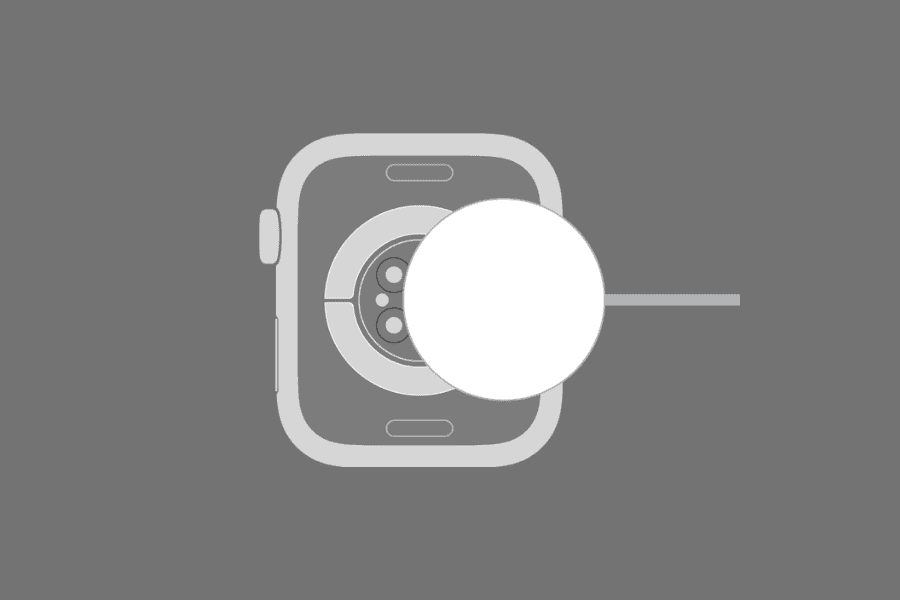
- Place the back of your Apple Watch against the concave side of the charger.
- The magnets will align the watch, and a green lightning bolt will appear on the screen indicating charging has started.
2. Charge Using a Magnetic Dock
You can also use a magnetic dock to charge the Apple Watch. Although Apple discontinued its charging dock in 2022, third-party options exist and are even sold through the official Apple website.
Here are the steps to charge your Apple Watch using a magnetic dock:
- Place the watch flat or on its side on the dock.
- Connect the dock to a power source using the included cable.
- The watch will automatically start charging and can display time and alarms in Nightstand Mode when placed on its side.
3. Charge Using an iPhone Wired Connection
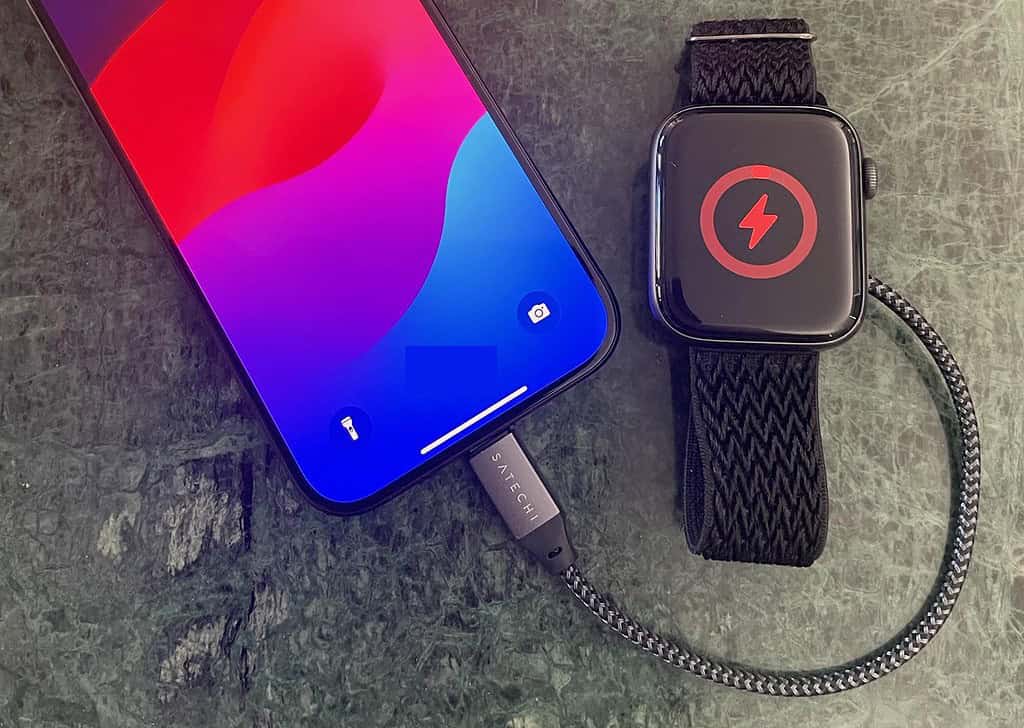
You can charge your Apple Watch directly from an iPhone 15 or newer using a wired connection. Ensure you have a USB-C to Apple Watch magnetic charging cable.
- Plug the USB-C end of the cable into your iPhone’s USB-C port.
- Attach the magnetic puck to the back of your Apple Watch.
- A green lightning bolt will appear on the watch screen, indicating charging has begun.
- Charging speed may be slower than using a wall adapter.
You can check the battery percentage by swiping up on the watch to open Control Center or going to Settings > Battery.
4. Use a Portable Power Bank
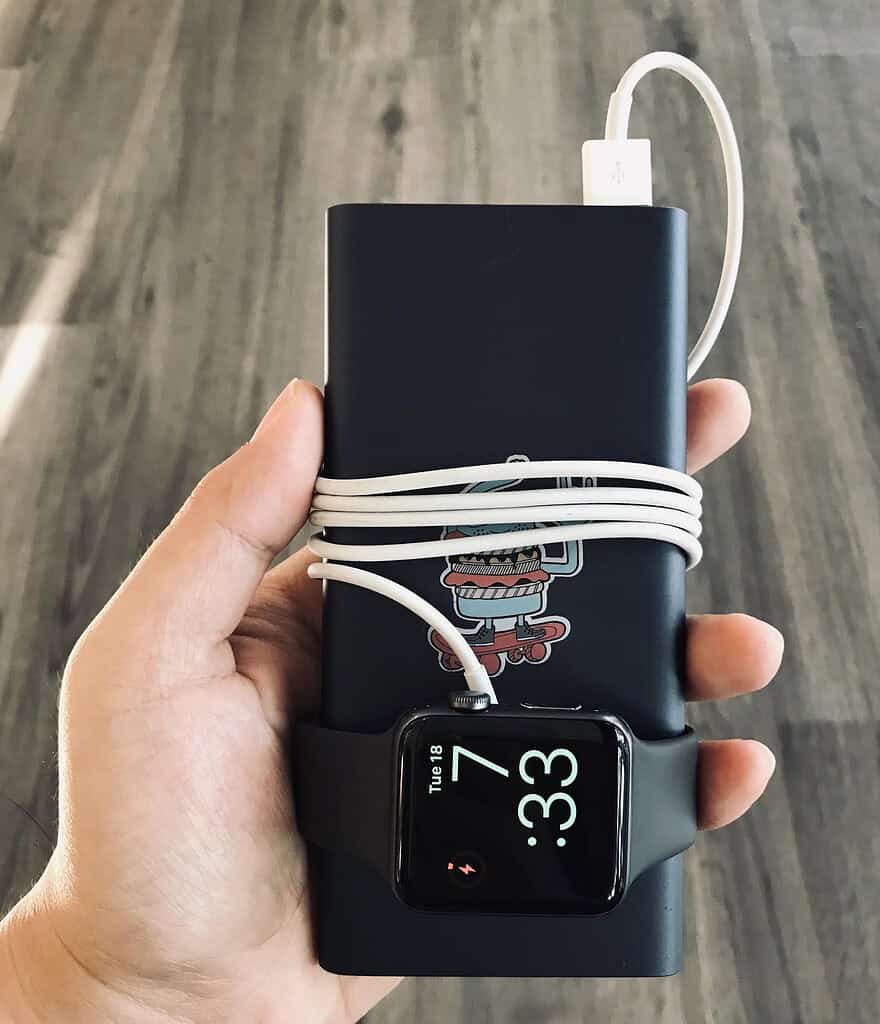
You can charge your Apple Watch on the go using a portable power bank with a USB port:
- Connect your Apple Watch magnetic charger to the USB output of the power bank.
- Place the watch on the charger as usual.
- This is ideal for traveling or outdoor use when an outlet is unavailable.
You might also want to find out why your Apple Watch’s battery is draining fast.
Tips for Efficient Charging
- Avoid letting the battery drain completely.
- Charge in a cool environment to prevent overheating.
- Use original Apple chargers for safety and optimal performance.
- Keep charging contacts clean.
- Update watchOS to benefit from battery optimizations.
- Avoid using the watch heavily while charging for faster charging.
Frequently Asked Questions
It usually takes 1.5 to 2.5 hours, depending on the model and charging method.
Yes, using an iPhone 15 or newer with a USB-C to magnetic charging cable. Charging is slower than a wall adapter.
Third-party chargers may work, but it is safest to use Apple’s magnetic charger for optimal performance and battery safety.
Yes, charging overnight is safe. The watch stops charging at 100 percent and prevents overcharging.
Summary
- Charge using the Apple Watch magnetic cable.
- Use a magnetic charging dock for convenience.
- Charge using an iPhone wired connection for emergencies or portability.
- Use a portable power bank while traveling.
- Follow battery health tips and optionally turn off Optimized Battery Charging.
Conclusion
Charging your Apple Watch is simple and flexible with multiple options. Whether at home, at work, or on the go, knowing all the methods ensures your watch is ready when you need it. Following these steps and tips will keep your Apple Watch battery healthy and efficient.
And if you are facing issues with it, find out what to do when your Apple Watch is not charging!




Must your apple be powered on or off, in order to get a full charge?
You get a USB C comparable charging block and get a charging cord for your Apple Watch which should be compatible with the USB C charging block.
It is possible to get a charging block that can accommodate both cords (different) simultaneously but you may find that slows your charging time.
In any event this will be simpler that trying to use your phone as a charger.
The charging magnetic dock cord for Apple Watch series 11, has a C plug in, and my iPhone is a a iPhone 11, and the cords tips don’t match. What do I do, my watch needs charging?