

The “Error 502” message in Apple Music, appears when you’re unable to add tracks or albums to playlists or favorites. The cause is often a server- or sync-related problem, and in many cases you just need to wait or trigger a library refresh. Below you’ll find practical steps to fix it or work around it.
Table of contents
Apple Music Error 502: Solutions
1. Check Apple’s Service Status and Wait

Open a browser and check Apple’s System Status page to confirm if Apple Music or iCloud Music Library services are reported as down.
If the service is flagged, waiting 15-60 minutes and retrying often solves the issue. If after 1-2 hours it’s still unresolved, proceed to the next steps.
Don’t miss the best of The Mac Observer
Set us as a preferred source and our Apple reporting ranks higher in your Google Search results and Discover feed — one tap, no account changes.
2. Restart the Music App and Your Device
Time needed: 10 minutes
- On iPhone or iPad: Close the Music app (swipe up or double-tap Home depending on device), then reopen.
- On Mac: Quit the Music app (or iTunes if you still use it), then reopen.
- Restart your device fully: power off, wait ~10 seconds, power on.
- After restart, attempt to add an album or track again.
3. Toggle iCloud Music Library / Sync Library
On iPhone/iPad:
- Go to Settings > Music.
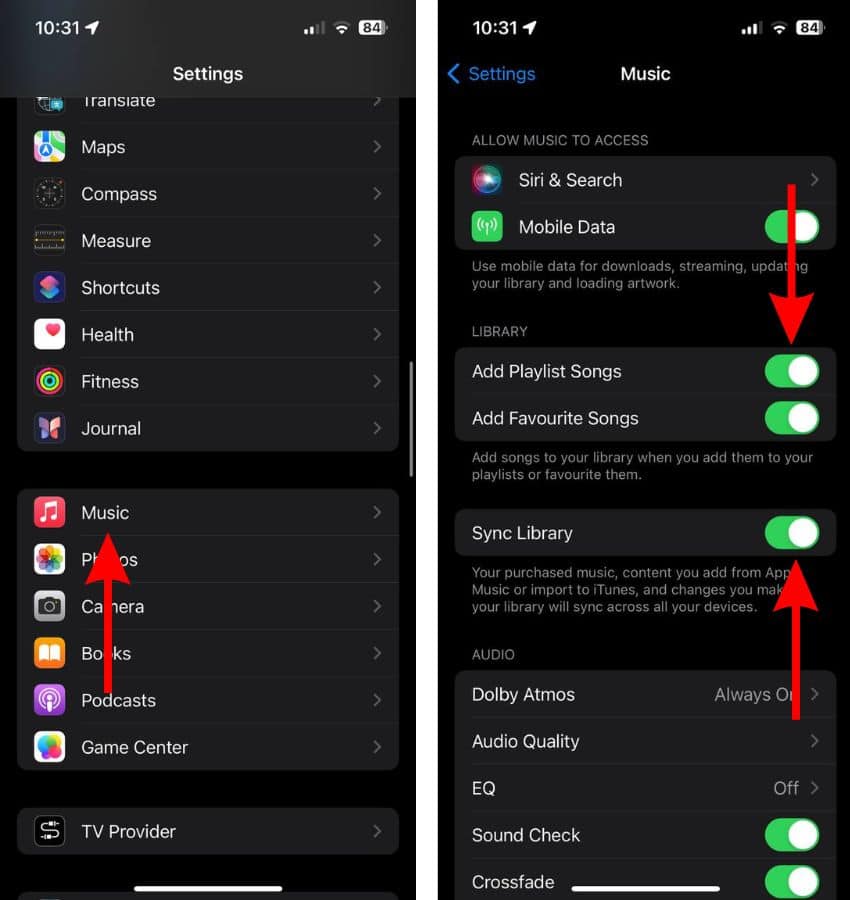
- Toggle Sync Library (or iCloud Music Library in older iOS versions) off.
- Wait ~10 seconds, then toggle it back on.

On Mac:
- Open Music > Settings (or Preferences) > General.

- Uncheck Sync Library, wait, then check it again.
- After toggling, restart the app and try adding songs/albums again.

4. Sign Out and Back Into Apple ID for Music
On iPhone/iPad:
- Go to Settings > tap your name > Media & Purchases > Sign Out.
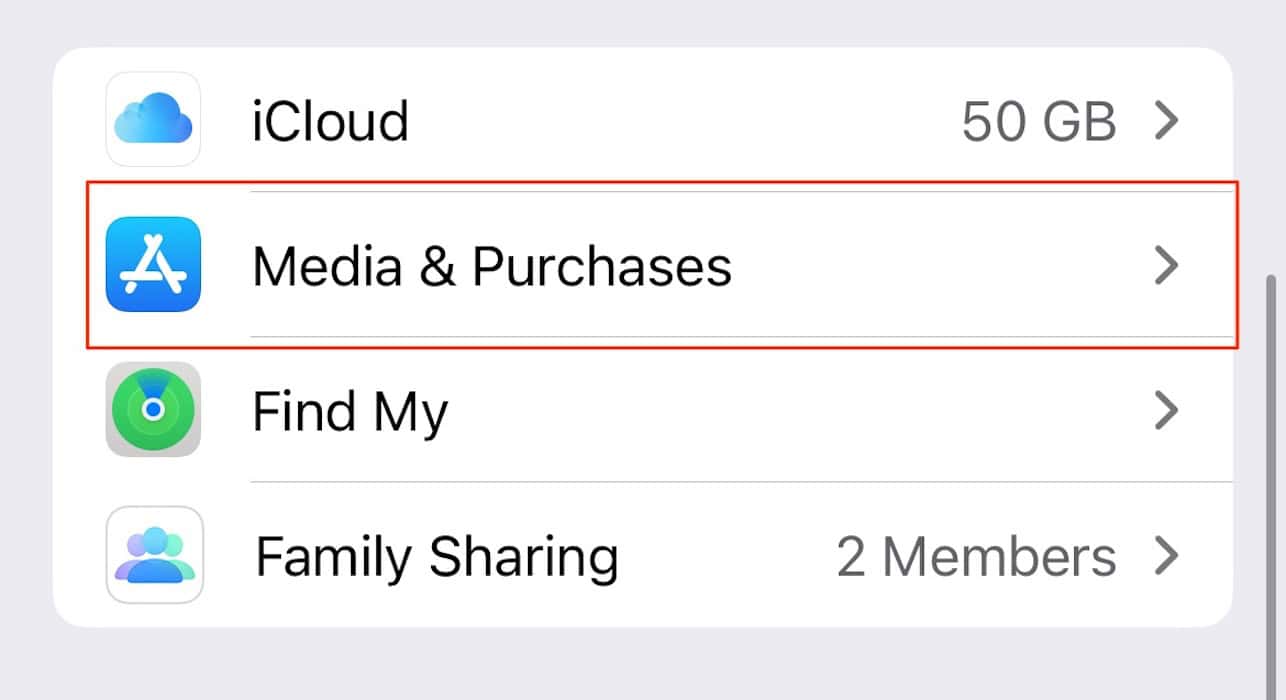
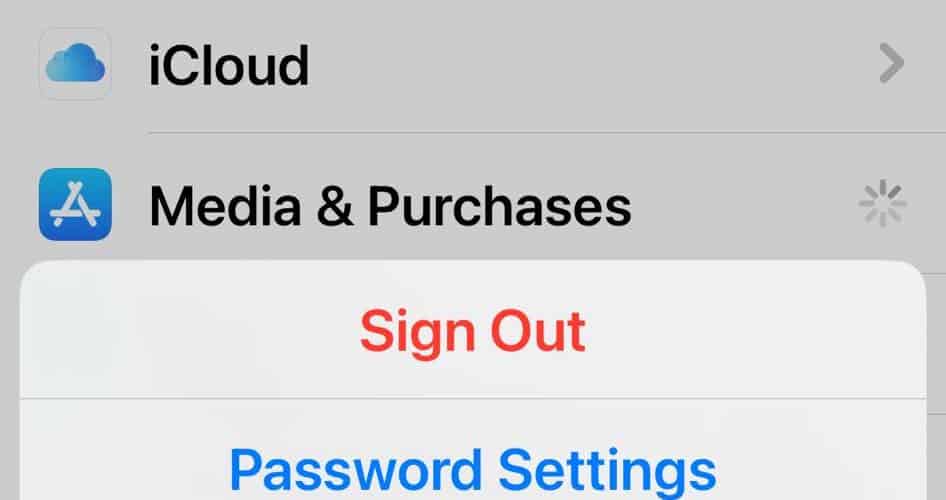
- Then sign back in and open Music.


On Mac:
- In Music, go to Account > Sign Out.
- Then Account > Sign In again.
This resets your session and sometimes forces the sync or authentication to succeed where it previously failed. While not specific to Apple Music’s error 502, this is a standard remedy when library operations fail.
5. Use a Different Network or Disable VPN/Firewall
Try the following:
- Switch from Wi-Fi to mobile data (or vice-versa) to test whether your network is causing the issue.
- If you are using a VPN, proxy, or strict firewall on the network, disable it temporarily.
- Try adding the album or songs in the Music app.
6. Reinstall the Music App (if Possible) or Update OS/App
- Ensure your device has the latest OS version (iOS, iPadOS, macOS) and that the Music app is up to date.
- On iPhone/iPad: Delete the Music app, reinstall from the App Store, sign back in.
- On Mac: If you are using an older Music/iTunes version, update the system software or reinstall the Music app if possible.
This can clear corrupted app files or outdated code that interferes with library updates.
One user on Reddit reported that, on Windows, uninstalling Apple Music and installing iTunes resolved error 502.
Tips To Avoid Error 502 in Apple Music
- If you have a very large music library, try adding one album or track at a time rather than a bulk update. Some users reported error 502 after several items.
- Make sure you have enough iCloud storage (if your library uses iCloud) and are signed in to the correct Apple ID.
- If you’re on Mac, check Music > File > Library > Update Cloud Library after toggling Sync Library.
- Always keep your date, time and time zone set correctly. Mis-set zones sometimes cause server-sync failures.
- If you are still stuck, and you believe it’s not your network or device, consider contacting Apple Support and reference “Error 502 when adding items to Apple Music library”.
Apple Music Error 502 FAQ
Error 502 often indicates a “Bad Gateway” style failure in server-to-server communication, meaning the issue may be on Apple’s side rather than your device.
Not necessarily. It means the action failed this time. After waiting or performing the steps above, most users regain the ability to add albums or songs.
No. If you have a valid subscription and use Sync Library, your library remains in iCloud. Signing out and back in refreshes access. But ensure you back up any local downloads if you rely on them offline.
Rare, but some users reported missing playlists after library sync issues. It’s wise to make a manual backup (for Mac users, export playlists) before major changes.
Summary
- Check Apple’s System Status and wait out any server-issue.
- Restart the Music app and your device to clear transient glitches.
- Toggle Sync Library and iCloud Music Library off and on.
- Sign out and back in to your Apple ID for Music/iCloud.
- Try a different network or disable VPN/firewall interfering with sync.
- Ensure OS/app is up-to-date and reinstall Music if needed.
Differently from other Apple Music issues, error 502 often arises from server-side issues or library-sync hiccups rather than a local device fault. Because you’re dealing with a playlist/library interaction, the steps above cover the most reliable fixes reported by users.
If none of these solutions work, it may require an Apple server patch or a deeper account investigation. Given the state of how large streaming-services work under the hood, complete elimination of such errors may not be in your hands — but you can minimize your time waiting.


Discussion