
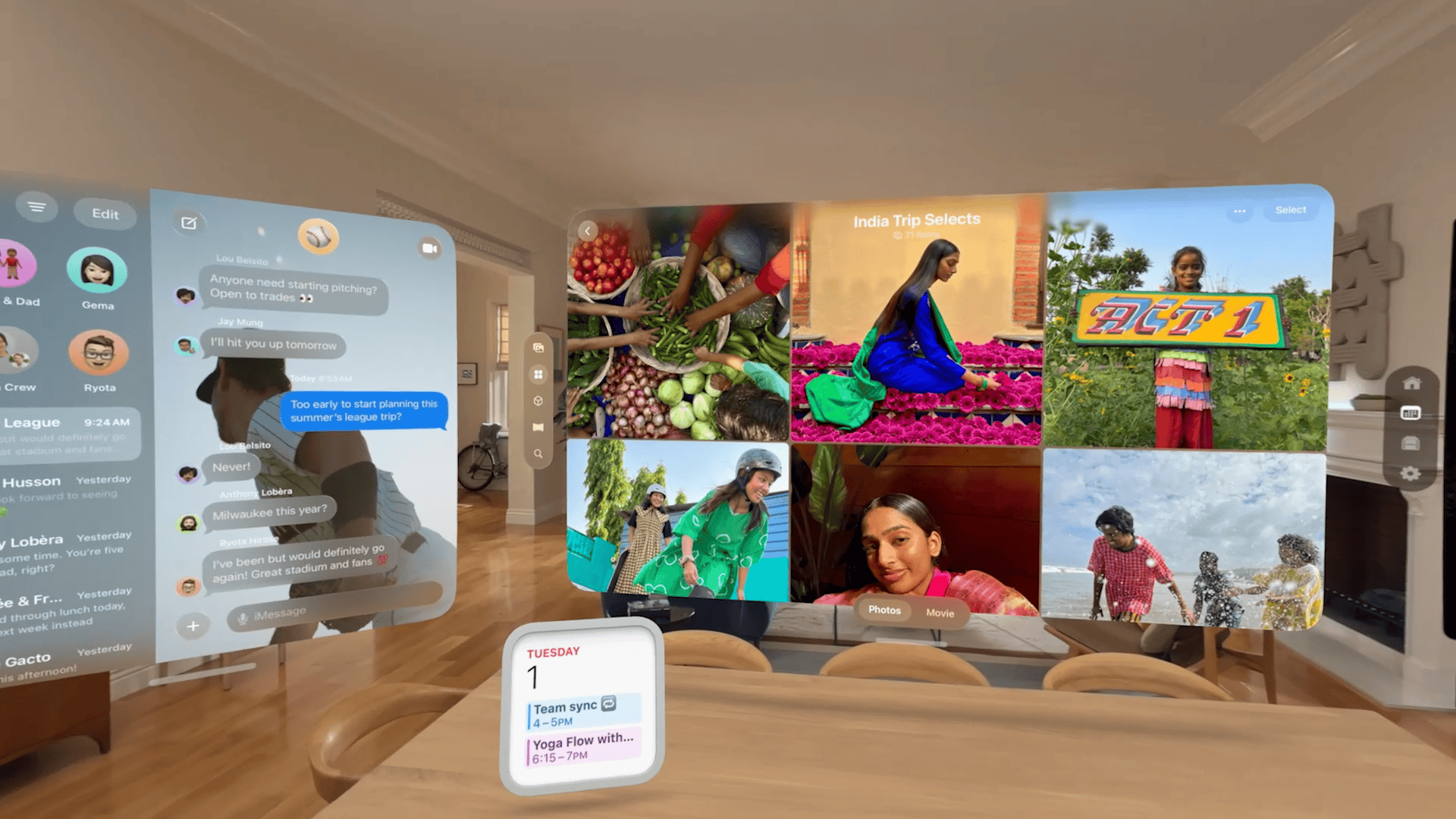
Apple will publish visionOS 26 on September 15, 2025. The update turns Vision Pro from a high-end showcase into a practical spatial platform, adding persistent spatial widgets, more natural Personas, AI-driven spatial scenes, PlayStation VR2 controller support, professional input hardware, and broad productivity and enterprise tools.
Spatial widgets: persistent, placeable UI
visionOS 26 gives you spatial widgets that you place in your environment and expect to find in the same spot each time you put on Vision Pro. Widgets can anchor to walls, tables, or float at a fixed point in the room. They persist across reboots and include customization for frame width, color, and depth.
- Environmental persistence: anchors stay where you put them.
- Appearance controls: frame width, color, and depth adjustments.
- Cross-device compatibility: compatible iOS and iPadOS widgets appear through the Widgets app.
- Developer access: WidgetKit supports spatial widgets for third-party apps.
Use cases are pragmatic: put weather by a window, a calendar near an exit, music controls above your desk, or a photo widget as a virtual window into memories.
Don’t miss the best of The Mac Observer
Set us as a preferred source and our Apple reporting ranks higher in your Google Search results and Discover feed — one tap, no account changes.
Personas rebuilt for realism and control
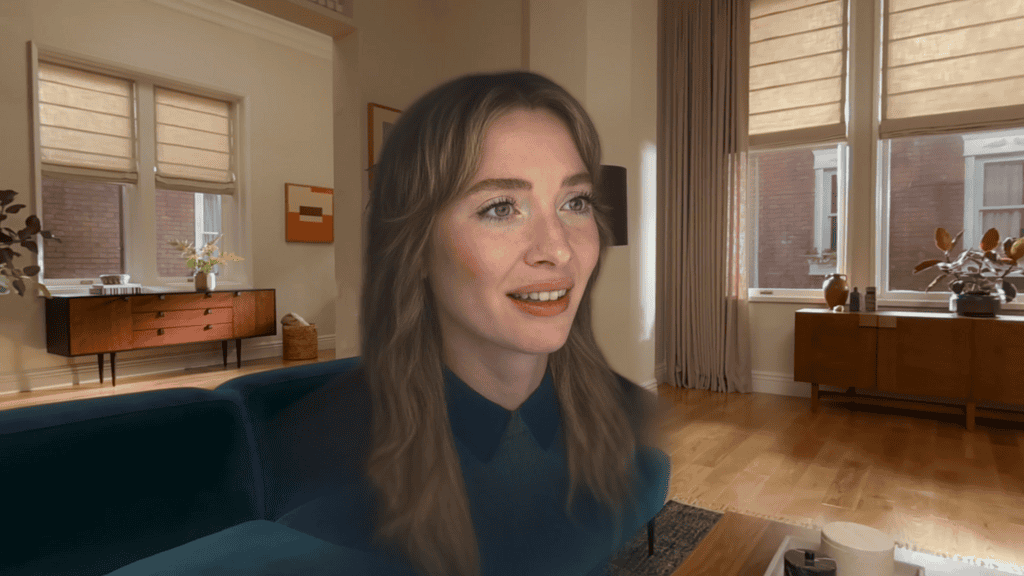
Apple rebuilt Personas with volumetric rendering and machine learning. The result: higher polygon counts, richer textures, and more believable lighting. You get a full side profile for the first time, finer hair and eyelash detail, and over 1,000 glasses options for personalization. Persona generation remains on-device and fast, and the setup process gives you more control over appearance and lighting.
What this changes: Personas now read as more natural, reducing the uncanny valley effect and making virtual meetings and shared experiences feel closer to in-person interaction.
Spatial scenes: photos become three-dimensional
visionOS 26 uses generative AI and computational depth to convert flat photos into spatial scenes you can move around. You can lean in, change perspective, and view layered depth inside the Photos app, Spatial Gallery, or Safari. Developers can use the Spatial Scene API to present richer visuals in their apps and web content.
Gaming: PlayStation VR2 Sense controller support
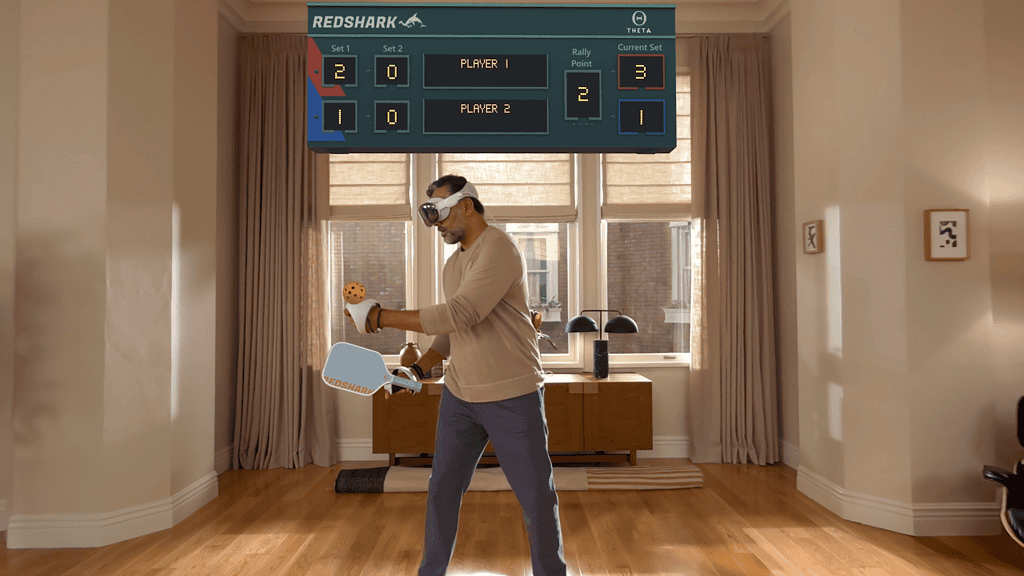
Apple added official support for PlayStation VR2 Sense controllers. That expands input options and brings higher-fidelity gaming to Vision Pro.
- Six degrees of freedom tracking.
- Finger touch detection and vibration feedback.
- 90Hz motion-tracking responsiveness.
- Controllers remain visible even in fully immersive modes.
visionOS 26 also speeds hand tracking and increases memory limits so higher-end iPad games can run better on Vision Pro. Developers can tune immersion and render quality to balance performance and comfort.
Logitech Muse: professional spatial input
Logitech Muse targets creators and professionals. It offers six degrees of freedom, pressure-sensitive tips, real-time haptic feedback, physical buttons, and gesture recognition. You can draw and annotate in space or on surfaces with precision.
- Precise 3D measurement and dimensional accuracy.
- Virtual note-taking and sketching in collaborative sessions.
- Integration with apps such as Spatial Analogue for design workflows.
Immersive media and Safari spatial browsing

visionOS 26 adds native playback for 180-degree, 360-degree, and wide field-of-view video from creators using Insta360, GoPro, and Canon. Apple also introduced a new immersive Jupiter environment built with NASA imagery, complete with interactive time controls and realistic planetary motion.
Safari gains spatial browsing that transforms articles, hides distractions, and reveals spatial scenes. Web developers can embed 3D models inline using a new HTML model element, enabling immersive shopping and product demos.
Productivity, phone integration, and Apple Intelligence
visionOS 26 tightens daily workflows with features that reduce friction.
- Look to Scroll: navigate content using eye movement; you can customize scroll speed.
- iPhone unlock while wearing Vision Pro: Face ID can unlock your phone even in fully immersive environments.
- Call relay: answer and start phone calls directly from Vision Pro.
- Redesigned Control Center: quick access to Guest User, Focus, Travel Mode, and Environment controls.
- Home View folders: group and rearrange apps.
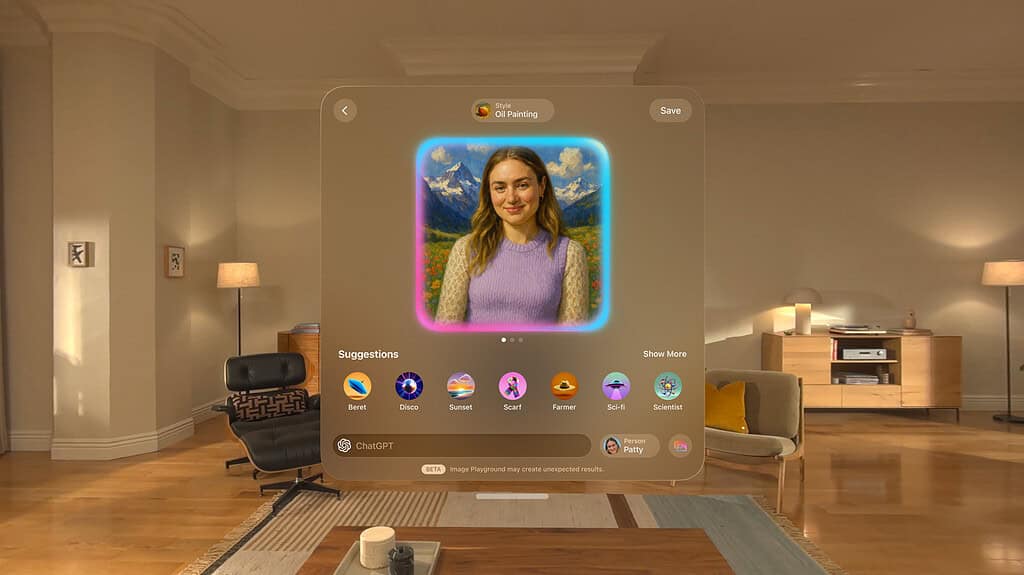
Apple Intelligence expands to Vision Pro with Image Playground, Genmoji creation, Writing Tools with ChatGPT integration, smart replies in Mail and Messages, and natural language search in Photos. The update adds full language support for several major languages and regional English variants.
Enterprise and collaboration
visionOS 26 adds enterprise APIs and features that support secure, shared spatial workflows.
- Protected Content API: prevents screenshots, recordings, and unauthorized sharing of sensitive screens.
- Shared coordinate spaces: multiple Vision Pro users in the same room can interact with the same spatial content.
- Window Follow Mode: app windows can follow a user as they move.
- Main camera access in shared spaces: run camera-enabled experiences alongside other apps.
- Team device sharing and improved license management for enterprise fleets.
FaceTime and SharePlay tie remote users into spatial sessions so distributed teams can collaborate on 3D content or watch immersive media together.
Accessibility, device sharing, and compatibility
visionOS 26 improves accessibility with enhanced live recognition, better zoom, and improved typing experiences. You can save eye and hand data, vision prescription, and accessibility settings to your iPhone running iOS 26 and transfer them to another Vision Pro, making device sharing easier and more private.
The update installs on all Vision Pro models and does not require new hardware. The baseline hardware remains the M2 system with 8-core CPU, 10-core GPU, 16-core Neural Engine, and 16GB unified memory.
Developer timeline and requirements
Apple distributed developer builds ahead of the public release so teams could test and ship updates in sync with the launch.
- Developer beta: available since June 8, 2025.
- Release candidate: distributed September 9, 2025.
- Public release: September 15, 2025.
Required tools: Xcode 15 or later and an Apple Silicon Mac (M1, M2, or later) running macOS Ventura 13.3 or later. Developers should evaluate WidgetKit and the Spatial Scene API to adapt apps for spatial interactions and media.
Market impact: where Vision Pro goes next
visionOS 26 addresses gaps that kept Vision Pro on the side lines for many users. Spatial widgets and enterprise APIs make the headset more useful for everyday work. PlayStation VR2 controller support and improved media playback widen the entertainment case. Apple Intelligence and Safari spatial browsing broaden content possibilities and encourage developers to build spatial-native experiences.
Expect developers to prioritize spatial widgets, Look to Scroll, and Spatial Scene integration. Enterprises should test the Protected Content API and shared coordinate spaces. Consumers can expect a more practical, day-to-day Vision Pro experience after the public release.
visionOS 26 turns many spatial computing ideas into practical tools. The platform keeps the same hardware baseline while adding persistent spatial UI, better avatars, immersive photos, and stronger enterprise and collaboration features. If you develop for Vision Pro or create spatial content, start testing and updating now to align with the September 15 release.




Discussion