
With recent iOS updates, Siri got a new voice, but it isn’t to everybody’s taste, and some people prefer the old one. While the updated Siri offers improvements, you might still want to hear the familiar voice one more time. Here’s how you can revert to the old Siri voice.
How Do I Get the Old Siri Voice Back?
Apple doesn’t let you roll back to previous iOS versions, so if an update changes Siri’s voice, you can’t switch back to the older one. However, you can still customize Siri’s voice by choosing from different options in your iOS settings. You’ll find various accents, genders, and languages, allowing you to pick a voice that best matches your preference.
Time needed: 1 minute
To change Siri’s voice:
- Go to Settings > Siri (or Apple Intelligence & Siri, depending on your device).
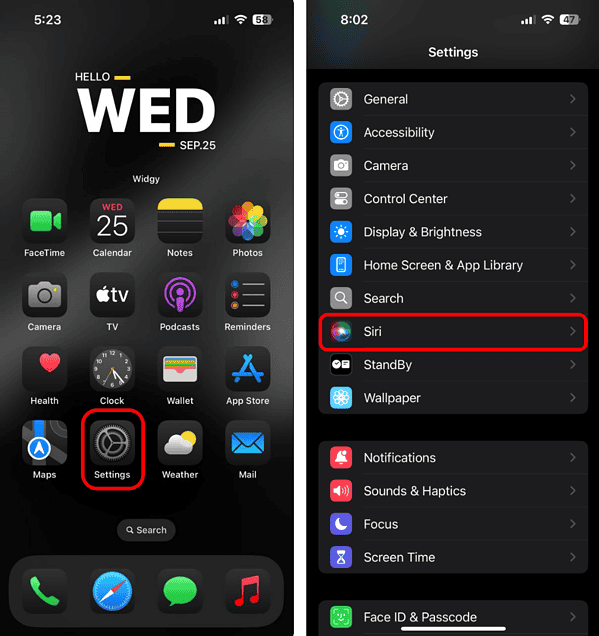
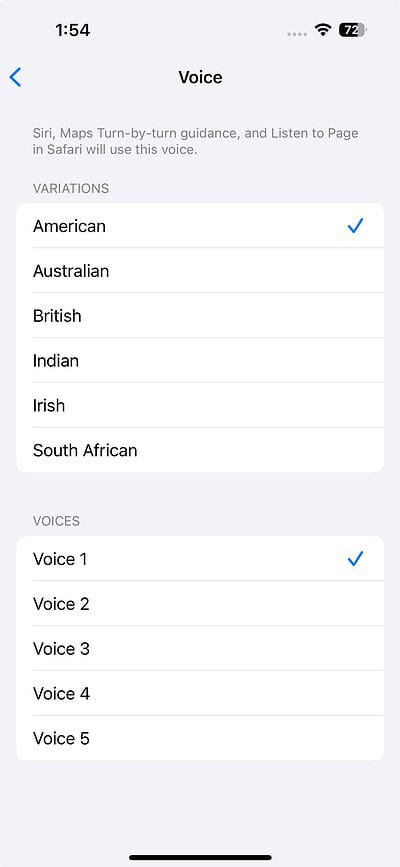
- To change Siri’s voice, tap Voice and select the Variation and Voice of your preference.
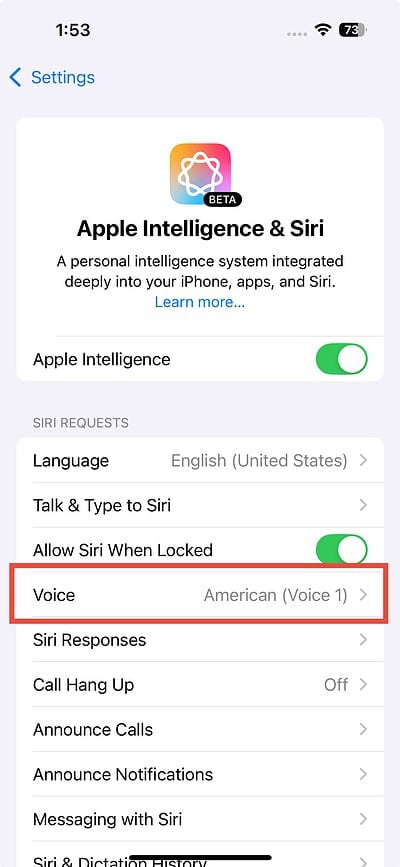
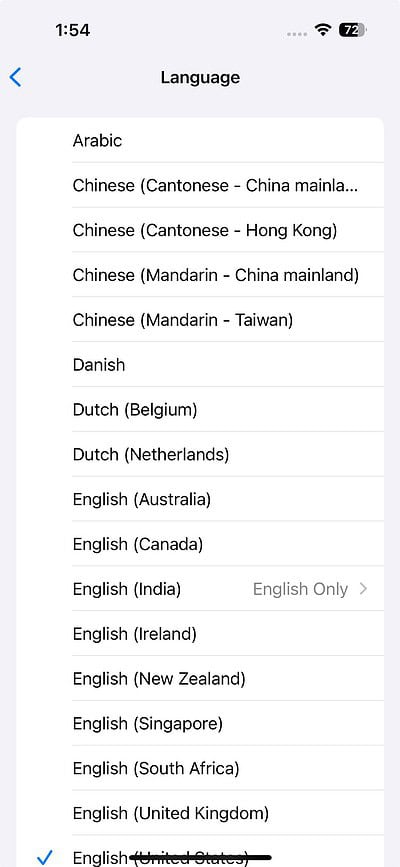
- To change Siri’s language, tap Language and select the language you like.

 NOTE
NOTE
Types of Voices Available
Apple gives you a variety of voices for Siri, and you can choose from different accents and genders. Whether you’re using iOS 18, iOS 17, or even an older version like iOS 16, you have multiple options to customize Siri’s voice.
Don’t miss the best of The Mac Observer
Set us as a preferred source and our Apple reporting ranks higher in your Google Search results and Discover feed — one tap, no account changes.
You can pick from accents like American, Australian, Irish, or Indian, making it easier to find one that suits your preference. If you find certain accents clearer or more familiar, this feature helps improve your experience. You’re not restricted to just a female voice, either. Apple also provides male voice options, so you can select the one that feels most natural and comfortable for you.




My thought is there has to be a reason why they got rid of it and didn’t just offer us more to choose from, I just wish they would’ve told us why?
My thought is there has to be a reason that they removed the voice and didn’t just offer more to choose from. I just wish they would tell us why.
No, they do not give you a variety of voices. They give you 4-5 for your particular language and they all are annoying sounding. The original Siri had better articulation and didn’t sound like some peppy 20 something.
💯
It was foolish of Apple to discontinue the old Siri voice, thus limiting that freedom of choice