
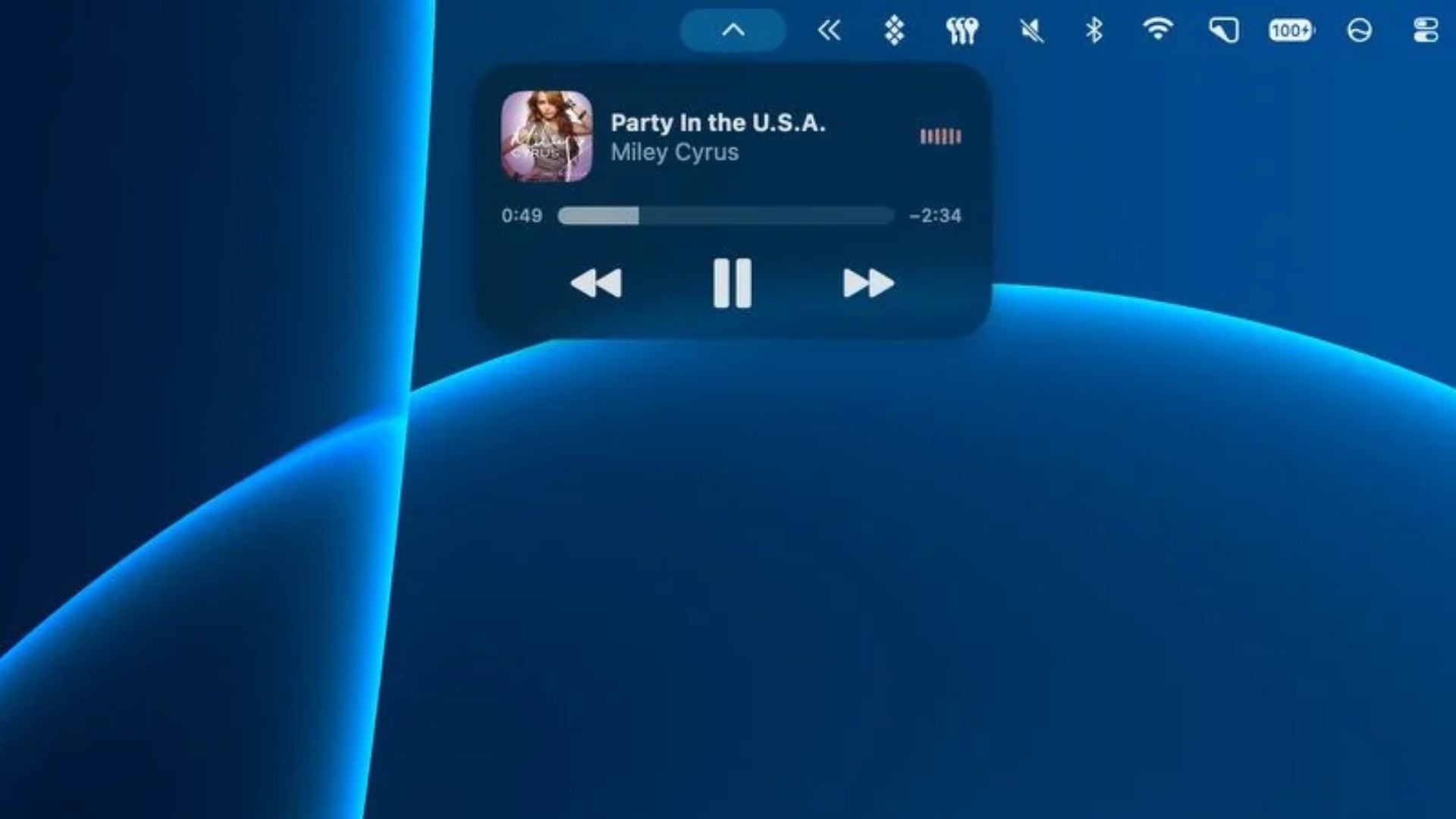
The latest software update from Apple is bringing a popular mobile feature to more desktop users. When the macOS 27.3 Golden Gate beta rolled out for developers, testers quickly noticed a major visual change. The company is finally bringing Live Activities to older Mac computers that do not have a Dynamic Island, making it much easier to track real time events on your screen. This bridges the gap between different hardware generations.
Live updates appear as a small widget in the menu bar
Before this update, keeping an eye on ongoing tasks like timers or sports scores required opening the Notification Center or owning a newer computer. While the upcoming touchscreen OLED laptop and current high end models utilize the Dynamic Island for these alerts, older machines were left out. Now, anyone running the new macOS 27 software can see these updates right at the top of their screen.
When an app triggers a Live Activity, a small icon with brief text will pop up on the right side of the top menu bar. Clicking on this icon expands it into a larger widget with more details and interactive buttons. This means you can keep track of your food delivery, flight boarding times, or music playback while working on an older MacBook Pro without opening extra windows or reaching for your phone. The interface feels natural and blends right in with your standard system icons like battery life and clock.
Don’t miss the best of The Mac Observer
Set us as a preferred source and our Apple reporting ranks higher in your Google Search results and Discover feed — one tap, no account changes.
Alongside the menu bar changes, this software update includes another helpful tool for people who write code or format text. The system now features native Markdown rendering inside the Quick Look tool. This lets users preview their formatted Markdown files by simply pressing the spacebar on their keyboard, removing the need to open a dedicated text editor just to read a document.




Discussion