

Identifying and telling the Apple Watch series matters more than you might think. Whether you bought it second-hand, inherited it, or simply forgot, identifying the series helps you know the features you have, like health tracking, screen size, battery life, and watchOS support.
Let us walk through simple steps to help you easily tell what Apple Watch series is on your wrist!
Table of contents
How to Identify Your Apple Watch Series?
1. Use the Watch App on Your iPhone
- Open the Apple Watch app on your iPhone.
- Tap My Watch > General > About.
- Look for the Model Number that begins with “M…” or already shows a five-digit code starting with “A…” (for example, A2292).
- Tap the Model Number field to reveal the full four-digit A-number (e.g., A2292).
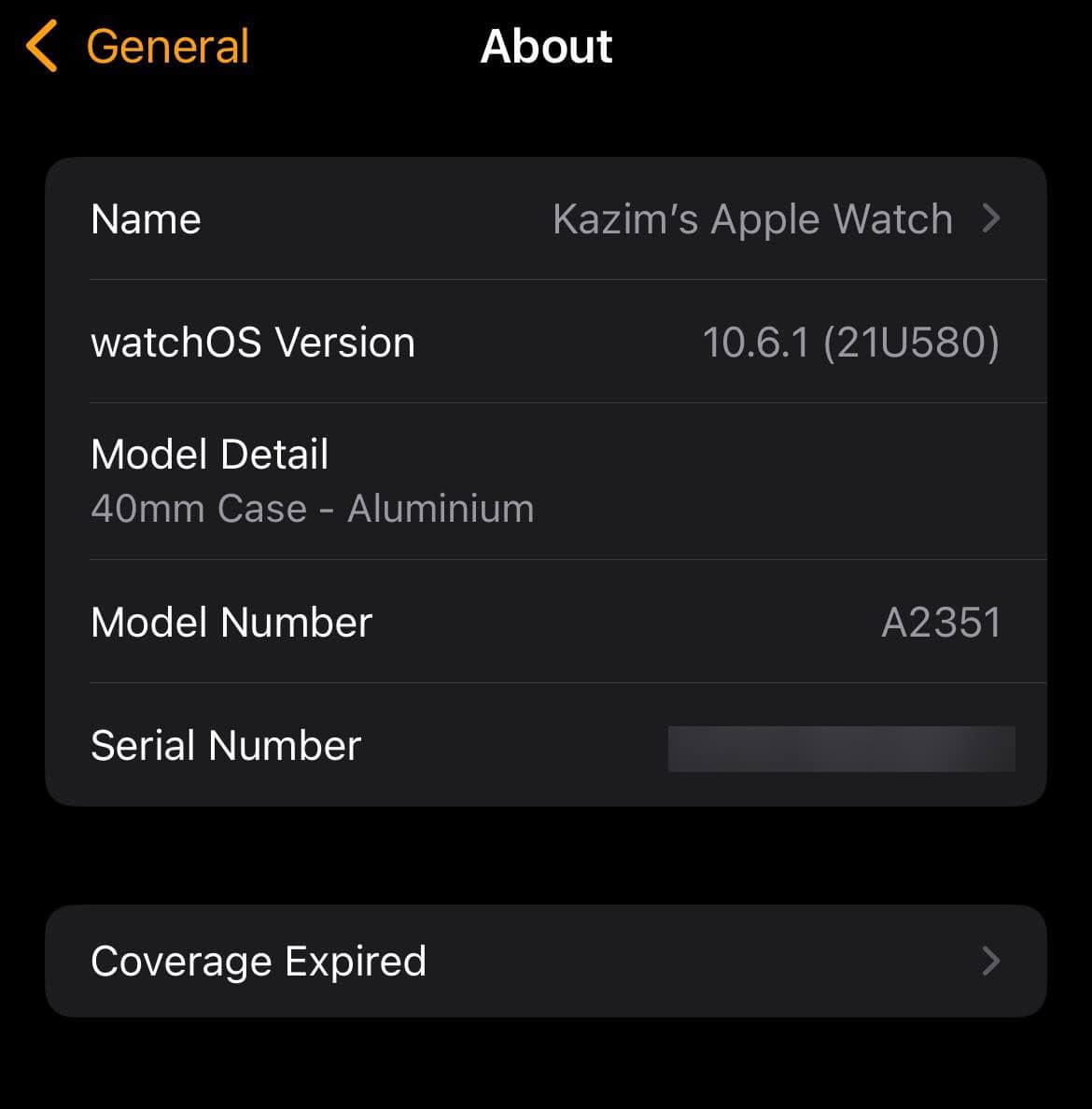

Compare the Model Number to Identify the Series
Match your “A-number” to a table mapping model numbers to Apple Watch series. You can use one of these tables:
Don’t miss the best of The Mac Observer
Set us as a preferred source and our Apple reporting ranks higher in your Google Search results and Discover feed — one tap, no account changes.
Apple Watch Series Models
| Series / Model | Model Numbers (A-numbers) |
|---|---|
| Series 1 | A1802, A1803 |
| Series 2 | A1757, A1758 |
| Series 3 (GPS) | A1858 |
| Series 3 (GPS + Cellular) | A1860, A1861, A1889, A1890 |
| Series 4 (GPS) | A1977, A1978 |
| Series 4 (GPS + Cellular) | A1975, A1976, A2007, A2008 |
| Series 5 (GPS) | A2092 |
| Series 5 (GPS + Cellular) | A2093, A2094, A2156, A2157 |
| Series 6 (GPS) | A2291 |
| Series 6 (GPS + Cellular) | A2292, A2375, A2376 |
| Series 7 (GPS) | A2473 |
| Series 7 (GPS + Cellular) | A2474, A2475, A2476, A2477 |
| Series 8 (GPS) | A2770 |
| Series 8 (GPS + Cellular) | A2771, A2772, A2773, A2774 |
| Series 9 (GPS) | A2982 |
| Series 9 (GPS + Cellular) | A2983, A2984, A2985, A2986 |
| Series 10 (GPS) | A2988 |
| Series 10 (GPS + Cellular) | A2989, A2990, A3000, A3001 |
Apple Watch SE and Ultra Models
| Model | Model Numbers (A-numbers) |
|---|---|
| SE (1st Gen, GPS) | A2351 |
| SE (1st Gen, GPS + Cellular) | A2352, A2353, A2354 |
| SE (2nd Gen, GPS) | A2722 |
| SE (2nd Gen, GPS + Cellular) | A2723, A2724, A2725, A2726 |
| Ultra (1st Gen) | A2622 |
| Ultra 2 | A2986, A2987 |
2. Inspect the Back of the Watch
On the back of your Apple Watch, around the sensor ring or on the case, you may see an engraving that indicates the series and case size. Series 1 might just say “WATCH” without a number, while newer ones often include the series name or specs.
3. Use Serial Number via Apple Coverage Page
- Find the Serial Number under the same About screen.
- Enter that serial into Apple’s Check Coverage page to find out which series, model, and size you have.
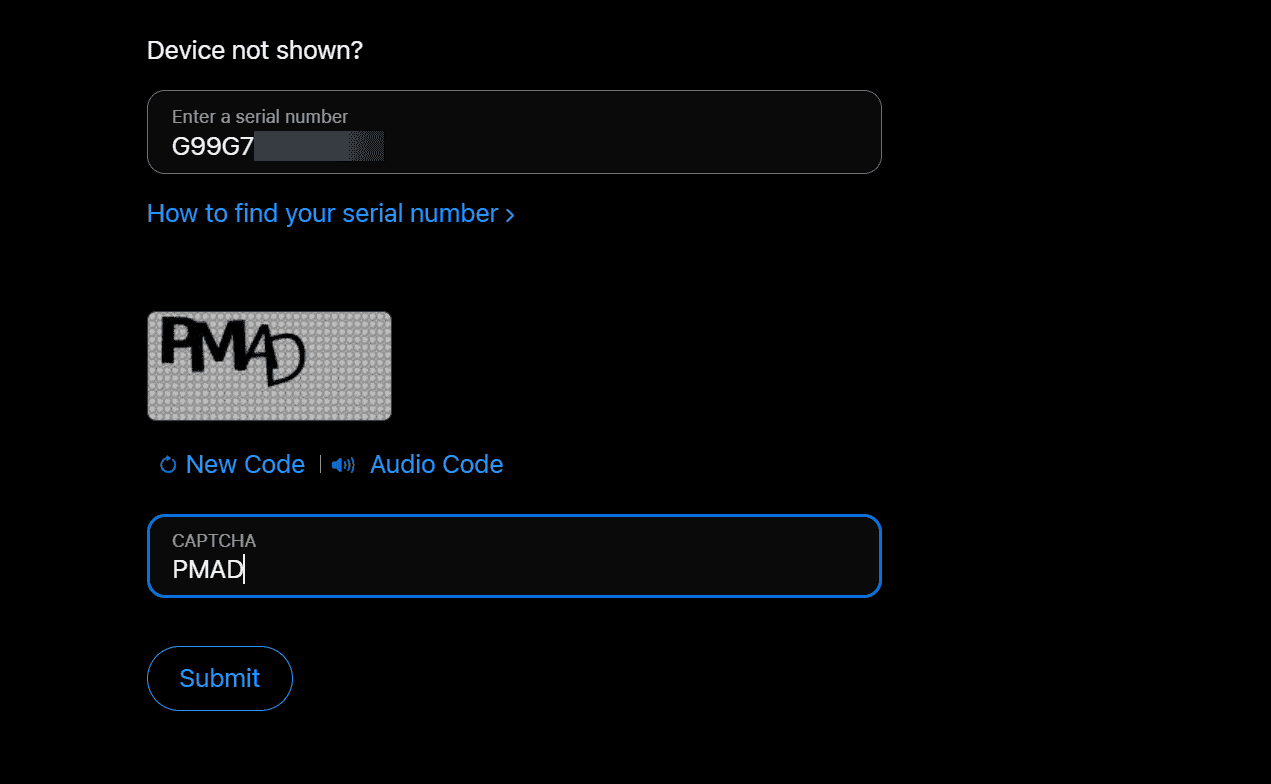

Tips
- Always record the A-number and keep it for future reference.
- Engravings on the watch back can fade with time, so the app method is more reliable.
- If you have a refurbished or special edition, features and materials may vary even within the same series.
- Use model number lookup tables if Apple’s site seems confusing.
- Remember that Apple sometimes reuses model numbers across regions, but service compatibility may vary.
Frequently Asked Questions
It is hard to do that accurately. Many series look similar. Using the model number is the most precise method.
The model number directly maps to that specific hardware revision, while serial or order numbers trace production or purchase details, which are not helpful for identifying the series.
That’s the part number. Tap it and it will convert to the “A-number,” which you then match to the series.
Yes. For example, some older series are no longer supported with the latest watchOS versions, while Series 10 and Ultra 2 come with the newest features.
Summary
- Open Apple Watch app > My Watch > General > About > Model Number.
- Tap that model number to reveal the “A-number.”
- Lookup the A-number in a trusted table to find the series.
- As a backup, check the back of the watch for engravings.
- Use the serial number with Apple’s Check Coverage page.
Conclusion
Figuring out how to tell what series you have on your Apple Watch is straightforward when you use the iPhone Watch app or engraving. Once you match the A-number, you unlock vital info about your watch’s features, support options, and future value.
This helps whether you’re troubleshooting, trading, or simply curious. Now you’re empowered to always know exactly which Apple Watch is on your wrist.
If you recently got it, learn how to use an Apple Watch!


Discussion