
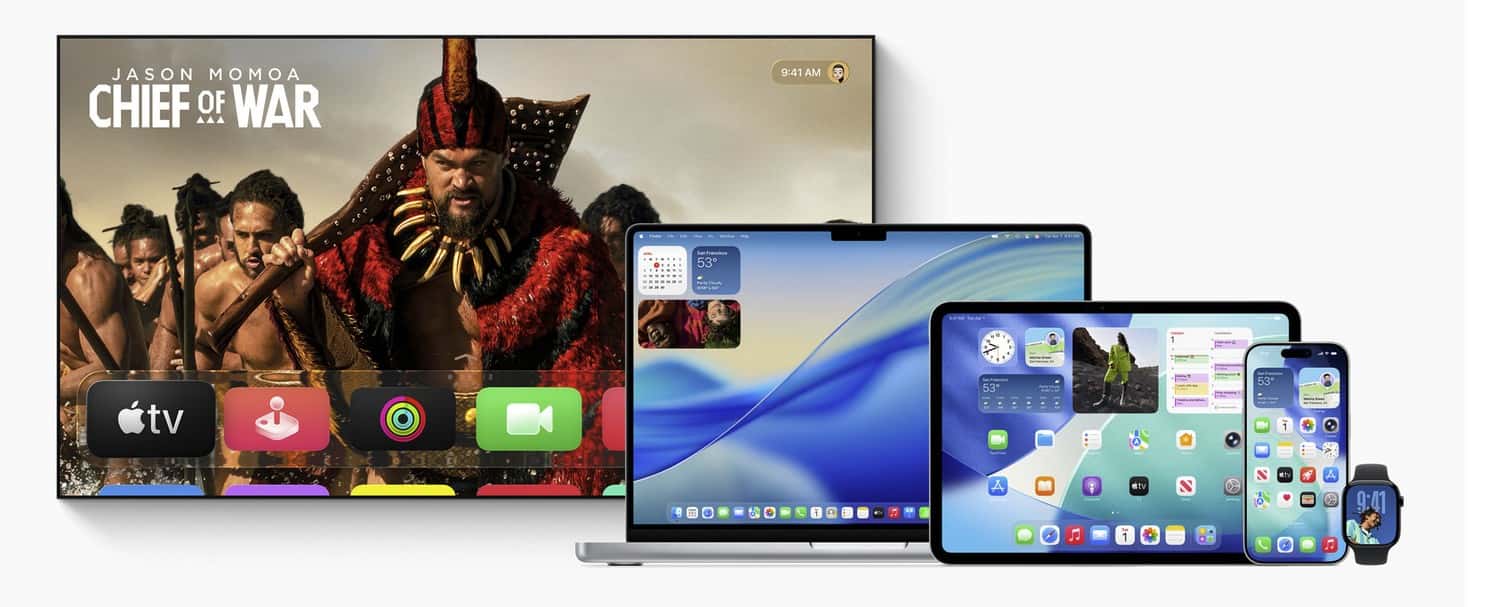
Thinking about updating your Apple TV but not sure what really changes? Here’s a clear, no-nonsense comparison of tvOS 26 and tvOS 18 that helps you decide fast, then dives deeper if you want the details.
| Topic | tvOS 18 | tvOS 26 |
|---|---|---|
| Stability & performance | Mature, predictable baseline | [Refined] Tighter animations; faster app resume |
| UI & navigation | Classic Control Center; legacy overlays | [Refresh] Cleaner overlays; more glanceable status |
| Siri & voice | Reliable dictation; basic media search | [Smarter] Better recognition; context-aware queries |
| Media playback | HDR10/Dolby Vision; Atmos passthrough | [Smoother] Fewer hiccups; clearer dialogue; steadier subtitles |
| AirPlay & casting | Solid on local networks | [More resilient] Better on crowded Wi-Fi; smarter prompts |
| Profiles & family | Profiles, restrictions, Up Next per user | [Tighter] Per-profile prefs and PINs behave consistently |
| Fitness+ on TV | Watch metrics; guided workouts | [Polish] Faster starts; smoother cooldown transitions |
| Gaming & controllers | Broad controller support | [Lower latency] More titles benefit; steadier pairing |
| Home & accessories | Home hub; camera tiles | [Quicker] Faster camera previews; timelier doorbell handling |
| Accessibility | VoiceOver; Reduce Motion; color filters | [More granular] Finer caption controls; better audio balance |
| Privacy & security | Regular patches | [Hardened] Latest mitigations; stricter tracking controls |
- Stream-first households that value smoother playback and quicker app switching will feel the QoL gains on tvOS 26.
- Families using multiple profiles benefit from cleaner hand-offs and stronger restrictions.
- Gamers using Bluetooth controllers or cloud gaming apps will appreciate input and pairing refinements.
- If you prioritize absolute predictability and your setup is mission-critical for events, tvOS 18 remains a conservative baseline, but 26 is designed to be a drop-in upgrade.
Device compatibility
If your Apple TV runs tvOS 18 comfortably, it’s eligible for tvOS 26. Newer Apple TV 4K models get the fullest experience, but older supported boxes still benefit from stability and security updates.
What’s actually new or better in tvOS 26
1) A cleaner, quicker interface
Animations feel tighter, menus open with less lag, and common toggles in Control Center are easier to hit. The goal is less time hunting, more time watching.
Don’t miss the best of The Mac Observer
Set us as a preferred source and our Apple reporting ranks higher in your Google Search results and Discover feed — one tap, no account changes.
2) More helpful Siri requests
Siri handles natural phrasing better and does a nicer job with content-centric questions like ‘find cozy comedies from the 90s’ or ‘show movies with clearer dialogue’. It’s less about flashy features and more about requests working on the first try.
3) Smoother streaming and fewer ‘hiccups’
App switching is faster, long sessions are more stable, and subtitle timing is more consistent. If you’ve ever paused to rewind a few seconds for dialogue, tvOS 26’s playback refinements make that flow feel more precise.
4) AirPlay that behaves under pressure
When the Wi-Fi is busy, AirPlay on tvOS 26 is better at negotiating connections and staying connected. You’ll notice fewer “couldn’t connect” moments when friends try to share from iPhone.
5) Profiles that really stay separate
Recommendations, Up Next, audio preferences, and restrictions stick to the active profile more reliably. That means fewer mismatched suggestions when the kids just finished their shows.
6) Fitness+ polish on the big screen
Starting a session is snappier, your Watch connects with fewer retries, and cooldown segments transition more smoothly. Great if the Apple TV is your main workout display.
7) Gaming feel and controller pairing
Bluetooth pairing is more predictable, and input latency optimizations show up in more titles. It’s incremental, but noticeable if you game on your Apple TV.
8) Quicker Home integrations
Camera tiles load faster, doorbell alerts are more timely, and accessory controls respond with less delay. Small things that add up if you use Apple TV as a glanceable home hub.
9) Accessibility that reduces fatigue
Caption size and weight are easier to dial in, high-contrast UI elements are clearer, and audio balance controls make dialogue pop without blasting effects.
10) Security under the hood
tvOS 26 carries the newest platform hardening, certificate updates, and tracking protections. If you install one reason alone, make it this one.
Where tvOS 18 is still fine
- Your apps and remote muscle memory are dialed in and you want zero surprises.
- You rarely switch profiles and don’t use Siri much.
- You host watch parties or events and value the ‘if it ain’t broke’ setup.
Streaming quality and audio deep dive
- Frame-rate and dynamic-range matching remain, but tvOS 26 aims to reduce rare black screens when apps switch modes.
- Dialogue intelligibility improves thanks to steadier subtitle timing and more consistent downmixing to common soundbars.
- Atmos passthrough and eARC setups behave more predictably after long idle periods.
Profiles, kid controls, and shared living rooms
- PINs and restrictions are more consistent per profile.
- App rows and Up Next are less likely to reflect another user’s history.
- Quick user switching is more discoverable from the top of the interface.
Siri, search, and discovery
- Natural language requests resolve more often to the right app on the first try.
- Genre, actor, mood, and accessibility-aware requests are easier.
- Results cards surface the thing you meant, not the thing that merely matches a keyword.
Fitness+ on Apple TV
- Faster Watch handshake and fewer ‘reconnect Apple Watch’ prompts.
- Better continuity if you pause to adjust equipment.
- Clearer on-screen cues for interval changes and cool-downs.
Gaming and controllers
- Stable pairing for popular Bluetooth controllers.
- Subtle latency improvements in supported titles, felt most in platformers and rhythm games.
- Fewer ‘lost controller’ events after waking the Apple TV.
Home, cameras, and notifications
- Doorbell and camera notifications pop in faster with smoother previews.
- Accessory toggles react with less delay from the TV interface.
- If your TV is the family dashboard, these small wins add up.
Accessibility highlights
- Caption presets are easier to tune for distance viewing.
- VoiceOver and Reduce Motion play nicer with the refreshed UI.
- Audio balance adjustments help mixed-age households find a comfortable middle ground.
Privacy and security
- The latest exploit mitigations and tracking controls are rolled into tvOS 26.
- App permissions and background activity are governed by fresher rules.
- If you care about staying current, upgrading is the straightforward choice.
Setup, upgrade, and rollback basics
- Back up nothing special for Apple TV, but note video, audio, and color settings in case you’ve tuned them.
- After updating, recheck Match Frame Rate and Match Dynamic Range in Settings to ensure your preferred behavior.
- If an app misbehaves, reinstall it and power-cycle the TV and receiver. Most ‘day one’ quirks resolve fast.
Common post-update fixes
- No sound after wake: toggle eARC or change audio output off and back to your preferred path.
- Washed-out colors: confirm color format and range on both Apple TV and TV/receiver.
- Remote lag: unpair and re-pair Bluetooth accessories, then reboot.
FAQs
Is tvOS 26 a must-have?
If you value smoother streaming, stronger profiles, and up-to-date security, yes. If you’re ultra-risk-averse, tvOS 18 is still fine short-term.
Will my older Apple TV benefit?
Yes, mostly in stability, playback, and security. Newer models see the biggest UI and responsiveness gains.
Any app breaks to worry about?
Mainstream apps tend to update quickly. If a niche app is critical, check its recent update history before you move.
What about network gear?
If casting is flaky, update your router firmware and prefer 5 GHz for Apple TV where possible. tvOS 26 is more resilient, but good Wi-Fi still matters.
Bottom line
- Pick tvOS 26 if you want a smoother, more resilient living room experience with the latest security and thoughtful quality-of-life upgrades.
- Stay on tvOS 18 only if you absolutely need maximum familiarity for a while longer.
Either way, your Apple TV remains a strong streaming box. tvOS 26 just makes it feel a bit more effortless day to day.


Discussion