

Users purchase Claude Pro or Claude Max. They encounter the error: you have an active subscription, but it doesn’t match the current claude.ai account. Third party vendors, like the Apple App Store, cause this issue. Consequently, the payment provider fails to sync with Anthropic’s platform. Resolution requires checking device settings. Furthermore, you must check the Claude web environment. This is vital following the rollout of Anthropic’s Claude 4 on iOS.
Table of contents
Resolving Account Discrepancies
The billing system confirms your payment. However, the application fails to register the upgrade status. This is why subscription mismatches happen. Therefore, here are effective steps to regain premium features.
1. Verify Authentication and Account Email
This error often stems from an email mismatch. The purchase email differs from the login email. Check the account currently logged into the service. It must match the one linked to your active subscription. You made the purchase through the App Store. Therefore, your Apple ID links to the subscription. This Apple ID might use a separate email.
- Log out of the Claude application or website entirely.
- Clear your browser cache and cookies. Additionally, restart the mobile application.
- Log back into Claude.ai carefully. Double check the exact email address you used for registration.
- Use the Continue with Apple option if applicable.
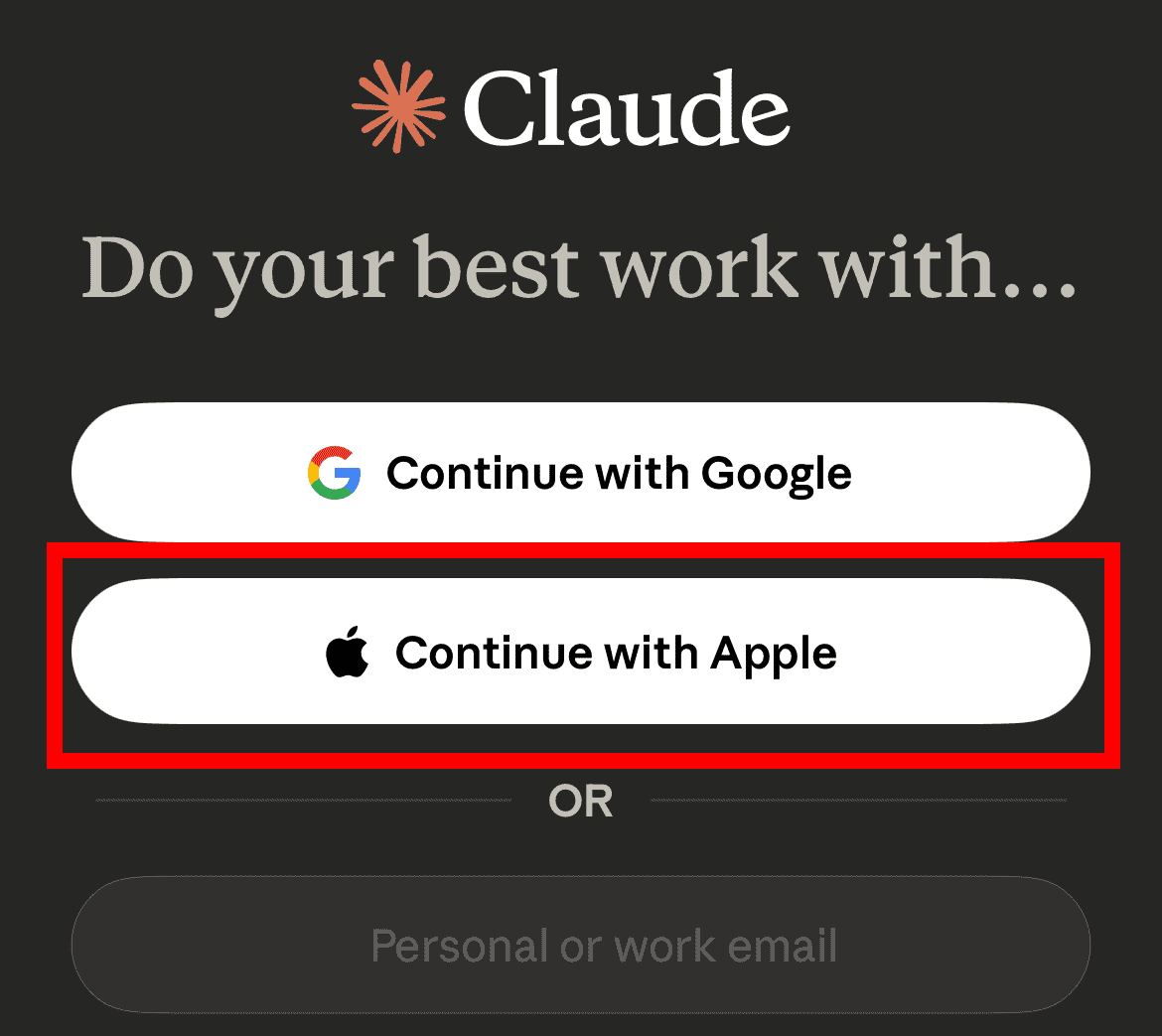

2. Force the App Store to Restore Purchases
You initiated your subscription on an iPhone or iPad. Thus, you must prompt the App Store. It needs to communicate the purchase status to Claude. This bridges the gap between Apple’s records and Claude’s access tokens. This step is crucial for iOS users. You recently paid for the service. Force the application to recognize the purchase receipt.
- Open the Claude for iOS application.
- Tap the three-line icon on the top-left corner.
- Tap your name or profile picture icon in the bottom-left corner.
- Go to Billing and tap Restore purchases to trigger device verification with Apple.
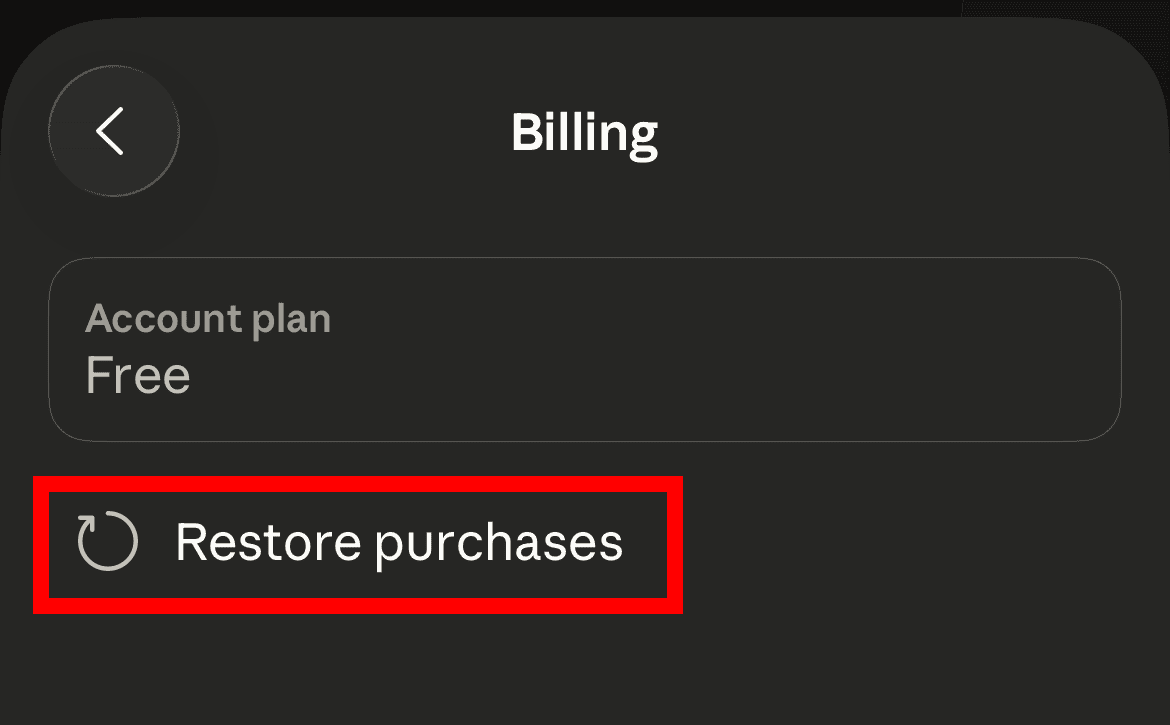

3. Check and Confirm Billing Status
Before contacting support, check your payment vendor. Verify the payment went through successfully. Ensure the subscription is listed as Active. A Pending payment or failed transaction causes this error. Consequently, you may have temporary access only. If the subscription is Active, but access is restricted, review the service tiers. Notably, AI apps that outperform Siri and Apple Intelligence often change rapidly.
- Open your device’s subscription management settings (Settings > [Your Name] > Subscriptions on iOS).
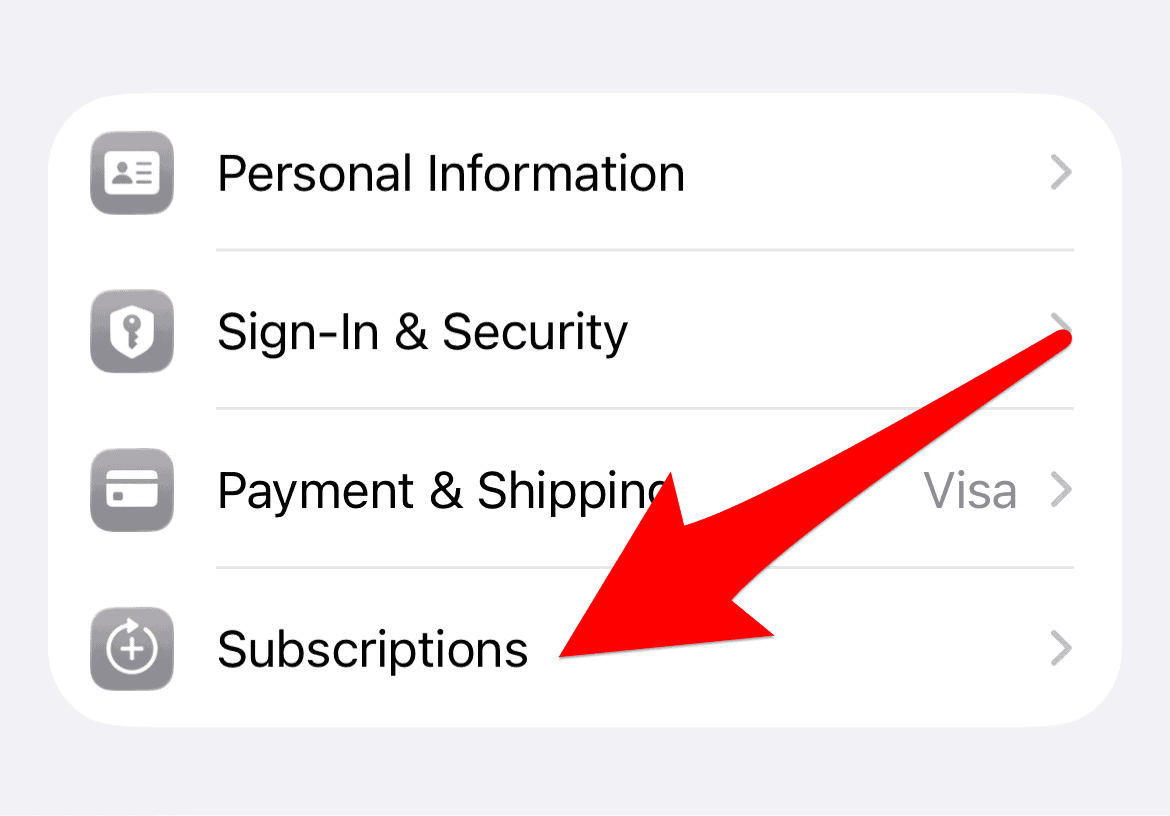
- Locate the Claude subscription. Verify it shows an Active status and future renewal date.
- Update your payment method if the status is Billing Retry or Pending.

4. Wait for Server Side Synchronization
Sometimes a delay occurs. This happens after a major upgrade or network issue. The server side takes time to synchronize. This delay might last minutes or several hours. Thus, the interface shows the free tier status. Payment, however, was successful. You verified your account details already. Therefore, sometimes waiting is the best approach. Claude Sonnet 4.5 on iOS devices and other updates cause backlogs.
- Wait for at least 30 minutes.
- Completely close and reopen the Claude app.
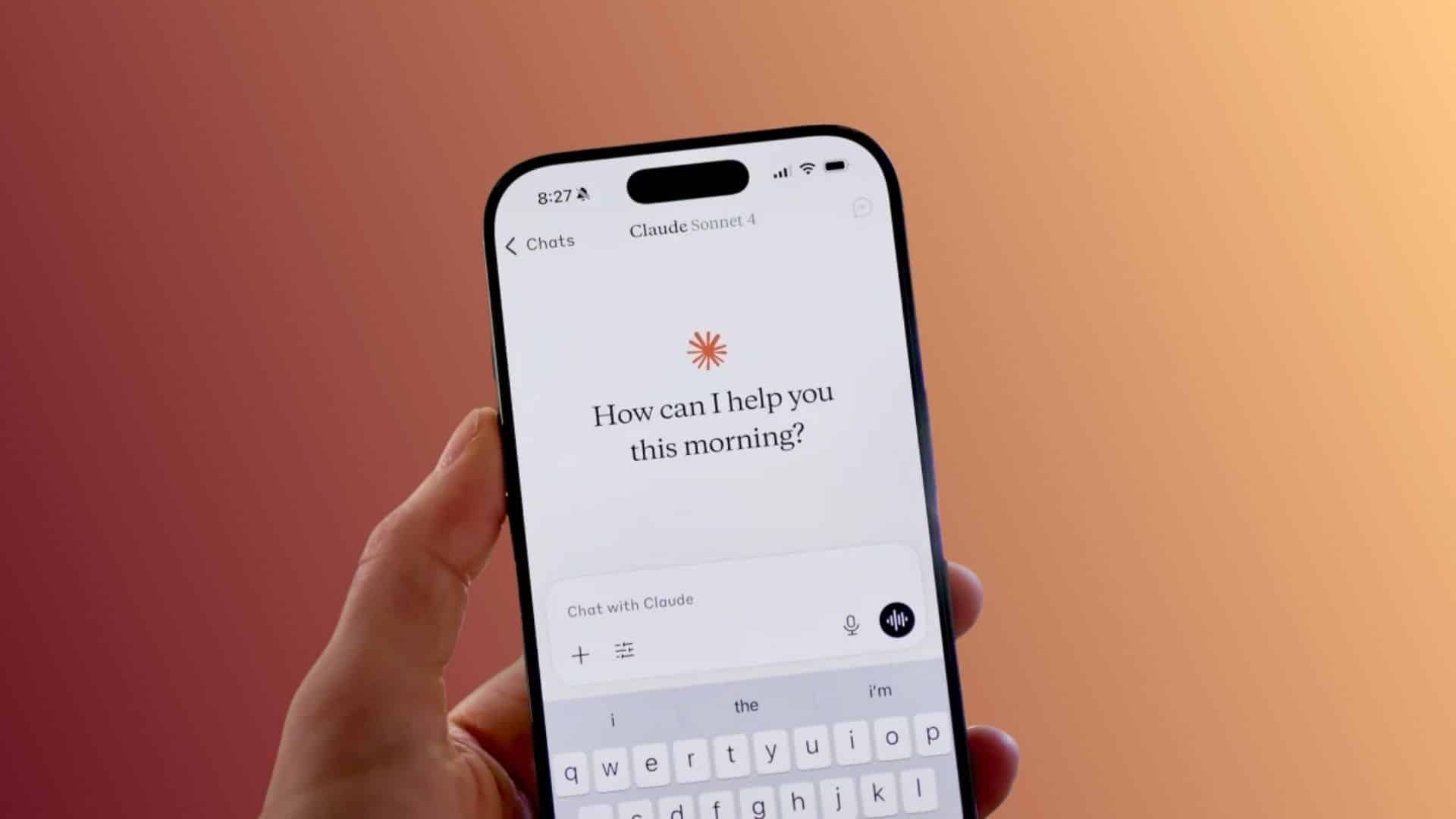
- Check the available models. You should now see premium models like Opus or Sonnet.

5. Contact Dedicated Support Channels
You must engage support if self-service fails. Contact the customer support team responsible for billing. Third party vendors complicate the issue. You often need to contact both the vendor and the developer. This ensures both parties know about the problem. Provide ticket numbers and purchase confirmation details.
- If you paid via Apple, contact Apple Support. Confirm the subscription receipt and activation date.
- Next, contact Anthropic Support directly. Provide them your Claude account email. Include the subscription confirmation or receipt number from Apple.
FAQ
An API or notification failure usually causes this. The store processed your payment. The receipt notification failed to reach Claude’s servers. This leaves your account profile on the free tier.
Request a refund directly from the vendor. For example, request it from Apple. Anthropic handles refunds only for website subscriptions.
Yes, reinstalling often helps. It clears corrupted local data. It forces a fresh fetch of subscription entitlements. Ensure you log out first. Document your login credentials before this step.
Ensuring Seamless AI Subscription Access
You can solve the active subscription, but no match error. Check credentials systematically. Force synchronization between the App Store and Claude platform. This error shows complex billing integration challenges. However, consistent verification steps restore access quickly.
If the problem persists, involve both parties. The developer and the billing provider can resolve the technical discrepancy. Thus, you utilize the advanced features you paid for. This trend aligns with Apple plans to expand Siri partnerships beyond ChatGPT. Robust subscription management is needed across all platforms.


Hello! ai made a payment on card for claude pro and it is not registred in account…Please help!