
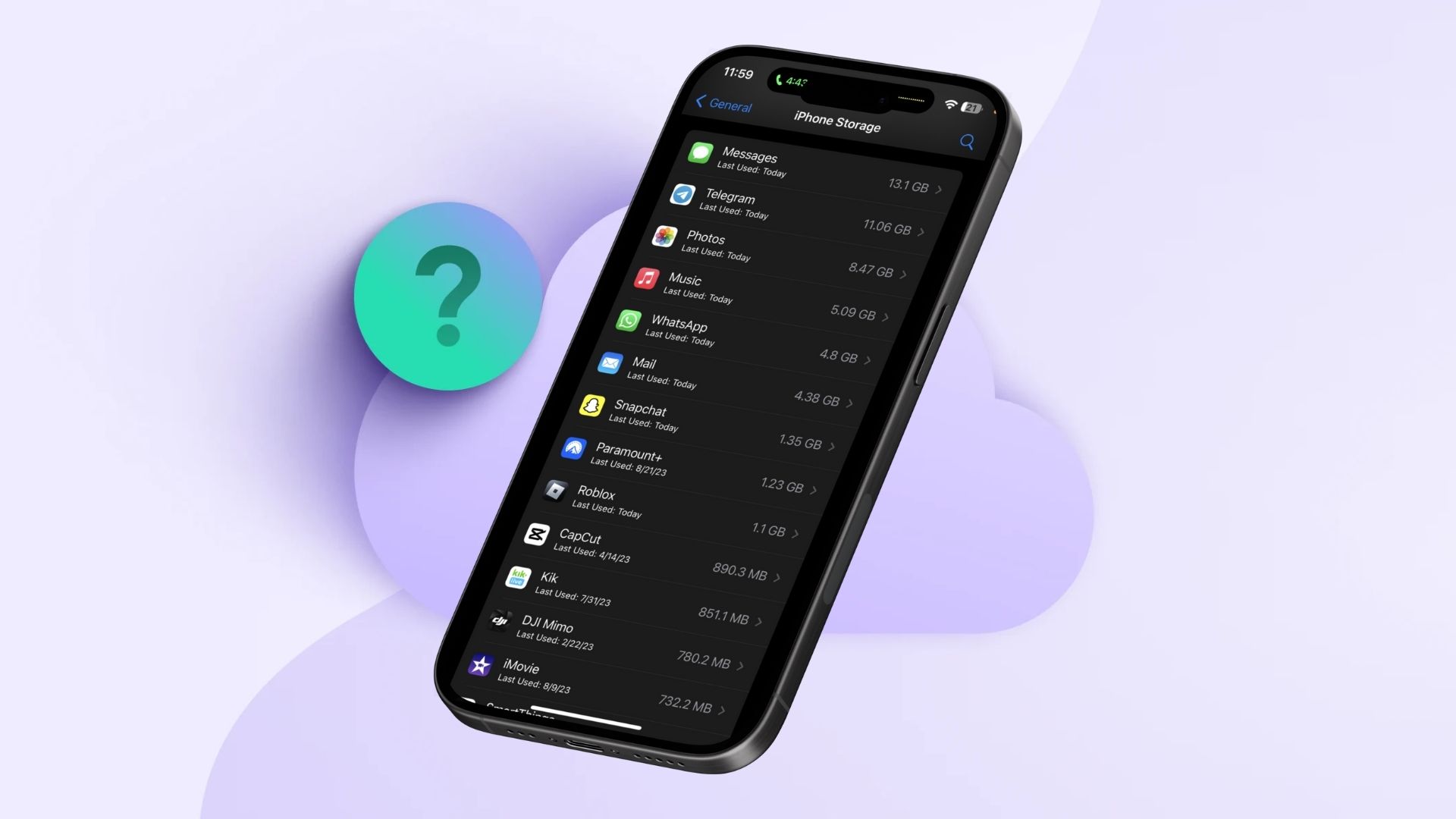
If you open Settings > General > iPhone Storage, you often see a confusing split: a small “App Size” number and a much larger “Documents & Data” number. That split explains most of what you are seeing in the r/ios discussion, where Gmail shows hundreds of megabytes even without obvious downloads and Apple’s Health app can grow into gigabytes. Apple’s own storage view also warns that cached and temporary data can skew what you see over time.
Apps ship more than “just the app”
Modern iOS apps pack in more code and more assets because they try to do more on-device and look consistent across many screens.
Don’t miss the best of The Mac Observer
Set us as a preferred source and our Apple reporting ranks higher in your Google Search results and Discover feed — one tap, no account changes.
Here are the main drivers:
- Large app binaries and frameworks: Many apps bundle third-party SDKs for analytics, A/B testing, ads, crash reporting, and in-app messaging. Each one adds code and resources.
- High-resolution assets: Modern UI uses lots of images, animations, and multiple asset variants for different devices. Apple encourages asset optimization, but the assets still add up.
- Multiple device support: Some teams share code across iPhone, iPad, and sometimes Mac targets. That can pull in extra UI layouts and resources even if you only use one device class.
“Documents & Data” is usually the real storage hog

In that Reddit thread, several people point out a pattern you can see on your own phone: the app itself stays relatively small, while Documents & Data balloons.
That growth usually comes from:
- Caches (images, feeds, web views, attachments previews) that speed up scrolling and loading
- Offline and synced content (mail indexes, search indexes, downloaded media, map tiles)
- Long-running history (Health and Activity data, watch history, message databases)
- Logs and temporary files that apps fail to purge aggressively
Apple Support discussions describe “Documents and Data” as app-generated files such as cache, downloaded files, settings, and other stored content, and they note it often does not clean itself up automatically.
The Gmail example: localization can be surprisingly heavy
One of the most specific claims in the thread points to Gmail. Emerge Tools published a breakdown saying Gmail’s iOS build includes a large amount of localization content, and they argue iOS downloads all supported localizations with the app rather than only the one you use. In their analysis, Gmail’s iOS localizations alone are reported at about 130 MB.
Apple does provide “app thinning” and other size-reduction techniques, but developers still need to do the work, and not every category of bloat gets optimized automatically.
What you can do on your iPhone
You cannot fix developer bloat, but you can usually reclaim space on your device without deleting everything.
Start here
- Tap the app. Check whether storage sits in App Size or Documents & Data. Apple recommends this view for understanding what is taking space and for options like offloading.

- Go to Settings > General > iPhone Storage.

Then use the right lever
- If “Documents & Data” is huge, look for an in-app “Clear cache” or “Downloads” section and remove offline files.
- If the app offers no cleanup tools, the reliable reset is: delete the app, reinstall it, and sign back in. That often clears accumulated caches and indexes. (You will lose some local-only data in apps that do not sync.)
- Use Offload Unused Apps if you want to keep documents and data but remove the app binary temporarily. Apple documents this option in its storage guidance.
Why developers do not always shrink apps
The r/ios thread lands on a blunt reality: shrinking apps rarely earns a team praise, while shipping new features does. Over time, code and resources pile up, teams change, and few people get time to remove old assets, unused strings, or legacy libraries.
You feel the result as a storage problem on your phone. Developers often see it as a priority problem on their roadmap.



Discussion