
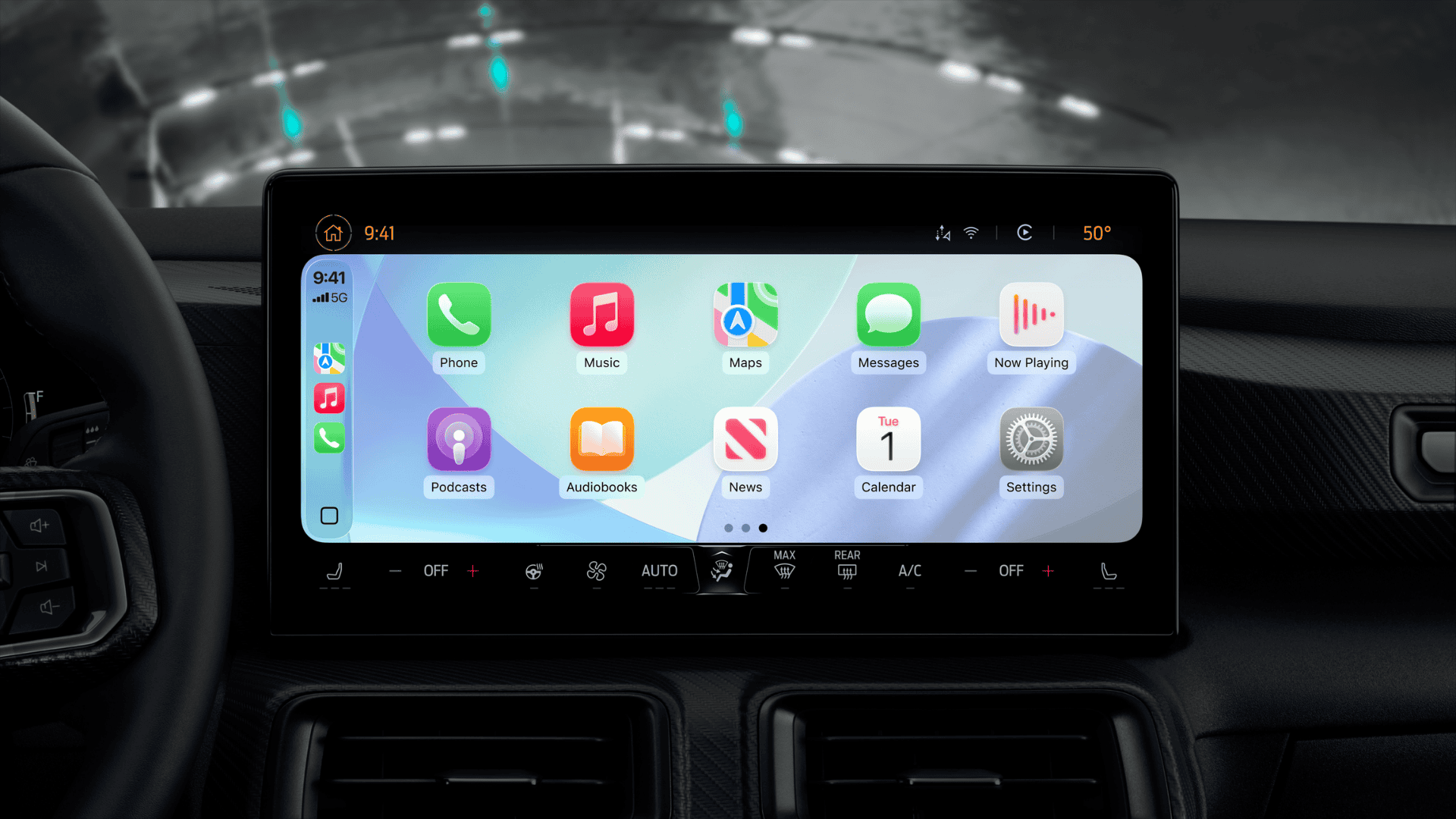
Apple is bringing several useful upgrades to CarPlay with iOS 27, making the in-car experience smarter, more interactive, and easier to use. While this is not the biggest CarPlay update ever released, it introduces meaningful improvements across Siri, media playback, video apps, and the overall interface.
The biggest highlight is Siri AI, which finally gives CarPlay a more capable voice assistant. Alongside that, Apple has expanded video support, refreshed the design, and added quality-of-life improvements for media controls. Most of these features will arrive when iOS 27 launches publicly this fall, although some will depend on whether automakers enable support in their vehicles.
| Feature | What’s New | Availability |
|---|---|---|
| Siri AI | Smarter conversations, context memory, synced history | All supported CarPlay users |
| Video Apps | Native video browsing and playback apps | Supported vehicles only |
| New Wallpapers | Fresh wallpapers matching iOS 27 design | All users |
| Liquid Glass Icons | Updated app icons across CarPlay | All users |
| MiniPlayer | Album artwork and playback controls | Supported media apps |
| Audio Scrubbing | Drag through songs and podcasts | Supported media apps |
Siri AI Makes CarPlay Much Smarter
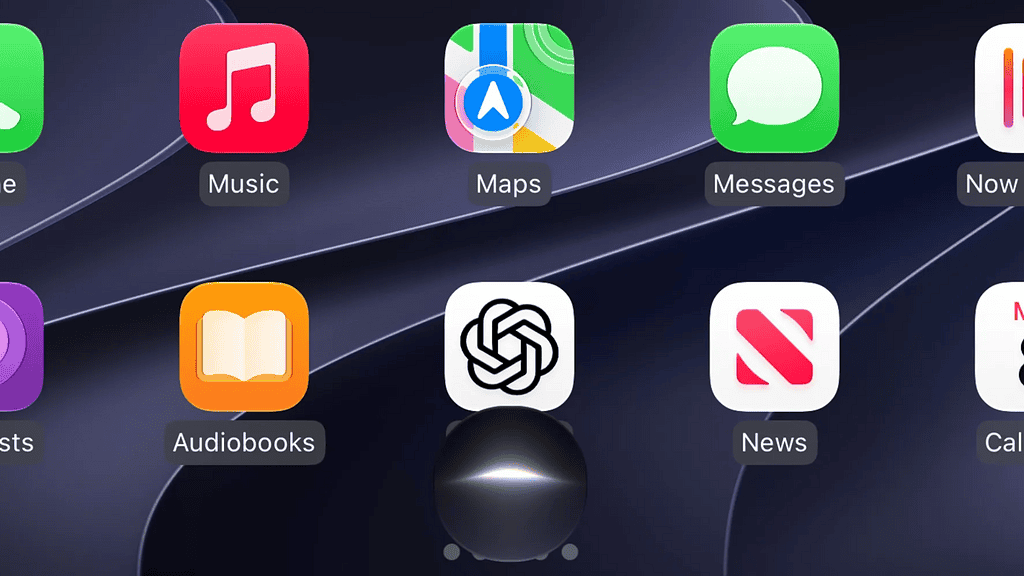
The biggest improvement in iOS 27 is the arrival of Siri AI inside CarPlay. Apple has redesigned Siri with a cleaner interface that appears as a glowing orb at the bottom of the screen. The design is simpler than previous Apple Intelligence versions while remaining easy to recognize during driving.
Don’t miss the best of The Mac Observer
Set us as a preferred source and our Apple reporting ranks higher in your Google Search results and Discover feed — one tap, no account changes.
More importantly, Siri now understands natural conversations much better. Instead of responding to one question at a time, it remembers the context of your conversation, allowing follow-up questions without repeating the original request. This makes navigation, messaging, and general information requests feel much more natural.
Siri AI also answers broader knowledge questions in a way that feels similar to modern AI assistants. Whether you ask about travel plans, nearby places, or general information, the responses are more detailed and conversational than before.
Siri Conversation History Sync
Apple has also introduced conversation syncing between CarPlay and the new Siri app on iPhone.
After using Siri in your car, you can open the Siri app on your iPhone and review previous conversations. Requests made through CarPlay are clearly marked with a small car icon, making it easy to continue a conversation after leaving your vehicle.
Native Video Apps Come to CarPlay
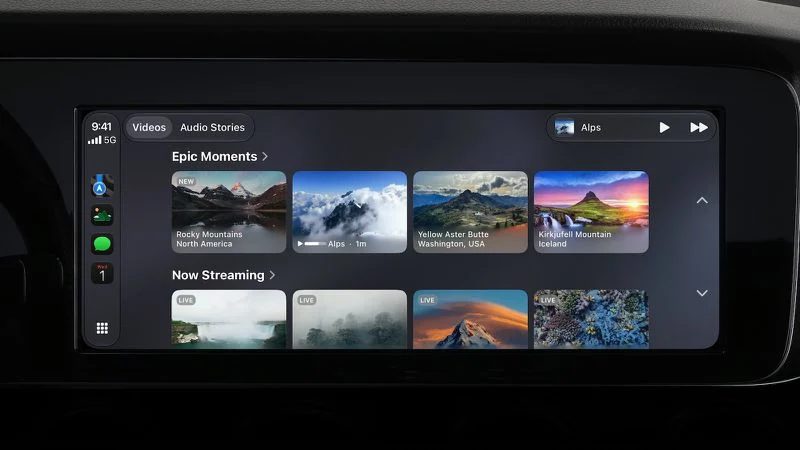
Apple first introduced video playback in cars through AirPlay, but iOS 27 expands the experience much further.
Developers can now build dedicated CarPlay video apps that allow users to browse their content directly from the vehicle’s display instead of relying entirely on the iPhone interface.
This means supported streaming services can provide a complete CarPlay experience while the vehicle is parked.
Important limitations
- Videos only play while the vehicle is stationary.
- Playback stops when driving begins and switches to audio if supported.
- Vehicle manufacturers must enable this feature.
- Older vehicles may never receive support. citeturn0search1turn0search4
Refreshed CarPlay Design
Apple has updated the visual appearance of CarPlay to match the rest of iOS 27.
Users receive a new collection of wallpapers inspired by the latest system design. The updated backgrounds closely match the look found across iOS 27 and macOS Golden Gate.
CarPlay app icons also adopt Apple’s latest Liquid Glass styling, creating a more modern appearance while keeping familiar layouts intact.
Better Media Playback Controls
Media playback receives several practical improvements that users have requested for years.
New MiniPlayer
Media applications now display a MiniPlayer in the upper-right corner of the interface.
Instead of showing a simple waveform icon, the MiniPlayer includes:
- Album artwork
- Play and pause controls
- Quick access to currently playing content
This allows users to keep playback controls visible while browsing music or podcasts.
Audio Scrubbing Finally Arrives
One of the most welcome additions is audio scrubbing.
Users can now drag the playback progress bar directly from the Now Playing screen to move forward or backward through songs, podcasts, and supported audio content. Apple has also enlarged the progress indicator, making it easier to use on a vehicle’s touchscreen.
This small feature significantly improves everyday usability, especially for podcasts and long playlists.
Compatibility
The new CarPlay features require:
| Requirement | Status |
|---|---|
| iPhone running iOS 27 | Required |
| Compatible CarPlay vehicle | Required |
| Native video apps | Requires automaker support |
| Siri AI | Available on supported iPhones with iOS 27 |
Wrap Up
CarPlay in iOS 27 focuses on practical improvements instead of introducing an entirely new interface. Siri AI is the standout addition thanks to its stronger conversational abilities and conversation history syncing, while native video apps open new possibilities for entertainment when parked.
Meanwhile, smaller upgrades such as the MiniPlayer, audio scrubbing, refreshed wallpapers, and updated icons make the overall experience feel more polished. Although some features depend on automaker support, iOS 27 delivers one of the most useful CarPlay updates Apple has released in recent years.




Discussion