

Apple’s iOS 27.2 update expands Dual Capture to Group FaceTime calls, allowing users to share video from their iPhone’s front and rear cameras simultaneously. Previously limited to one-on-one conversations, the feature now works during group calls, making it easier to show your surroundings while keeping your face visible.
Apple originally introduced Dual Capture for FaceTime with iOS 27, building on the dual-camera recording feature available on newer iPhones. With the October 26 release of iOS 27.2, Apple has removed the restriction that prevented users from enabling it during group conversations.
How Dual Capture Works in iOS 27.2

Dual Capture displays the rear camera’s footage as the main video feed while placing the front camera’s view in a smaller window. This allows other participants to see what you’re showing without losing sight of you.
Don’t miss the best of The Mac Observer
Set us as a preferred source and our Apple reporting ranks higher in your Google Search results and Discover feed — one tap, no account changes.
The feature offers several practical benefits:
- Two camera views: Share your face and surroundings simultaneously during FaceTime calls.
- Group support: Use Dual Capture during calls involving multiple participants.
- Camera controls: Hide the front camera whenever you want to display only the rear view.
- Live demonstrations: Show products, repairs, or other activities while explaining them to participants.
How to Enable Dual Capture in FaceTime
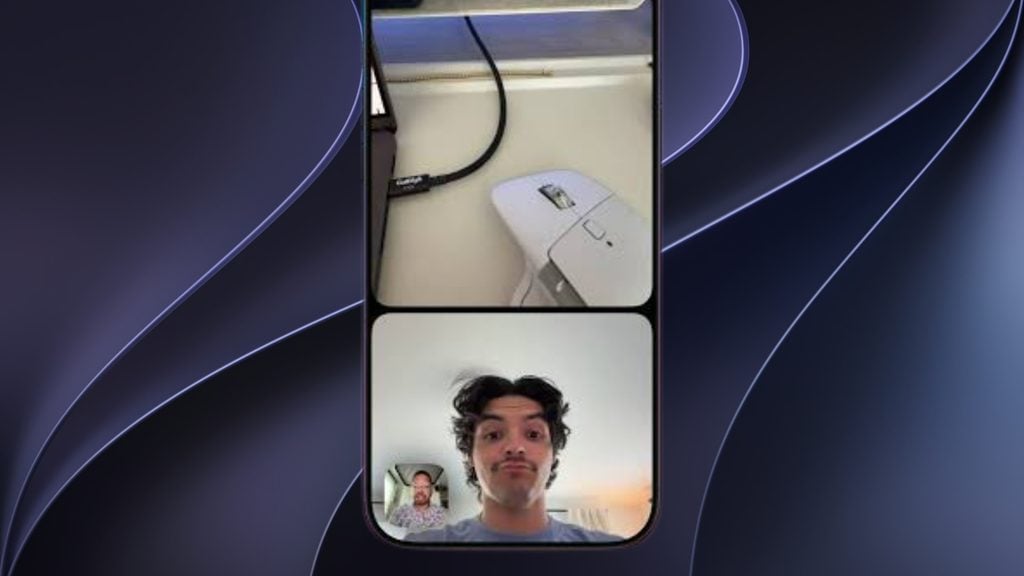
According to Apple’s support documentation, enabling the feature takes only a few steps.
- Open FaceTime and start or join a group video call.
- Tap your video tile to reveal the camera controls.
- Tap the Flip to Back Camera button.
- FaceTime automatically displays both camera feeds.
- Tap Hide Front Camera if you only want to show your surroundings.
Which iPhones Support Dual Capture?
Dual Capture requires an iPhone 17, iPhone 17 Pro, iPhone 17 Pro Max, iPhone Air, iPhone 18 Pro, iPhone 18 Pro Max, or iPhone Duo.
Other participants can view the dual-camera feed on compatible Apple devices running iOS 27, iPadOS 27, or macOS 27 and later, even if their devices cannot capture both views.
You can install the latest update through Settings > General > Software Update. The feature is included in the public release of iOS 27.2.




Discussion