
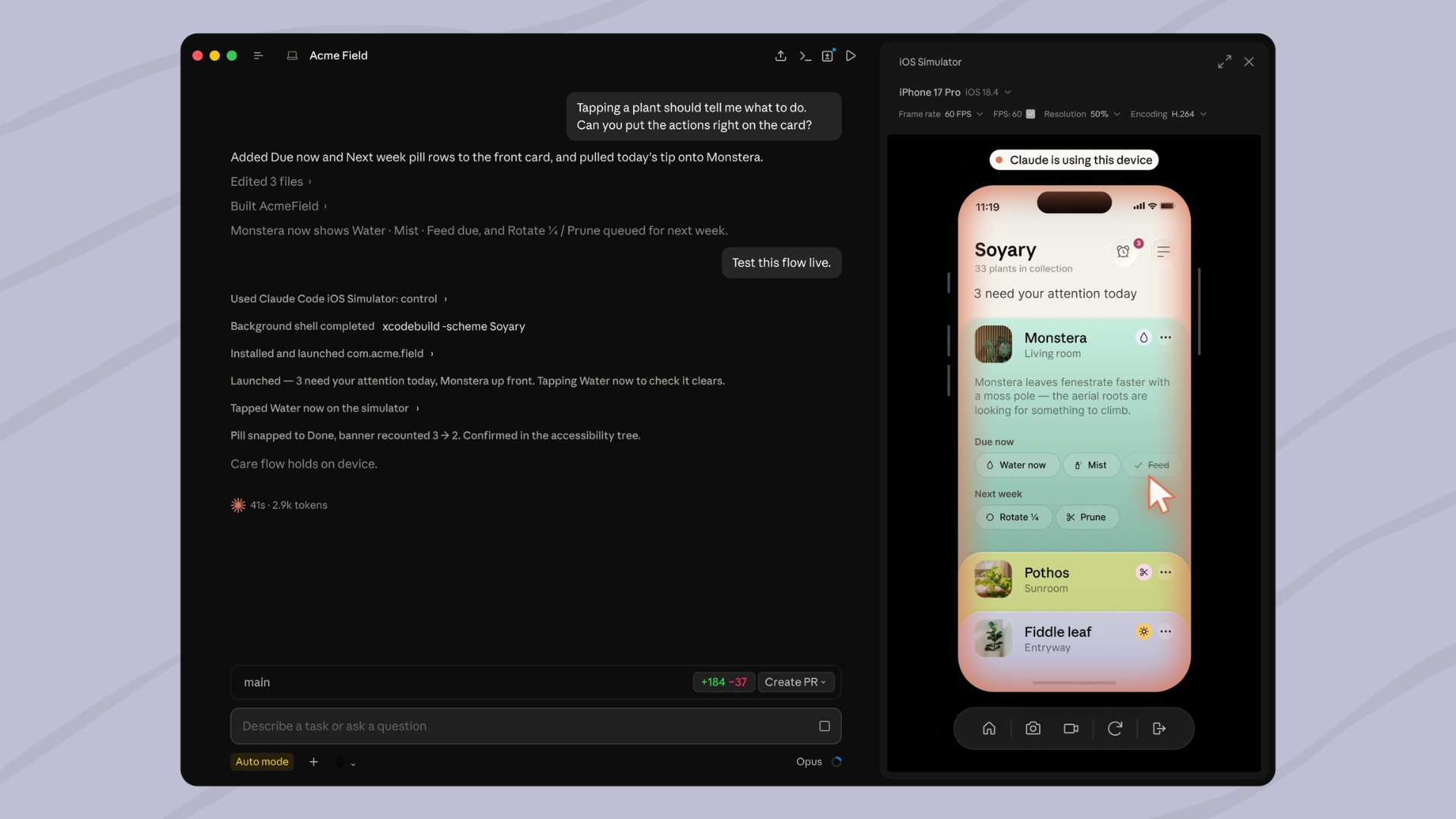
Claude Code for desktop now works with Apple’s iOS Simulator, giving developers a direct way to build, launch, and test iPhone apps inside the Mac app. Anthropic has released the integration in public beta for supported users.
The new feature adds an interactive simulator pane beside the Claude Code conversation. Developers can ask Claude to build an app, run it in the simulator, check a specific screen, or test a user flow while watching the process live.
Claude can install the app, interact with buttons and menus, read what appears on the screen, and make changes based on what it finds. Developers can also use taps and swipes inside the simulator while Claude continues working.
Don’t miss the best of The Mac Observer
Set us as a preferred source and our Apple reporting ranks higher in your Google Search results and Discover feed — one tap, no account changes.
How the iOS Simulator Integration Works
To use the feature, developers need Claude Code Desktop on macOS, along with Xcode and the iOS platform installed. The integration works with projects that can build an app for the iOS Simulator.
Users can open the Code tab, choose the app project as the project folder, and ask Claude to run or test the app. For example, a developer can ask Claude to build the app and check the onboarding flow.
When the app launches, the simulator pane opens beside the conversation. Claude then uses the simulator directly, which means it does not need macOS Accessibility or Screen Recording permissions for this workflow.
The feature works only in local sessions because cloud and SSH sessions cannot access the simulators installed on a user’s Mac. Anthropic also says the integration remains limited to macOS because Apple’s iOS Simulator does not run on Windows or Linux.
Claude Code sends screenshots from the simulator to Anthropic and stores them under the company’s standard conversation retention settings. Anthropic advises developers not to sign in to real accounts on any simulated device that Claude uses.
The iOS Simulator integration is available in Claude Desktop version 1.24012.0 or later for Pro, Max, and Team users during the public beta.




Discussion