

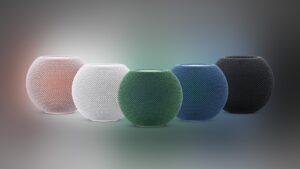
If you own a smart speaker from Apple, it is time to check your settings. Apple just started distributing HomePod Software 26.6 to everyone. While the company is currently focusing heavily on its major fall releases, this smaller update brings some much-needed stability improvements and bug fixes to your current living room setup.
This software drop ensures that your smart home devices keep running smoothly while you wait for larger feature drops later this year.
The new software focuses entirely on performance and bug fixes
Do not expect to see any flashy new tricks or completely redesigned menus after you finish the download. Similar to how Apple pushed out its latest phone software earlier today, this specific firmware update is all about general maintenance. The main goal here is to squash lingering bugs and improve the overall reliability of your audio equipment.
Don’t miss the best of The Mac Observer
Set us as a preferred source and our Apple reporting ranks higher in your Google Search results and Discover feed — one tap, no account changes.
By pushing out these stability patches now, the development team is making sure older platforms remain secure and functional. This steady approach to background improvements mirrors what we saw when the newest tablet update became available for compatible devices, keeping the hardware working perfectly for everyday tasks without introducing new complications.
Follow these quick steps to update your smart speaker today
Normally, your smart speaker handles these updates quietly on its own while you sleep. However, if you want to force the download to start immediately, you can trigger the process manually using your phone.
- Open the Home application on your connected smartphone or tablet.
- Tap the three dots located in the top right corner of the screen.
- Select Home Settings from the small drop down menu.
- Scroll down and tap on the Software Update section.
- Wait a moment for the app to find the newest download.
- Tap Update All if you see the new version waiting to install.
Keep your speaker plugged in and do not try to play any music while the update finishes. Once the white light on top stops spinning, your device is ready to go with the most stable firmware available.


Discussion