
Raycast now lets you talk to its AI about whatever app you have open on your Mac. Version 2.11 of the Mac launcher, released November 4, adds a command called Dictate to AI. You speak your request, and Raycast sends it to its AI along with context from the app you’re focused on. Raycast describes it in its official changelog as a way to go “from talking to responses in seconds.”
So you no longer copy a paragraph out of Mail, paste it into a chat window and then type what you want. You hit a hotkey, say “turn this into a polite reply,” and the AI already sees the email. Raycast suggests assigning a shortcut like Control and A to the command so it’s always one press away.
Dictate to AI combines your voice with what’s on screen in the app you’re using
The new command builds on Raycast’s Screen Awareness feature, which already let AI Chat pull in content from the active app or window so you didn’t need screenshots or copy and paste. Dictate to AI puts your voice in front of that. You can switch the app context off in the command’s settings when you only want a plain dictated question.
Don’t miss the best of The Mac Observer
Set us as a preferred source and our Apple reporting ranks higher in your Google Search results and Discover feed — one tap, no account changes.
That off switch is the part you should actually use. If you’ve got a banking site, a private message or a work document open, Raycast will treat it as context unless you turn that off. Decide once, in settings, which way you want it, rather than finding out after you’ve sent a screen full of client data to an AI model.
Raycast 2.11 also adds an AI usage meter, a Contacts extension and better dictation
Dictate to AI is the headline, but the update carries several other changes listed in the changelog:
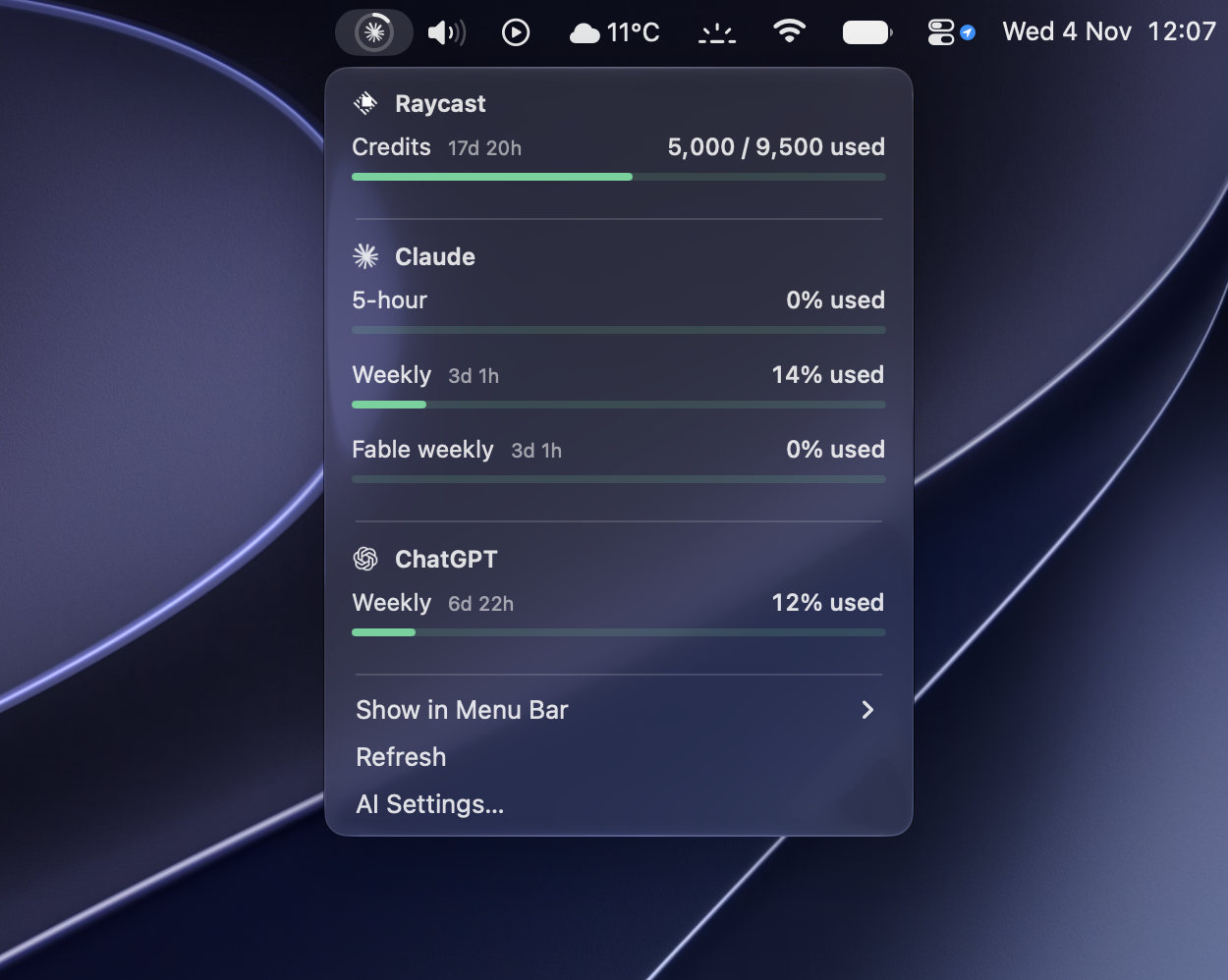
- AI Usage, a menu bar command that tracks how much of your AI allowance you’ve used. You turn it on under Raycast Settings, then AI.
- A Dictation AI extension that lets you use transcriptions in AI chats, manage your dictation styles and get feedback on them.
- A Contacts AI extension that can search, create, update and delete contacts from AI Chat.
- Better post-processing quality and speed for dictation.
- AI Chat now lets you rename a chat before the first response finishes and handles unavailable models more gracefully.
The usage meter is a practical addition. Raycast moved its paid plans to usage-based AI credits, so a menu bar counter tells you before a heavy week of AI chats runs you out of credits.
You need a paid Raycast plan starting at $10 a month to use Dictate to AI
Raycast itself is free, but its AI features and dictation are not. Here’s what Raycast charges for individual plans:
| Plan | Monthly | Yearly | AI credits a month | Dictation |
|---|---|---|---|---|
| Free | $0 | $0 | None | No |
| Pro | $10 | $96 | 500 | Yes |
| Plus | $20 | $192 | 3,000 | Yes |
| Max | $50 | $480 | 7,500 | Yes |
Plus and Max add access to the top-tier AI models. Verified students get 50 percent off the Pro plans, and new accounts can start a free Pro trial with credits that expire after seven days. That’s enough time to see whether talking to your Mac fits how you work.
How Raycast’s approach compares with the dictation and Siri AI already on your Mac
macOS already includes free Dictation in any text field, and Apple keeps adding to Siri AI, including the app skills Apple opened to all developers in a developer preview this month. Raycast’s pitch is different. It connects your voice to the AI model you pick in Raycast, works across any focused app, and keeps everything a hotkey away from the launcher you may already use all day.
If you already pay for Raycast Pro, update to 2.11 and assign a hotkey to Dictate to AI. It costs you nothing extra. If you don’t, Apple’s free tools cover basic dictation, and $96 a year only makes sense if you’ll use AI on your Mac every day.




Discussion