
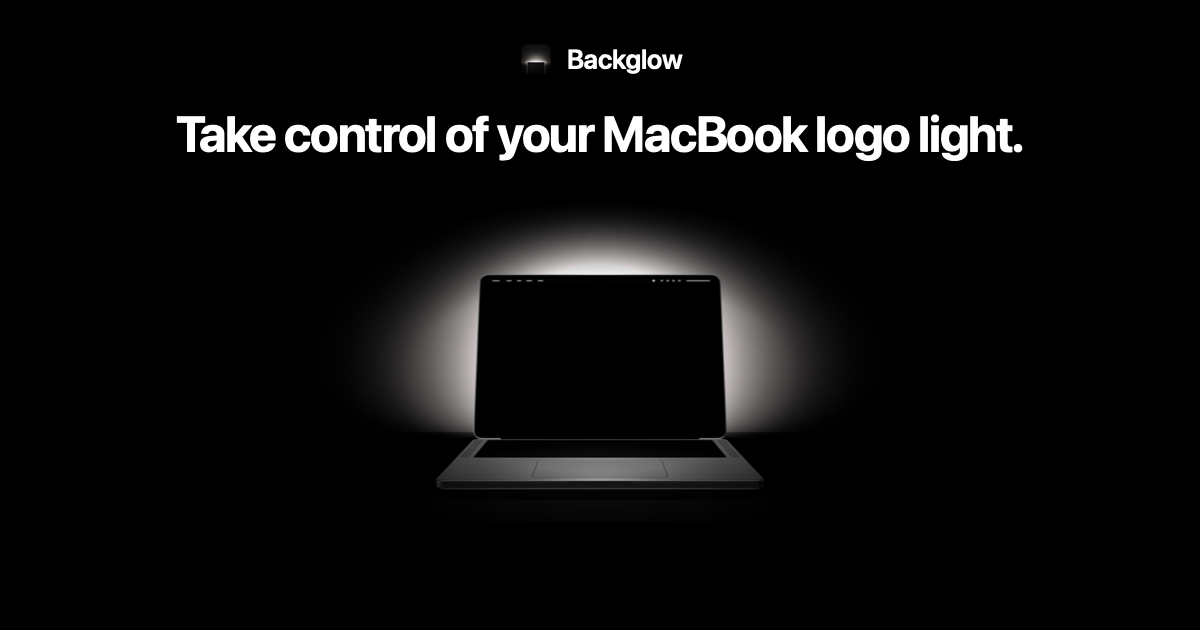
macOS gives you no slider for the glowing Apple logo on the new MacBook Pro. A free menu bar app called Backglow adds one, and a $9 Pro upgrade can pulse the logo to your music or flash it when Claude Code needs you. Juan Buis, an Amsterdam-based content designer who runs the studio Supershort, built it, and his site says it works only on the MacBook Pro with PROLED XDR Display.
Reviewers such as Chance Miller at 9to5Mac singled out the returning glowing logo as a favorite detail, but Apple gives you little say over how it behaves. Here is what Backglow does, what it costs, and what Apple’s own option looks like.
Apple only lets you turn the MacBook Pro logo off with a Terminal command
Apple’s support document on the illuminated logo says the logo lights up whenever your Mac is awake. Its brightness follows two inputs: your screen brightness and the room light read by the ambient light sensor. At any screen setting, the logo runs dimmer in a dark room and brighter in a bright one.
Don’t miss the best of The Mac Observer
Set us as a preferred source and our Apple reporting ranks higher in your Google Search results and Discover feed — one tap, no account changes.
System Settings has no control for it. The only official switch is a Terminal command that needs your administrator password:
- Turn it off:
sudo defaults write com.apple.CoreBrightness LEBacklightMode -int 0 - Turn it back on:
sudo defaults delete com.apple.CoreBrightness LEBacklightMode
Apple notes that this setting applies to every user account on the Mac, carries over when you migrate to a new Mac, and resets if you reinstall macOS. It is all or nothing. You can’t make the logo dimmer, only kill it.
Backglow’s free version adds a brightness slider and a one-click off switch
Backglow lives in your menu bar as a small dot. According to the Backglow website, the free tier includes:
- A brightness slider for the logo that leaves your screen brightness alone
- Turn Logo Off, with one click and no password, and it stays off after you quit the app
- Steady mode, which holds the logo at the level you set
- Breathe mode, with a speed slider, which fades the logo in and out like the sleep light on older MacBooks
Backglow works by changing the logo’s own brightness settings in macOS. When you quit, the logo goes back to Apple’s automatic behavior, unless you switched it off. The app also pauses when the display sleeps, when the Mac is locked and in Low Power Mode, so it won’t keep the logo busy while you are away.
Backglow Pro costs $9 once and turns the logo into a music light or a Claude Code status light
Pro is a one-time purchase at $9 for launch, rising to $15 later. One license covers one Mac, and Buis offers a 14-day money-back guarantee. Pro adds two modes:
- Music lights the logo on the beat of whatever your Mac plays, with an intensity slider and an optional strobe. Buis says it listens to your Mac’s audio output, not the microphone, and nothing is recorded or sent anywhere.
- Agents ties the logo to Claude Code. It shows a soft glow while Claude waits, a steady pulse while it works, and quick double blinks when it needs you and you have stepped away.
The Agents mode is the clever part. The logo faces the room, not you, so you can walk to the kitchen and still see from across the room when a long coding task stalls on a question. Setup takes one click on Connect, which adds a few hooks to Claude Code’s settings. Disconnect in Backglow’s settings removes them. Buis says the app never sees your prompts or code, only whether Claude is working, waiting or needs you. It does not support other coding agents yet.
Who should install Backglow, and what to know before you download it
If the logo bugs you on a dark desk at night, the free version is the easier fix. You get a dimmer logo instead of Apple’s on or off choice, and you skip Terminal entirely. If you only ever want it off, Apple’s command does the job without extra software.
Backglow comes as a direct download from backglow.app, not through the Mac App Store, and the version on the site is 1.0.0. Buis also says he will refund Pro if a macOS update breaks it and he can’t fix it. That promise counts, because Apple only documents the off switch, and a future macOS update could change how the logo’s brightness works.
Backglow won’t do anything on older Macs, since only the PROLED models have a lit logo. If you are still deciding on the machine itself, our touchscreen MacBook Pro launch story covers prices and models, and the full specs breakdown lists what changed beyond the logo.


Discussion