
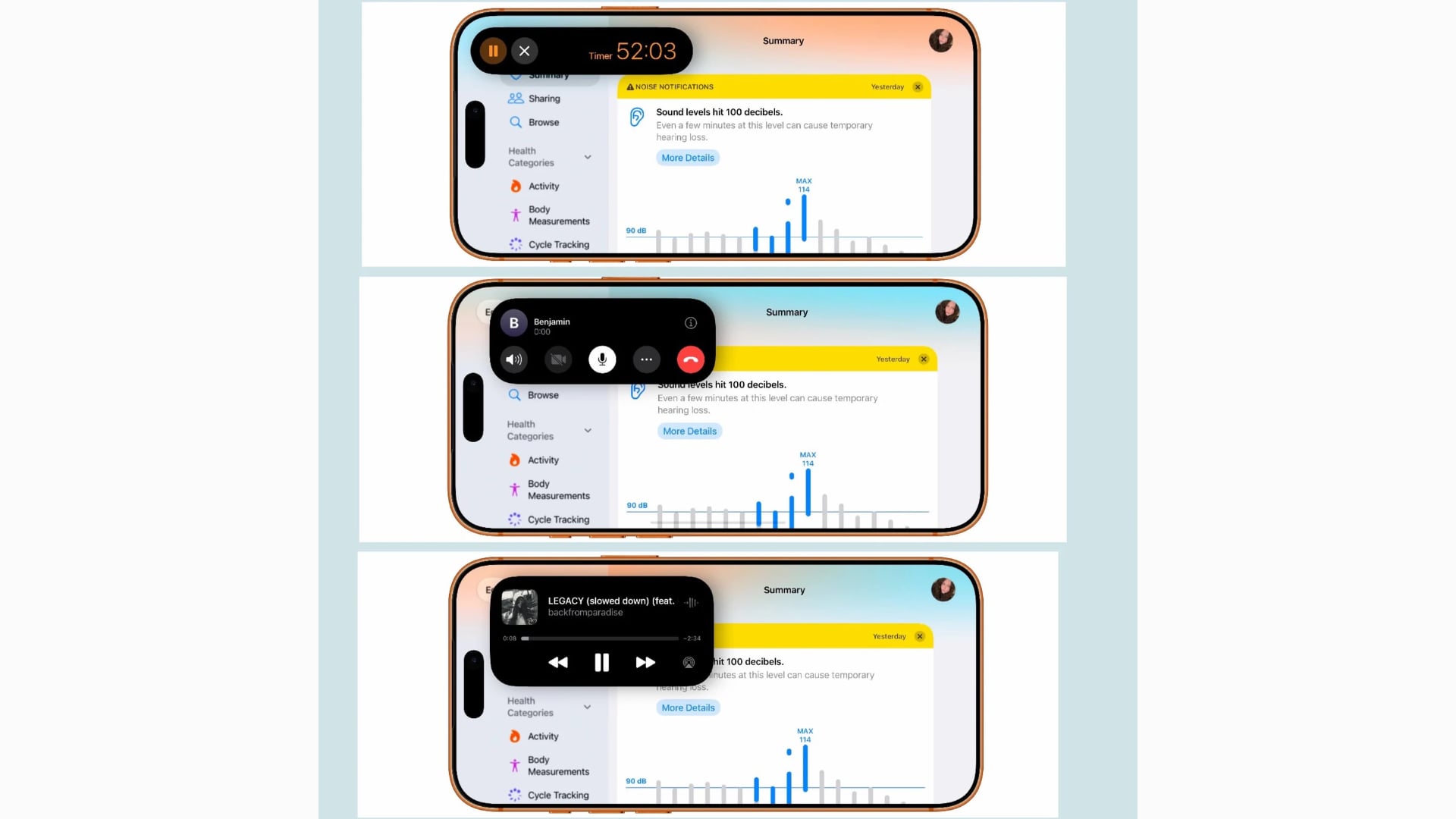
Apple has expanded the Dynamic Island in iOS 27 to support Live Activities in landscape mode, allowing users to follow ongoing tasks while holding their iPhone sideways. The update brings more flexibility to Apple’s interactive display area, particularly when using navigation, media apps, or other landscape-supported experiences.
Previously, landscape mode offered limited Dynamic Island functionality. With iOS 27, compact and minimal Live Activities can remain visible when the screen rotates, giving users access to real-time information without returning to portrait orientation.
What’s New in Dynamic Island Landscape Mode?
Apple confirmed the changes during its WWDC 2026 Live Activities session, explaining how the Dynamic Island adapts to different screen orientations.
Don’t miss the best of The Mac Observer
Set us as a preferred source and our Apple reporting ranks higher in your Google Search results and Discover feed — one tap, no account changes.
The main improvements include:
- Landscape Live Activities: Ongoing activities remain visible in supported landscape interfaces.
- Adaptive layouts: Compact and minimal views adjust to the narrower available space.
- Smarter information display: Developers can replace longer text with shorter labels or symbols to prevent content from getting cut off.
- Continued activity controls: Users can touch and hold a Live Activity to access its expanded presentation.
Apple has also introduced a SwiftUI environment value called isDynamicIslandLimitedInWidth, which helps developers detect restricted Dynamic Island space and adjust their interfaces accordingly.
How to Use Dynamic Island in Landscape Mode
The feature works automatically in supported apps on compatible iPhones running iOS 27.
- Open Control Center and disable Portrait Orientation Lock.
- Launch an app that supports landscape orientation.
- Start a supported Live Activity and rotate your iPhone sideways.
- View the activity in the Dynamic Island while using the app.
The change also complements iOS 27’s expanded landscape support, which brings sideways layouts to Apple Music, Podcasts, Health, Weather, and several other built-in apps.
What About the iPhone Duo?
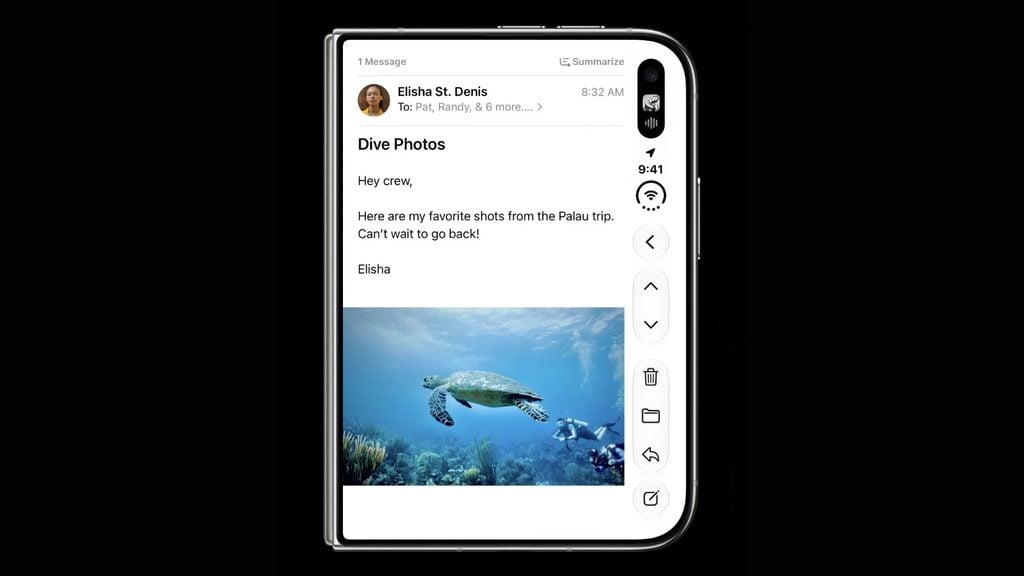
Apple has taken the Dynamic Island further with its foldable iPhone Duo. According to the official announcement, the device places a redesigned Dynamic Island vertically along the side of its displays, where it expands to show Live Activities and alerts.
This follows Apple’s broader effort to make iOS 27 adapt to different display sizes and orientations. The landscape improvements also work alongside other Dynamic Island features, including the new gesture for launching Siri AI.




Discussion