
Touch Twitter’s sparkle and something wonderful will happen. That’s not a euphemism, it’s Twitter’s terminology for the option to enable a chronological timeline, now available.
[How to Deauthorize Twitter Apps From Your Account]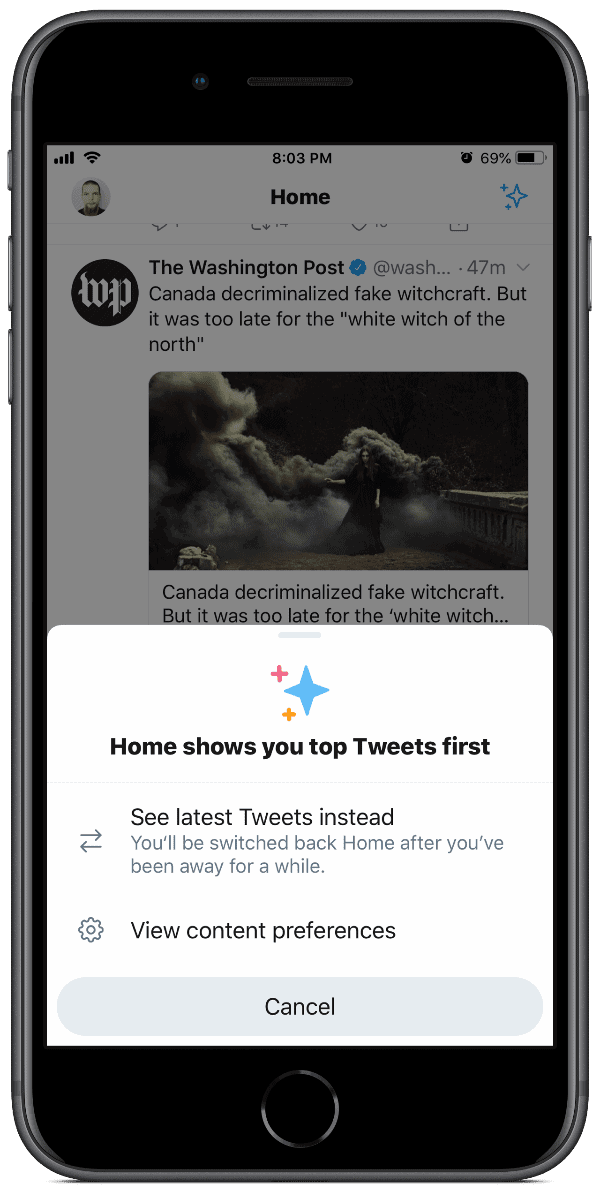
Sparkle
On iOS, when you open Twitter you’ll see (or soon see) a sparkle icon in the upper right. Tap it and you’ll see a chronological timeline. This means you’ll see tweets as they happen, instead of more popular tweets shown first. You know, like in the good ole’ days.
Apparently the app will somehow learn from your habits, and potentially enable it for you. But if you want it on all the time, tap the icon. You can also go into Settings and Privacy > Content Preferences. Under the Timeline section uncheck the box next to “Show me the best tweets first.”
[Saudi Arabia Had a Mole Inside Twitter]
Don’t miss the best of The Mac Observer
Set us as a preferred source and our Apple reporting ranks higher in your Google Search results and Discover feed — one tap, no account changes.




Unfortunately, it is not a permanent user selection. As noted in the description, you’ll be switched back to their preference of showing “top tweets”. I have had to select chronological order twice using the “sparkle” even though I unchecked the “Show me the best tweets first” prefs selection. Just another case of Twitter (and yes, Facebook and even Apple) knowing (or thinking they know) what’s best for every user. That is flawed thinking.