
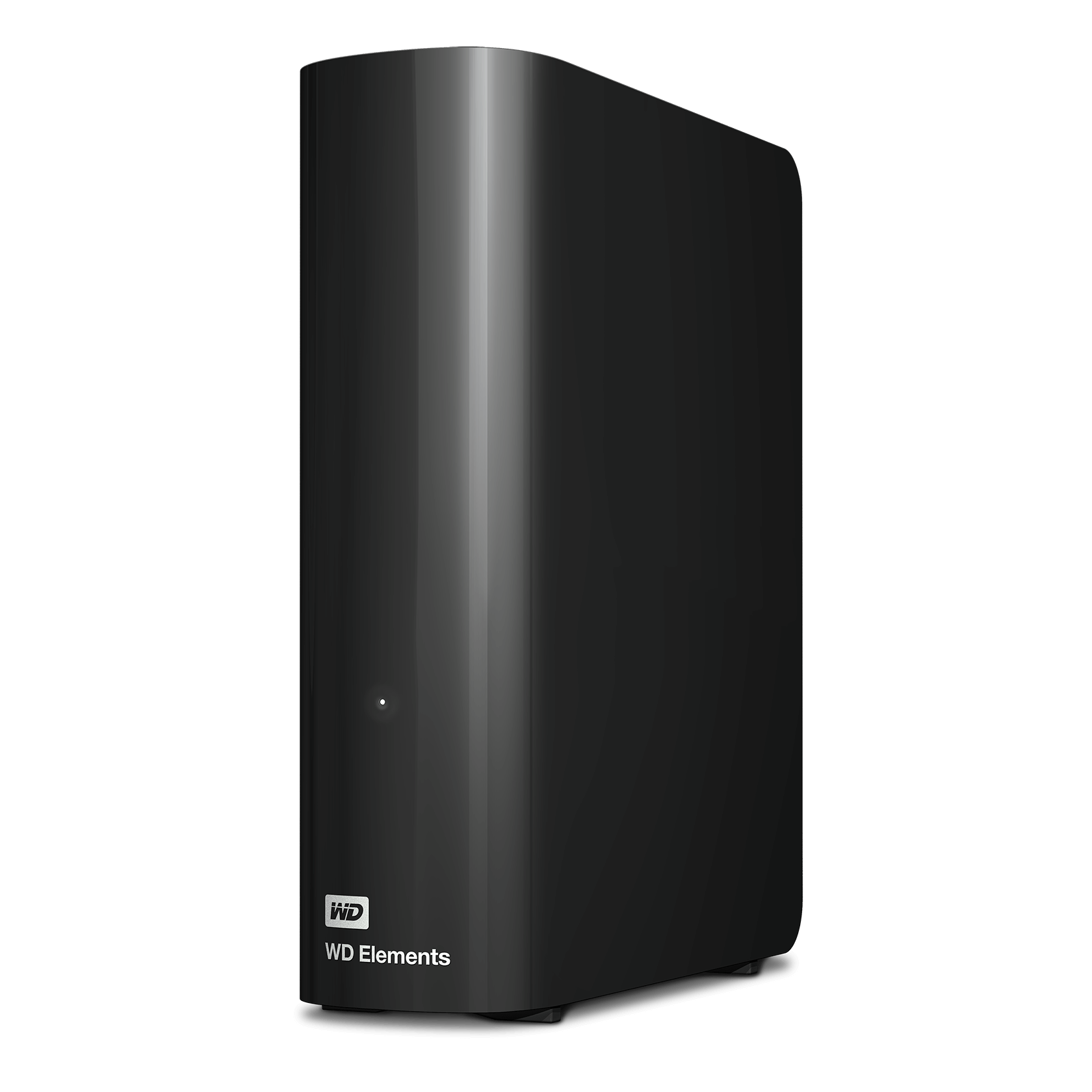
The WD Elements Desktop 20TB external hard drive is $549.99 on Amazon, down from a $879.99 list price. That’s $330 off, and Western Digital’s own store charges $1,069.99 for the same 20TB model, so you pay $520 less than buying direct. If you have a desk Mac with a big SSD, or a couple of Macs in the house, this is one Time Machine disk that won’t fill up for years.
We checked the price, seller and stock on Amazon on November 28, 2026. Amazon.com is the seller, not a marketplace shop, and the listing carries Amazon’s Cyber Monday Deal badge. It showed as in stock with no low-stock warning when we looked.
Apple’s twice-your-storage rule means 20TB can back up a Mac with 10TB inside
Apple keeps the sizing advice simple on its Time Machine support page. Use a backup disk with at least twice the storage capacity of your Mac. Its own example is a 1TB Mac, which should ideally get a 2TB disk. Flip that around and a 20TB drive covers a Mac with up to 10TB of storage. Few Macs need that much room. But extra room buys you history.
Don’t miss the best of The Mac Observer
Set us as a preferred source and our Apple reporting ranks higher in your Google Search results and Discover feed — one tap, no account changes.
Time Machine saves hourly backups for the past 24 hours, daily backups for the past month and weekly backups for every month before that. It only deletes the oldest ones once the disk is full. On a 1TB Mac, 20TB stretches that weekly history a long way back.
One drive can also cover several Macs. Apple’s list of backup disks Time Machine supports includes a Mac shared as a network backup destination. Plug the Elements into a Mac that stays on, share it as a Time Machine backup destination in File Sharing, and the other Macs on your network can back up to it. Apple recommends that setup only when both Macs run macOS 11 or later.
Time Machine will erase the drive first, and Apple wants it kept for backups only
The drive ships set up for Windows. Amazon’s listing says reformatting is required for macOS, and WD’s page says it may be required. Pick the drive in System Settings, General, Time Machine, and your Mac might ask to erase it so it can hold backups. Say yes. Just don’t copy any files onto it before you do.
Apple also says a Time Machine disk should hold Time Machine backups only, not your other files. There’s an exception for advanced users. Add a second APFS volume, use one for backups and one for storage, and size the backup volume at twice your Mac’s capacity. With 20TB that split is realistic. A 2TB Mac gets a 4TB backup volume and you still have around 16TB for a photo or video archive. Keep in mind that files living only on that second volume have no backup of their own.
WD rates it for 5Gbps USB 3.2 Gen 1 with a USB-A cable, so a USB-C Mac needs an adapter
Western Digital doesn’t publish a read or write speed in megabytes per second for this drive. Its Elements Desktop spec page lists a USB 3.0 interface with USB 3.2 Gen 1 support, a Micro-B port on the drive and a SuperSpeed USB-A cable rated at 5Gbps. Amazon’s spec table calls it a 3.5-inch mechanical hard disk, so this is spinning storage, not an SSD. It’s built for backups and archives, not for editing projects off the disk.
The cable is the real catch. If your Mac only has USB-C or Thunderbolt ports, you need an adapter, and Apple’s own USB-C to USB Adapter costs $19. The drive also needs wall power from the included AC adapter. WD lists it at 5.31 x 1.89 x 6.53 inches and 0.9 pounds, with a 2-year limited warranty. It belongs on a desk next to an iMac, Mac mini or Mac Studio, not in a laptop bag.
| What you pay for | Price |
|---|---|
| WD Elements Desktop 20TB on Amazon | $549.99 |
| Amazon list price, same drive | $879.99 |
| Western Digital store, 20TB model | $1,069.99 |
| Cost per terabyte at the deal price | About $27.50 |
| Apple iCloud+ 12TB plan | $59.99 a month |
| Apple USB-C to USB Adapter, if your Mac needs one | $19 |
Who should buy the 20TB Elements and who should save money with a smaller drive
Buy it if your Mac has 2TB or more of storage, if you want every Mac in the house backing up to one shared disk, or if you want years of Time Machine history. The cloud math helps too. Apple’s iCloud+ 12TB plan costs $59.99 a month, so this drive costs about what nine months of that plan do, with 8TB more space. iCloud keeps your photos and files in sync, but it isn’t on Apple’s list of Time Machine backup disks. You still want a local copy.
Skip it if you carry a MacBook with 512GB or 1TB and want a backup that travels. Our WD My Passport 1TB deal covers a 512GB Mac at a fraction of the price and fits in a bag. And if you already own a Time Machine drive, this one makes a strong second copy. Our guide on how to back up one Mac to two Time Machine drives walks you through setting up the pair.
A single hard drive can still fail, so treat the 20TB WD Elements at $549.99 as your big home base, not your only copy. At $27.50 per terabyte from Amazon.com, it gives a desk Mac room for years of Time Machine history for roughly half of what WD charges.
MacObserver may earn a commission when you buy through links on this page. It doesn’t change the price you pay.

Discussion