Alexa Conversations with Multi-Turn Dialogue and Connected Skills Revealed

Amazon unveiled the developer preview of Alexa Conversations Monday.  The function is powered by deep learning and combines skills with multi-turn dialogue, reported VentureBeat. These can subsequently be connected with other skills to create all-in-one use cases. Organizing a night out is one of the first use cases.

Multi-turn conversations have been available for some time, but Alexa Conversations is designed to help people get more done quickly with the AI assistant’s more than 90,000 Alexa skills. The experience is intended at launch to help people make purchases, so if you order a movie ticket, follow-up questions may put you in touch with the OpenTable skill to make dinner reservations or Uber skill to get a ride. Both Uber and OpenTable are early adopters of Alexa Conversations, along with the Atom Tickets skill for the sale of movie tickets. The ability to string together Alexa skills begins with a night-out use case, Amazon VP of devices David Limp told a gathering of reporters.

Professor of Astrophysics Dr. Jo Dunkley - Background Mode Interview

Dr. Jo Dunkley is a professor of Physics and Astrophysical Sciences at Princeton University. Her research is in cosmology, studying the origins and evolution of the universe. She holds a Ph.D. in astrophysics from University of Oxford.

Jo had an interesting path to her Ph.D. Her earliest love was mathematics, and soon she realized she could use math to answer questions about the real world. That led to a love for physics (at Cambridge) and getting her Master’s. While there, she discovered relativity and astrophysics, but another event inspired her to go for a Ph.D. In the second segment, we chatted about her true love, using computer code on supercomputers to model the universe and analyzing the Cosmic Microwave Background (the detectable aftermath of the Big Bang). Also discussed: inflation theory, dark matter and theories of the Multiverse.

iPhone and Apple Crime Roundup

iPhones are both popular with thieves and help catch them. AppleInsider has a nice roundup of Apple crime-related stories. They include how $19m worth of iPhones were stolen, and how one device helped bring in a Mueller investigation witness.

A fraud ring based in New York stole $19 million worth of iPhones over a period of seven years. Per Quartz, the perpetrators ran a scam in which they posed as cell phone subscribers, received new iPhones at little to no cost by using fake IDs and fraudulent debit cards, and then sold the phones on the black market. The case was reported earlier this spring, but the full criminal complaint was unsealed this week, revealing the perpetrators operated the scam in at least 34 states.

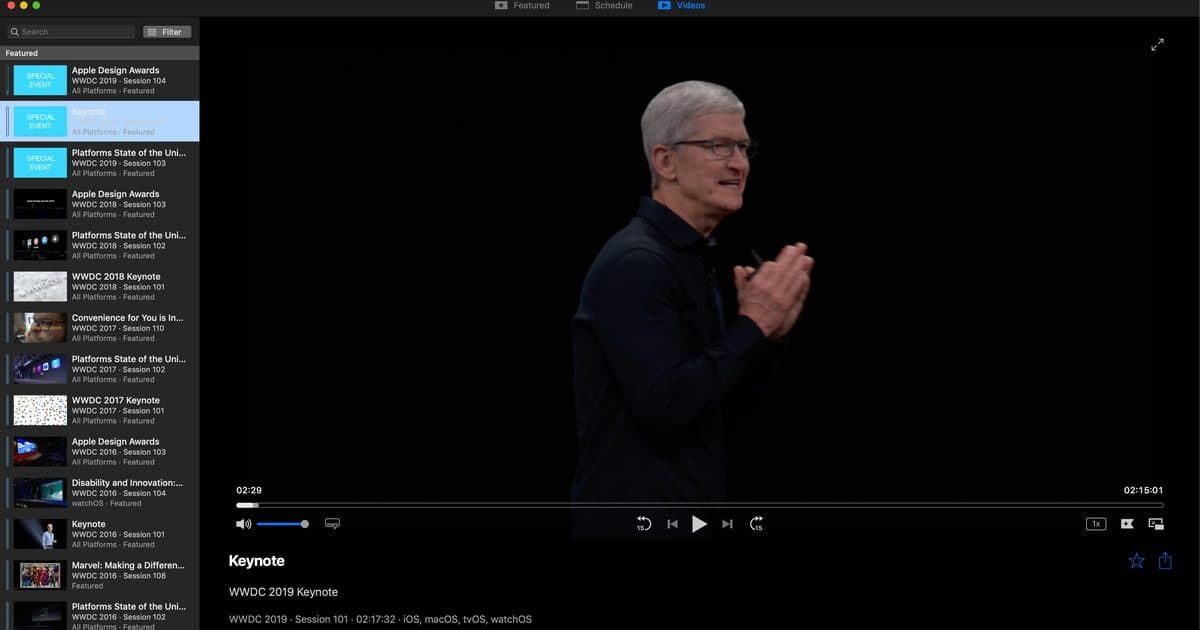
WWDC Unofficial App for Mac

Suffering from WWDC withdrawal symptoms? Want to rewatch the keynote or see that session you just couldn’t make. Fear not. The unofficial wwdc.io app for Mac brings together key sessions and footage from conferences over a number of years. I like how you can filter sessions to find what you want and share content easily. The app has a really nice user interface and is super easy to use as well. Download it from https://wwdc.io.

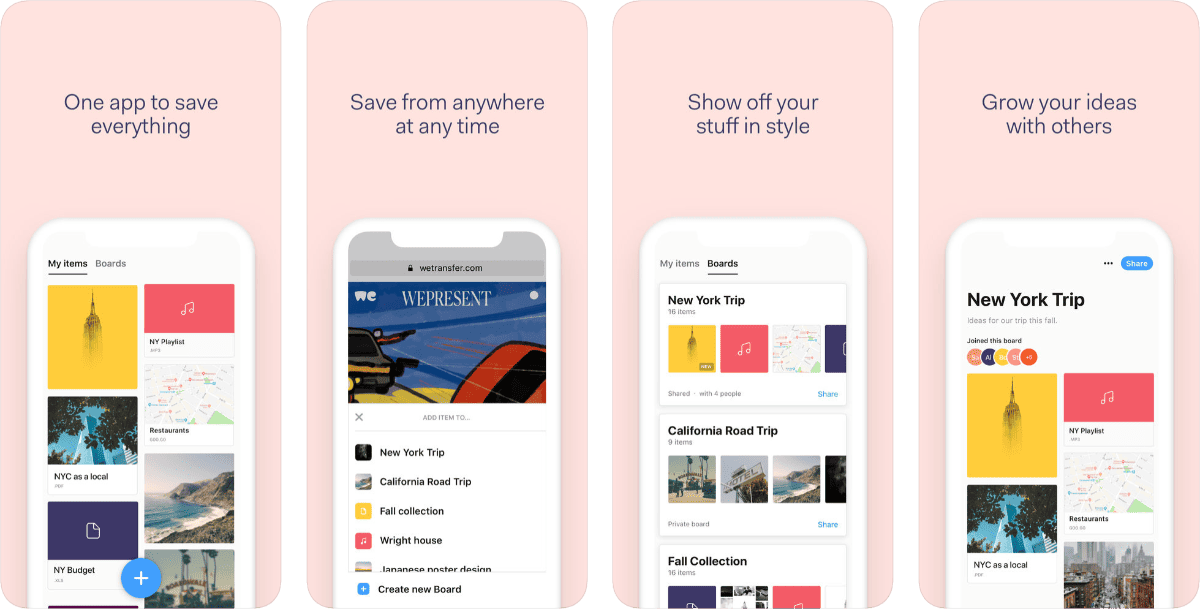
Collect by WeTransfer Lets You Collect All Sorts of Content

Collect by WeTransfer lets you save all sorts of content from around the web. Think of it as a private Pinterest. Save photos, links, songs, videos, documents and anything else you can think of; stay in your flow and save stuff from your phone for later with just a couple of clicks; and organize your content onto beautiful boards, perfect for visual thinkers. You can also add people to your boards without a sign-up or log-in. Share the board’s link through email, Slack, WhatsApp, and others straight from within Collect. Reading through WeTransfer’s privacy policy, I saw a couple things of interest: «During an upload, while it’s stored on our servers and during a download, Content is encrypted and only sent over a secure connection (https).» And: «We trust you understand that in order to fulfill our moral responsibility to reduce the spread of Child Sexual Abuse Imagery (CSAI), we do use automated systems to to detect such Content.» I mention the latter because I recently wrote how Apple started doing this as well.

Apple Wants to Kill Tracking, Not Advertising

Owen Williams writes how Apple wants to “kill advertising” with its newest privacy feature in iOS 13 called Sign In with Apple.

Apple is likely to win consumers over, who think these things sound evil and strange, but without these practices [of using customers’ email addresses] many of our favorite businesses and services simply couldn’t exist or practically reach customers.

I disagree. Apple is trying to kill tracking, not advertising. In Safari, Apple is adding a feature called Privacy Preserving Ad Click Attribution to reduce targeted ads, which only accounts for a small 4% in revenue anyway.

Migrating iTunes, Upgrading Macs, and a Quick Tip from Craig Federighi – Mac Geek Gab 765

It’s true, Craig Federighi let loose a perfect little Quick Tip last week at WWDC, did you catch it? Your two geeks did, and they’re here to share it with you. In addition to some more Quick Tips from other listeners, this episode is chock full of answers to your great questions on topics like preparing your iTunes library for Catalina, upgrading to a new Mac, and much, much more. Press play and enjoy learning at least five new things!

Apple's New Mac Pro: The Good, the Bad, and the Ugly, with John Kheit - ACM 515

Bryan Chaffin and John Kheit dig into Apple’s new Mac Pro, covering the good, the bad, and the ugly. They talk specs, costs, some of the things that came out since the keynote, and weigh the very important question of whether they want one. Spoiler, yes, but John’s actually likely to pull the trigger. Bryan also makes sure to give John plenty of room to take his victory laps for the many things he got right leading up to this long-awaited announcement.

AirDock 3-in-1 Wireless Charging Station:

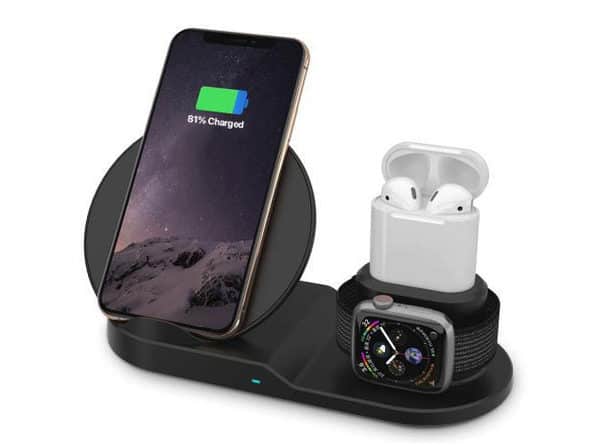
We have a deal on the AirDock 3-in-1 Wireless Charging Station, which allows you to charge your iPhone, Apple Watch, and AirPods at the same time. There’s a Qi charger for your iPhone, an Apple Watch wireless charger, and cradle with a Lightning port for your AirPods case. This device is $34.99 through our deal.