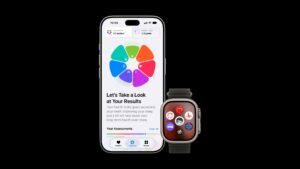
Communication Safety in iOS 27 now blurs gore and violence for children, not just nudity, but Apple’s own pages disagree on whether that protection reaches live FaceTime calls. Apple’s September 14 announcement says it does, while its Communication Safety support document, published the same day, says gore and violence detection works “only in FaceTime video messages, not live calls.”

Until Apple settles it, the safe assumption for parents is the narrower one: in a live FaceTime call, rely on nudity detection only, and use contact limits to control who can call your child in the first place.
What Communication Safety does
Communication Safety uses on-device machine learning to check photos and videos on a child’s device. When something appears to contain sensitive content, it blurs it, shows a warning, and offers a way out: message a trusted adult, leave the conversation, block the contact or open online safety resources. Because the analysis happens on the device, Apple says it “doesn’t receive an indication that sensitive content was detected.”
Don’t miss the best of The Mac Observer
Set us as a preferred source and our Apple reporting ranks higher in your Google Search results and Discover feed — one tap, no account changes.
If you’ve set a Screen Time passcode, children under 13 can’t view blurred content unless a parent or guardian enters that passcode on the child’s device. Apple notes that age thresholds vary by state, country or region.
The 27 releases add two things. The feature now looks for gore and violence as well as nudity. And after entering the passcode, a parent can use a slider “to selectively reveal details without viewing the full content,” so you can decide whether to allow something without seeing all of it first.
Apple says Communication Safety is on by default for children under 18 on iPhone, iPad, Mac and Apple Watch with the latest software. Your child needs to be signed in with a Child Account and be part of your Family Sharing group.

What four Apple pages say about FaceTime
All four pages below were published September 14. Here is how each describes the expanded protection, in Apple’s exact words.
| Apple page | What it says |
|---|---|
| Newsroom: “Apple’s new child safety features now available” | “Expanded Communication Safety protections that now block gore and violent content, in addition to nudity, in shared images and videos, including in live FaceTime calls.” |
| Support: “About Communication Safety on your child’s Apple device” | “Gore and violence detection is available only in FaceTime video messages, not live calls. It isn’t available on Apple Vision Pro.” |
| Support: “Set up parental controls to manage your child’s iPhone or iPad” | “Communication Safety helps protect your child from viewing or sharing photos or videos with detected nudity, gore, or violence. This includes pictures and videos sent through text message or a FaceTime video call.” |
| Release notes: “About iOS 27 Updates” | “Expanded Communication Safety protections help intervene before children see gore or violent content in shared images and videos.” Calls aren’t mentioned. |
Only the Communication Safety support document states a limit outright, and it is the page Apple’s parental controls guide links to for details. The parental controls page sits in between: it groups nudity, gore and violence together and mentions a FaceTime video call, without saying which kind of detection applies there. Apple’s child safety website sidesteps the question, describing protection from “detected nudity in Messages, FaceTime, and more” and adding that the feature “now also intervenes when it detects gore or violence in shared images and videos.”
Apple hasn’t said which description matches the software as shipped. What is documented is that nudity detection covers FaceTime calls on iPhone and iPad. Gore and violence detection in live calls is claimed by the announcement and ruled out by the reference page.
Where it works, device by device
The support document lists where Communication Safety looks for sensitive content, and the lists differ by device:
- iPhone and iPad: Messages, AirDrop, Contact Posters in the Phone and Contacts apps, “FaceTime calls and video messages,” shared photo albums, and photos or videos a child selects to share in some third-party apps.
- Mac: Messages, Contact Posters, shared photo albums and some third-party apps. FaceTime isn’t on the Mac list.
- Apple Watch: Messages, Contact Posters and FaceTime video messages.
- Apple Vision Pro: Messages, AirDrop and some third-party apps, with no gore and violence detection.
Gore and violence detection requires iOS 27, iPadOS 27, macOS 27 Golden Gate or watchOS 27. iOS 27 runs on iPhone 11 and later and iPhone SE (2nd generation and later), so a child using an older iPhone that can’t update keeps only the earlier nudity protections. On the wrist, an Apple Watch running watchOS 27, such as the new Apple Watch Series 12, looks for gore and violence in FaceTime video messages.
Apple also recommends updating every device in your Family Sharing group “for a complete set of protections,” which keeps Communication Safety settings in sync. For the redesigned Screen Time, the Newsroom post goes further: all devices in the group must be on the 27 releases to use it.
What parents can set up now
Start by confirming Communication Safety is on. Apple’s parental controls guide gives this route: open Settings, tap Family, tap your child’s name, tap Communication Safety, then turn on Communication Safety. The Communication Safety document also gives a route through Settings > Screen Time: scroll down, select your child, then select Communication Safety. You might be asked for the Screen Time passcode.
Next, check that a Screen Time passcode is set and that your child doesn’t know it. That passcode is what stops a child under 13 from viewing blurred content without you.
Because live calls are where Apple’s pages conflict, contact limits carry more weight. Apple’s parental controls guide lets you decide who your child can communicate with in Messages, FaceTime and Phone. Open Settings, tap Family, tap your child’s name, then tap Allowed Contacts. There you can turn on Manage Contacts to choose approved contacts, and keep Allow Contact Editing off so your child has to ask before adding someone new. For everything else that changed in iOS 27, see our iOS 27 guide.