
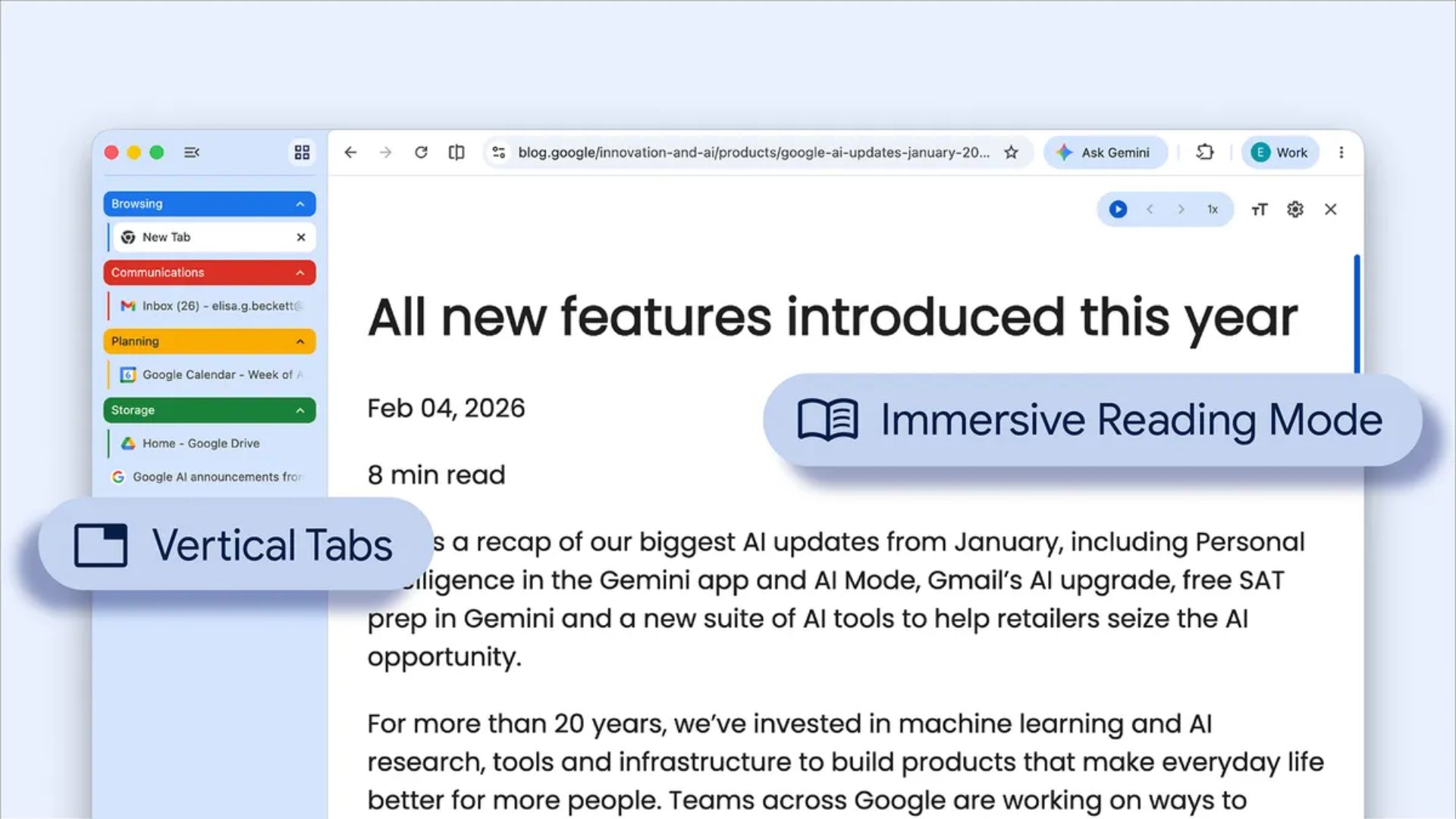
Google is rolling out two highly requested features for its web browser this week. Chrome users can finally organize their screen with vertical tabs and use a built-in reading mode to block out digital clutter. These changes aim to make browsing the internet easier on your eyes and keep your workspace tidy.
If you normally keep dozens of pages open at once, these updates will help you manage everything without installing any extra extensions or third-party software.
Moving your tabs to the side of the screen for easier navigation
Microsoft Edge and other alternative browsers have offered side navigation for years, and now Chrome is finally catching up. Instead of squeezing tiny tabs across the top of your monitor, you can snap them to the left side of your window to free up vertical space.
Don’t miss the best of The Mac Observer
Set us as a preferred source and our Apple reporting ranks higher in your Google Search results and Discover feed — one tap, no account changes.
The side panel expands when you hover over it, letting you read the full title of every open page clearly. This makes it much easier to find exactly what you need when you have multiple research pages or shopping sites open at the same time. You can also group related pages and collapse them entirely to save screen space.
Reading online articles without the extra digital distractions
The second major update is a dedicated reading environment built directly into the browser. When you click the new book icon in the address bar, Chrome immediately strips away sidebar menus, autoplaying video popups, and giant banner ads.
It leaves you with just the main text and important images formatted cleanly on the page. You can adjust the font size, change the background color to dark or sepia, and widen the text spacing for comfort.
This is highly useful if you spend a lot of time reading long news stories or studying online documents. Both features are rolling out slowly, so check your settings soon.


Discussion