
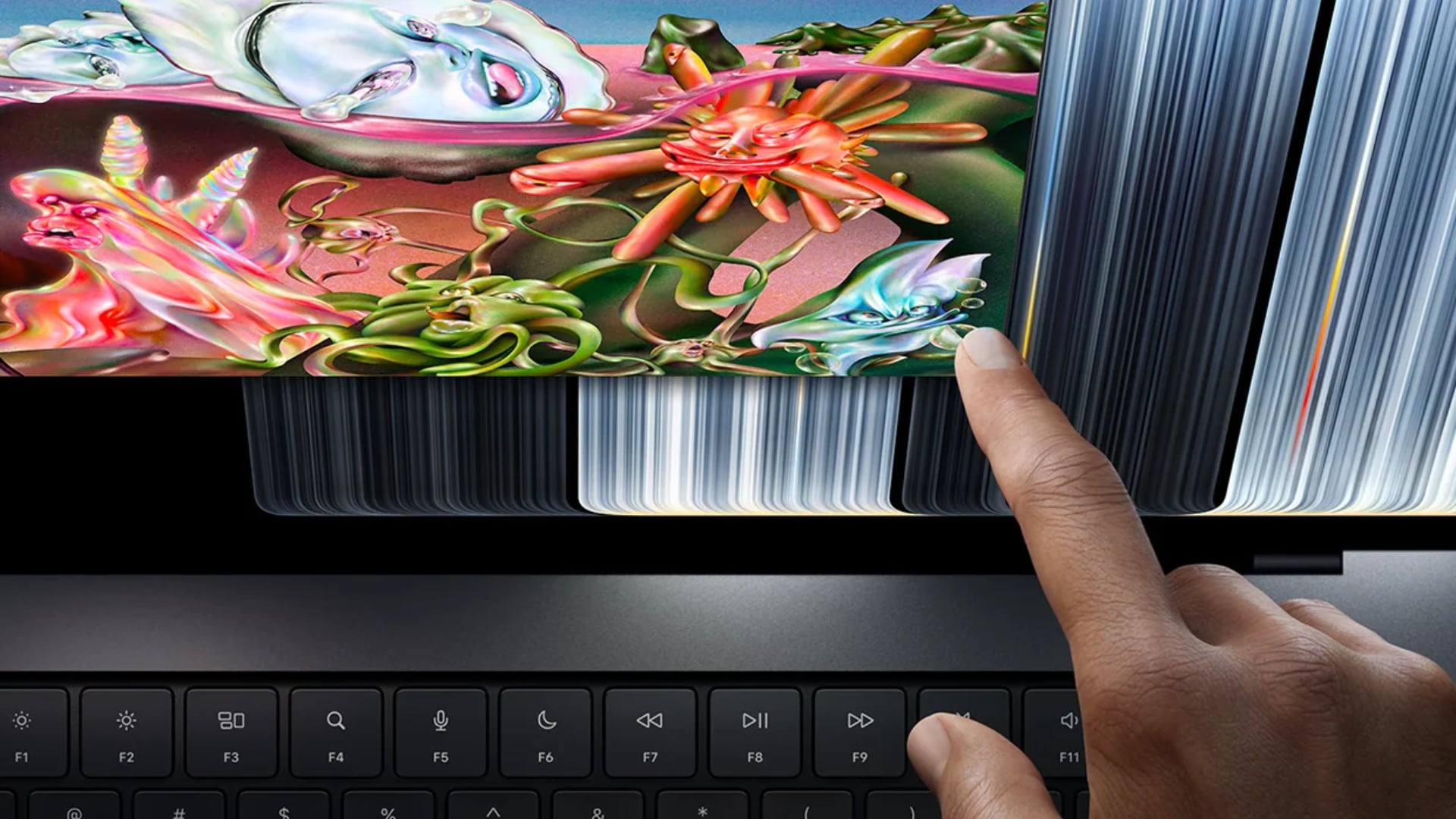
Marques Brownlee has delivered his full review of Apple’s new OLED MacBook Pro, calling its display the best he has seen on a laptop while questioning whether the improvements are enough to justify upgrading from an existing MacBook Pro. Despite praising the redesigned hardware, improved portability, and impressive screen quality, Brownlee found that Apple’s much-publicized touchscreen adds surprisingly little to everyday use.
In his latest review, published November 11, Brownlee examined the new MacBook Pro with PROLED XDR display after spending more time with the device. His findings suggest Apple has built an excellent professional laptop, although its existing Apple Silicon machines remain capable enough to make another expensive upgrade difficult to recommend.
The OLED Display Is the Biggest Reason to Upgrade
Brownlee considers the new tandem OLED display the strongest selling point of Apple’s redesigned MacBook Pro, particularly for photographers, video editors, and other professionals who depend on accurate colors.
Don’t miss the best of The Mac Observer
Set us as a preferred source and our Apple reporting ranks higher in your Google Search results and Discover feed — one tap, no account changes.
He describes the screen as:
“Turns out, it’s the best display I think I’ve ever seen in any laptop.”
The PROLED XDR display combines two OLED light-emitting layers to achieve higher brightness while preserving OLED’s deep blacks and precise pixel-level lighting.
According to Apple’s specifications, the panel supports 1,000 nits of sustained full-screen brightness, up to 2,000 nits of peak brightness, a 10,000,000:1 contrast ratio, and a 120Hz adaptive refresh rate.
Brownlee particularly appreciates the excellent color accuracy and support for both P3 and Adobe RGB color spaces. Unlike the previous mini-LED display, which uses local dimming zones, the OLED panel controls individual pixels and eliminates blooming around bright objects.
He also praises the thinner bezels and Dynamic Island, which replaces the familiar camera notch. As previously detailed, Apple has rounded the display’s lower corners to create a more consistent appearance.
However, Brownlee finds the decision between glossy and nano-texture glass more complicated. The glossy screen already handles reflections well, while nano-texture reduces direct glare at the expense of some contrast and sharpness.
A Lighter Design Without Sacrificing Performance
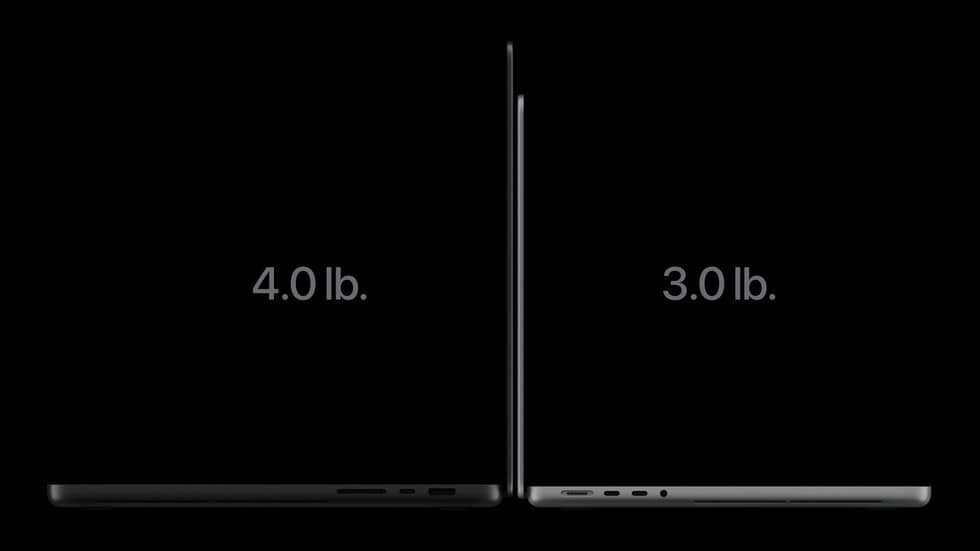
Beyond the display, Brownlee sees the redesigned chassis as another meaningful improvement. Apple has reduced the weight of the 14-inch model by roughly half a pound, while the 16-inch version is approximately 0.7 pounds lighter.
The difference is especially noticeable on the larger model, which becomes more practical for professionals who regularly travel with their laptops.
However, a thinner chassis raises questions about cooling and sustained performance, particularly when running demanding applications.
To investigate, Brownlee compared two 16-inch MacBook Pro models equipped with identical M5 Max chips and 128GB of unified memory, using the older mini-LED version against the new OLED model.
His tests showed essentially identical performance, including during sustained workloads lasting up to 30 minutes. The redesigned laptop maintained those results by running its cooling fans faster and directing heat through revised exhaust vents.
That finding is important because Apple retained the M5 Pro and M5 Max processors in the redesigned models, meaning existing owners receive no substantial processor upgrade.
Touchscreen Works Well, but Brownlee Rarely Uses It
Although Apple’s first touchscreen MacBook Pro attracted considerable attention, Brownlee remains unconvinced about its usefulness.
He found touch input extremely responsive and acknowledged Apple’s software adjustments, including larger interface controls, touch-friendly menus, and gestures for arranging windows.
However, after using the laptop extensively, he found himself interacting with the touchscreen less frequently.
The traditional keyboard and trackpad remain more comfortable for most desktop tasks, while the conventional laptop hinge limits how naturally users can interact with the display.
Brownlee also notes that the MacBook Pro lacks Apple Pencil support and does not offer a convertible design.
For developers, direct interaction with iPhone simulators and certain applications offers practical advantages. However, Brownlee sees little reason for most professionals to change their established workflows.
Excellent Hardware Makes the Upgrade Decision Difficult
Brownlee also appreciates several smaller improvements, including deeper speaker bass, improved webcam stabilization, and the return of Apple’s illuminated logo.
Still, the central question involves pricing.
The 14-inch OLED MacBook Pro starts at $2,899, while the 16-inch version begins at $3,399, representing a $400 premium over comparable mini-LED configurations.
For creative professionals who regularly work with HDR video, photography, or color-sensitive projects, Brownlee considers the display improvement compelling enough to justify that difference.
However, owners of recent M5 Pro and M5 Max machines already have excellent displays, powerful processors, and reliable performance. The OLED model improves the experience without delivering meaningful additional computing speed.
Brownlee’s review ultimately highlights a growing challenge for Apple. As its laptops become faster, more efficient, and capable of lasting for years, convincing existing customers to replace them becomes increasingly difficult.
The new OLED MacBook Pro is an impressive upgrade for people purchasing a professional Mac today, particularly those moving from older Intel or early Apple Silicon machines. For owners of newer models, the display and reduced weight remain the clearest reasons to spend another $3,000.


Discussion