
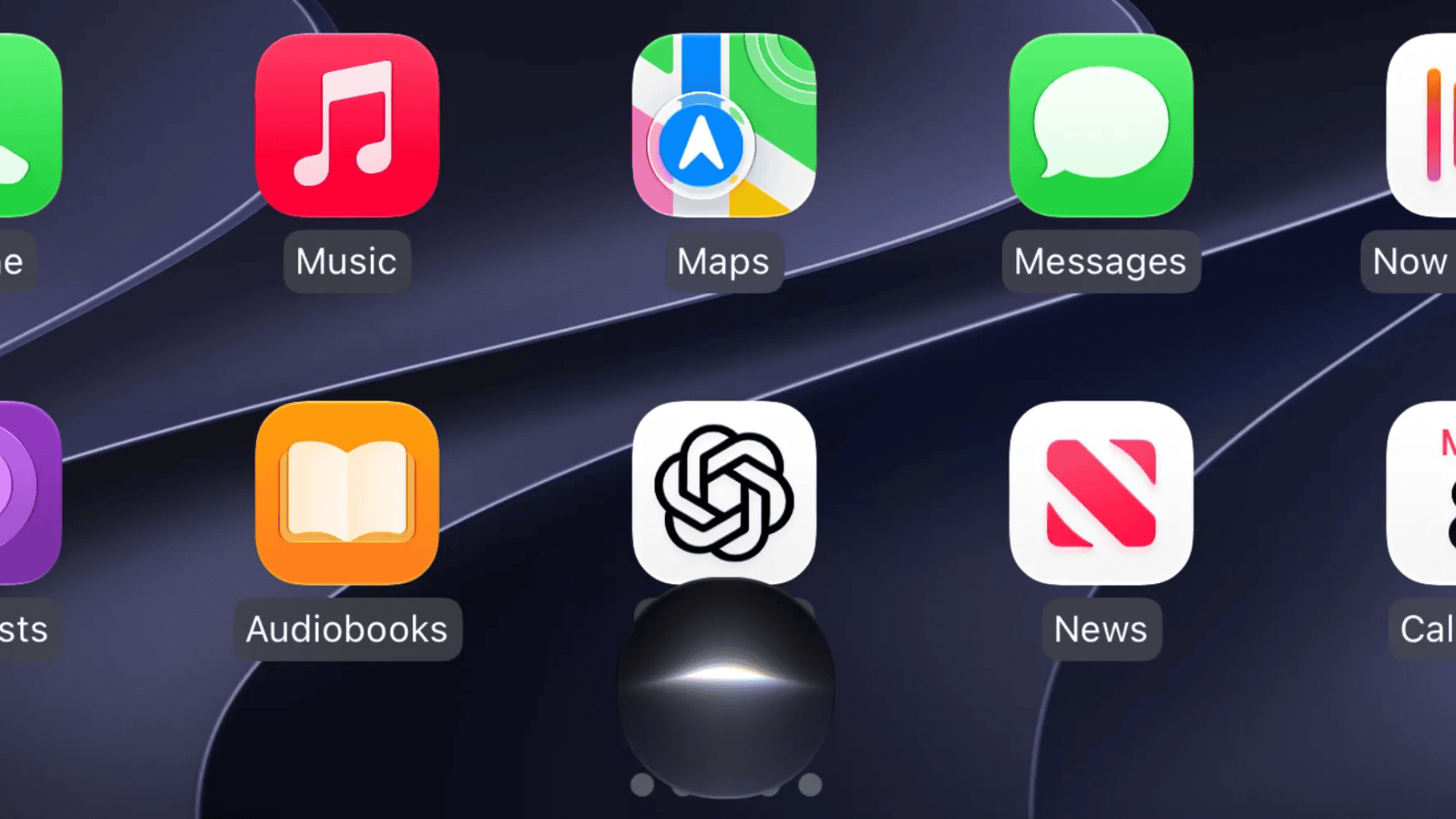
Apple CarPlay now supports more than 140 popular iPhone apps, allowing drivers to access navigation, music, messaging, AI assistants, weather updates, and other useful services directly from their car’s dashboard. The growing list includes familiar apps such as Spotify, Google Maps, WhatsApp, ChatGPT, and YouTube Music, alongside several newer additions that expand what CarPlay can do.
According to 9to5Mac’s updated November 2026 directory, supported apps cover more than a dozen categories, with recent iOS updates adding support for AI conversations, widgets, Live Activities, and video playback in compatible vehicles.
Below is the complete list, organized by category, with direct App Store links for downloading each available third-party app.
Don’t miss the best of The Mac Observer
Set us as a preferred source and our Apple reporting ranks higher in your Google Search results and Discover feed — one tap, no account changes.
Apple Apps That Work With CarPlay
Apple includes several built-in applications designed around essential driving functions, including hands-free communication, navigation, and entertainment.
- Phone, Music, Maps, Messages, News, Podcasts, Audiobooks (Apple Books), Calendar, Settings, and Siri.
These applications come with compatible iPhones and do not require separate downloads. CarPlay also includes Dashboard, Now Playing, widgets, and Live Activities for displaying relevant information while driving.
AI Apps Compatible With CarPlay
Apple introduced support for voice-based conversational applications with iOS 26.4, allowing drivers to interact with AI assistants through simplified interfaces.
Supported AI apps include:
These applications primarily support spoken conversations, with restrictions on displaying lengthy text and images while driving. Apple has also expanded AI chatbot support in CarPlay.
Music and Audio Streaming Apps
Music remains one of CarPlay’s largest categories, with support for streaming services, internet radio, and locally stored audio.
- Amazon Music, Apple Music Classical, Audiomack, Bandcamp, Berliner Philharmoniker, Blankie, Broadcasts
- Deezer Music, Doppler, LITT Live Radio, LiveOne Music, Mixcloud, myTuner Radio, Nintendo Music
- Pandora, Plexamp, Qobuz, Radio Deejay, SiriusXM Radio, SongCapsule, SoundCloud
- Spotify, Suno, Tidal, VLC, VOX, YouTube Music, Zeno Radio
Most music apps provide playback controls, playlists, and library access, although available features depend on the service.
Navigation and Maps Apps
CarPlay supports third-party navigation apps that offer turn-by-turn directions, traffic information, and specialized route planning.
- ABRP (A Better Routeplanner), ETA, Google Maps, HERE WeGo, inRoute, Lyft Driver
- MapQuest, My Porsche, NAVER Map, No Roads, onX Backcountry, onX Fish
- onX Hunt, onX Offroad, Radarbot, Rever Motorcycle GPS, Roads by Porsche, Sygic GPS Navigation
- TomTom GO Expert, TroutRoutes, Trucker Path, Uber Driver, Waze
Drivers can use supported alternatives to Apple Maps within CarPlay Dashboard, while some applications offer dedicated tools for electric vehicles, motorcycles, and commercial drivers.
Messaging and Communication Apps
Communication apps provide hands-free calling, messaging, and audio meeting capabilities.
- Beeper, Google Meet, LINE, Microsoft Teams, Telegram Messenger, Webex, WeChat, WhatsApp, and Zoom Workplace.
For example, WhatsApp’s upgraded CarPlay experience supports easier access to conversations and calls, while conferencing apps focus on audio participation.
Audiobooks and Podcast Apps
CarPlay supports audiobook services and podcast players, allowing users to resume listening and manage playback directly from their dashboards.
Audiobooks: Audible, Audiobooks.com, Blinkist, Bookmate, Everand, Google Play Books, Hoopla, Instapaper, Kobo Books, and Libby.
Podcasts: Breaker, Castbox, Castro, Downcast, iHeartRadio, Overcast, and Pocket Casts.
EV Charging, Fuel, Parking, and Food Apps
Apple supports several applications that help drivers locate charging stations, find parking, and manage food orders.
EV charging, fuel, and parking: ChargePoint, Chargeway, Chevron, EasyPark, Electrify America, FLO EV Charging, PlugShare, SpotHero, Texaco, and Walmart Fuel.
Food ordering: Caribou Coffee, Chick-fil-A, Domino’s Pizza, and Panera Bread.
Availability varies by country, and some services require users to complete payment or account setup on their iPhone.
News, Sports, and Weather Apps
CarPlay supports audio-focused news services, sports applications, and weather tools that provide information during trips.
News and sports: Audacy, Buffalo Bills, Bloomberg, CNBC, Chicago Bears, FOX News, MLB, NBA, NHL, NPR, New Orleans Saints, New York Times, Police Scanner Radio & Fire, The Economist, TuneIn Radio, and Washington Post.
Weather: CARROT Weather, MyRadar Weather Radar, RadarScope, Storm Radar, Weather Navigation for Car!, Weather on the Way, Weatherology, and WeatherWise.
Weather applications provide forecasts and route-specific conditions, while supported news and sports apps emphasize audio coverage.
Smart Home, Vehicle, and Utility Apps
Additional CarPlay-compatible applications include Airstream RV, Alarm.com, CardPointers, Home Assistant, HomeButtons for HomeKit, HomeLink, Kwikset, OBD Fusion, and Target.
These apps offer specialized functions ranging from connected-home controls to vehicle diagnostics and shopping-related features.
Video Apps on CarPlay
Apple also supports video playback through CarPlay on compatible vehicles while parked. The Apple TV app is among the supported options, while third-party video applications require compatible software and vehicle hardware.
As explained in Apple’s CarPlay developer documentation, video support requires developers and automakers to implement the necessary capabilities, and playback is restricted when the vehicle is moving.
How to Add and Customize CarPlay Apps on iPhone
Compatible apps generally appear automatically after installation when you connect your iPhone to CarPlay. You can also manage their arrangement using these steps:
- Open Settings on your iPhone.
- Select General > CarPlay.
- Choose your connected vehicle.
- Tap Customize.
- Add or remove supported apps and drag them into your preferred order.
If an app does not appear, check whether it supports CarPlay, update it through the App Store, and review your customization settings.
With more than 140 supported apps, CarPlay now covers navigation, entertainment, communication, vehicle management, and connected-home controls. Apple continues expanding the platform through iOS 27 improvements, while third-party developers bring additional services to compatible vehicles.




Discussion